

Shopify
GST on Shopify Sales: What Indian Sellers Need to Know
GST on Shopify Sales: What Indian Sellers Need to Know
Selling on Shopify in India? Here's a practical guide to GST registration, tax collection, invoicing, and compliance — so your store stays clean and audit-ready.
Selling on Shopify in India? Here's a practical guide to GST registration, tax collection, invoicing, and compliance — so your store stays clean and audit-ready.
08 min read
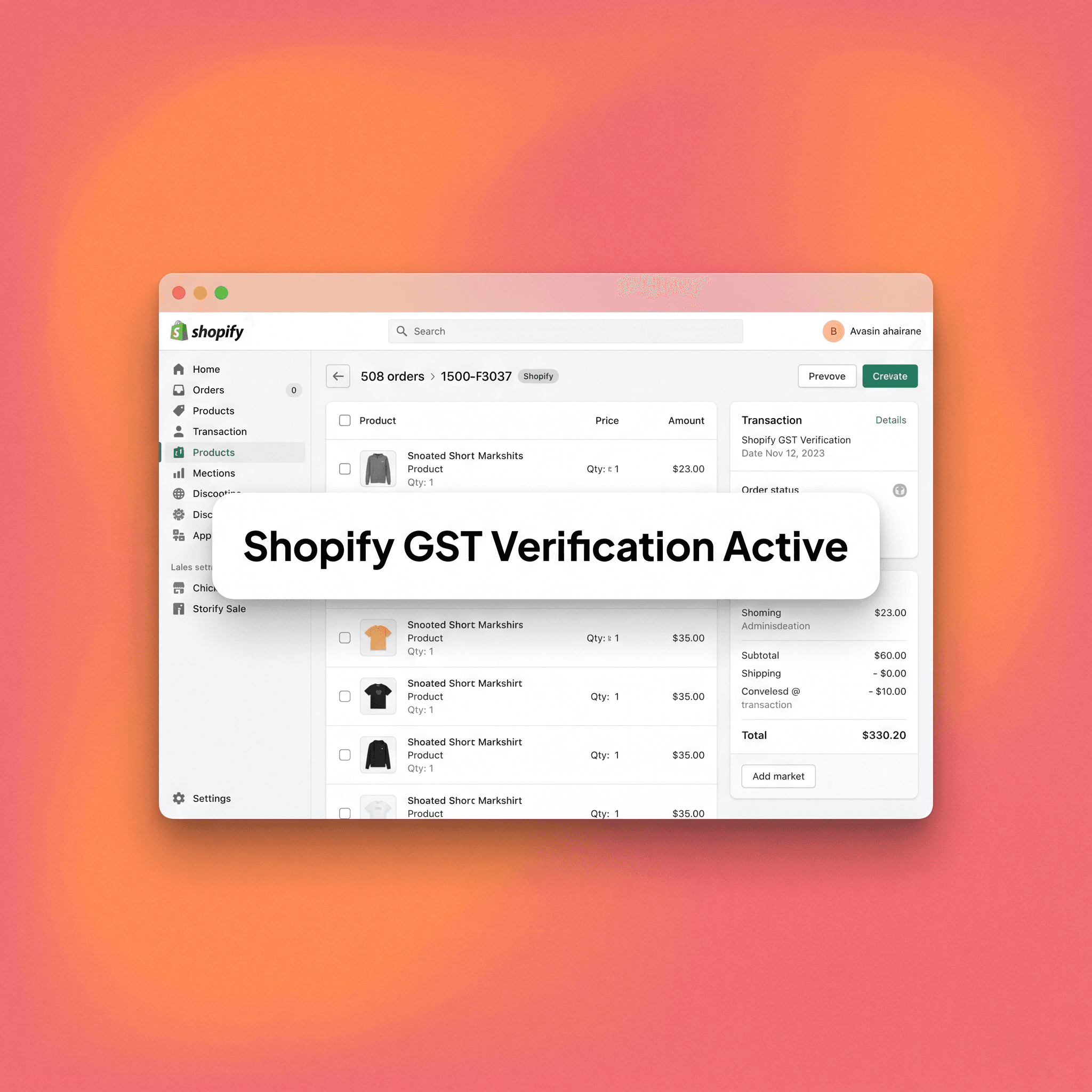
If you are currently running a Shopify store within the Indian market, GST compliance is not an optional feature—it is a strict legal requirement that triggers the moment you cross the government-mandated registration threshold, fundamentally altering how your store must be configured, how your invoices are generated, and the rigorous process through which your returns are filed. Most ambitious founders get this wrong in the early stages of their operations, not because they are inherently careless, but because Shopify’s default tax settings are globally optimized and were not built to handle the unique, granular complexities of Indian GST rules out of the box.
This guide provides you with a clear, practical, and highly detailed breakdown of how GST applies to your specific Shopify sales model in India, exactly what you need to configure to remain compliant, and the specific areas where most sellers consistently run into painful, costly problems. By understanding these mechanisms, you can move from a reactive state of uncertainty to a proactive, compliant foundation that allows you to scale your brand without the looming threat of tax authority audits or financial discrepancies that frequently plague growing e-commerce ventures in India.
Who Needs to Register for GST as a Shopify Seller?
GST registration is a mandatory obligation for any commercial business that crosses the annual turnover threshold established by the Ministry of Finance. For the vast majority of goods and services, that aggregate annual turnover threshold is set at ₹40 lakhs for businesses operating in regular Indian states.
For entities located in special category states, which notably include Himachal Pradesh, Uttarakhand, and most northeastern states, the mandatory registration threshold is significantly lower at ₹20 lakhs. There is, however, one critical, nuance-heavy exception that directly impacts Shopify sellers: if you are selling your products through any form of e-commerce platform—a category under which Shopify storefronts legally qualify—you are required to register for GST regardless of your total annual turnover. This specific regulation exists because e-commerce sellers are broadly classified as marketplace suppliers under the prevailing GST law, meaning that even if you technically own your storefront and are not using a third-party marketplace like Amazon, the legal expectation for compliance remains absolute.
In practical operational terms, this implies the following requirements for your business:
Interstate Shipping—If your Shopify store ships orders across state lines to customers located outside your home state, you are legally required to hold a valid GST registration regardless of your total revenue.
Single-State Sales—If you are strictly selling your products within the confines of a single state and your turnover remains below the established threshold, a specific exemption may technically apply to your store, but you must consult with a qualified tax advisor to confirm your status.
Digital Goods—If you are selling any form of digital goods or intangible services, completely different regulatory rules apply under the OIDAR (Online Information and Database Access or Retrieval) category, which necessitates a deeper level of tax scrutiny.
The absolute safest and most prudent position for any growing Indian Shopify brand is to register for GST early, configure your store’s tax engine correctly from day one, and cultivate clean, disciplined filing habits that will support your business as it matures from a startup into a high-volume enterprise.
How GST Works on Shopify: The Basic Mechanics
GST in India operates as a destination-based tax system, which fundamentally means that the tax is collected based on the location of the buyer rather than the physical location of your warehouse or office. This structural design creates a mandatory split between two distinct types of GST that you will encounter on every single transaction: CGST and SGST applies when both the buyer and the seller are located within the same state, where the total tax rate is split equally between the central government (CGST) and the state government (SGST). IGST, or Integrated Goods and Services Tax, applies whenever the buyer and the seller are located in different states, serving as a single integrated tax paid to the central government, which subsequently handles the internal distribution of the state portion. For the vast majority of Shopify sellers shipping products across the country, the overwhelming majority of your transactions will attract IGST, and your invoices must be configured to correctly reflect which tax type applies to each unique order based on the customer’s shipping address.
Setting Up GST Correctly on Shopify
While Shopify provides a built-in tax engine, it is important to understand that it does not automatically handle Indian GST requirements in the manner that local tax compliance laws mandate. You must manually configure these settings or deploy a specialized third-party app to bridge the gap.
Entering Your GSTIN in Shopify
To begin the configuration process, navigate to Settings → Taxes and Duties → India, where you can officially enter your GST registration number. It is vital to recognize that simply entering this number does not make your invoices GST-compliant; it merely registers your credentials within the system. You must ensure that this number appears accurately on all outward-facing documents, as the tax authorities require your GSTIN to be prominently displayed on every tax invoice to validate the authenticity of the transaction and the legitimacy of the seller.
Configuring Tax Rates by HSN Code
Every individual product you sell must be associated with a specific HSN (Harmonized System of Nomenclature) code, and each of these codes carries a unique, legally defined GST rate—typically 0%, 5%, 12%, 18%, or 28%. Shopify does not possess an automated system to assign these HSN codes to your catalog, so you are responsible for entering the correct code for each product within your product settings. You must then verify that the tax rate applied within Shopify’s settings perfectly matches the actual GST rate mandated by the government for that specific HSN code; getting this calculation wrong will inevitably cause a mismatch between your collected tax and your reported liability during the filing process.
Inclusive vs. Exclusive Pricing
You must decide early on whether your listed prices already include GST or if they are displayed as pre-tax amounts. The majority of successful D2C brands in India prefer to display GST-inclusive prices to maintain a cleaner, more predictable consumer experience at checkout. Within the Shopify dashboard, go to Settings → Taxes and Duties and toggle the "Include tax in product prices" setting to match your preferred pricing strategy, as this choice will dictate how your gross revenue and tax liabilities appear on your customer invoices and your internal Shopify financial reports.
GST-Compliant Invoices
It is a common point of frustration for new sellers to discover that Shopify’s default invoice template is not inherently GST-compliant under Indian law. A legally valid GST invoice must include your unique GSTIN, the buyer's GSTIN for all B2B transactions, the specific HSN/SAC code for every line item, a clear breakup of CGST, SGST, or IGST, a sequential invoice number series, and the defined place of supply. Because Shopify’s native tools cannot generate this exact format, you will need to utilize a third-party invoicing app or a custom Liquid template to produce compliant documents. Popular solutions for Indian sellers include apps like Tera or integrations with QuickBooks Online, which are designed to capture the necessary data points and format them according to the strict requirements of Indian tax authorities.
The Shopify GST Readiness Checklist (5-Point Framework)
Use this rigorous checklist before you process your first live order on your new Shopify store to ensure you are meeting the minimum viable compliance standards.
Point 1: Registration—Confirm your GSTIN is fully active and valid on the GST portal, then enter it into your store settings under Settings → Taxes and Duties.
Point 2: HSN Codes—Assign the precise HSN code and corresponding tax rate to every single product in your inventory, verifying them against the official government GST rate schedule rather than making assumptions.
Point 3: Invoice Configuration—Install a GST-compliant invoice app or finalize your custom invoice template, then perform a test order to verify that the generated document contains every mandatory legal field.
Point 4: Pricing Logic—Make a definitive choice between inclusive or exclusive pricing, apply it consistently across your entire catalog, and confirm that it displays correctly to the customer at the final checkout step.
Point 5: Filing Readiness—Connect your Shopify store to a robust accounting software platform or establish a rhythm for exporting tax reports, ensuring your internal data maps cleanly to GSTR-1 and GSTR-3B filing requirements.
Common Mistakes Indian Shopify Sellers Make with GST
Using the Wrong HSN Code
This is arguably the most frequent error made by new founders, who either leave the HSN field blank or lazily assign a generic, incorrect code to their products. The consequence is a dangerous mismatch between your collected tax and your actual liability—for example, you might collect 12% GST from a customer while your true liability is 18%, leaving you to pay the difference out of your own profit margin. Tax audits are incredibly effective at surfacing these discrepancies, which can lead to significant penalties and interest payments that are entirely avoidable with proper catalog management.
Assuming Shopify Handles Compliance Automatically
Shopify is a powerful global e-commerce platform, but it is not a local tax advisor. Its built-in tools are exceptionally robust for US-based tax rules but are insufficient for the specific complexities of Indian GST. Many sellers who skip the manual configuration step discover this gap only when they attempt to file their very first return and realize that their Shopify data does not align with the government’s filing portal.
Not Separating B2B and B2C Invoicing Logic
If your brand sells products to other businesses, you must capture the buyer’s GSTIN during the checkout process and ensure it is reflected on the tax invoice. Shopify does not natively prompt for a buyer's GSTIN in the standard checkout flow, meaning you will need to add a custom field or use an app to collect this info. B2B buyers require these compliant invoices to claim their input tax credit, and if you cannot provide a valid document, you risk losing the sale entirely or damaging your professional reputation with corporate clients.
Missing the Reverse Charge Mechanism
Certain types of service purchases trigger the reverse charge mechanism, where the buyer—you—is responsible for paying the GST directly to the government rather than the vendor charging it to you. This scenario typically applies to services purchased from unregistered vendors, and many founders fail to account for this in their monthly liability calculations, leading to under-reporting and eventual tax demand notices.
Poor Export Records
If you are selling to international customers through your Shopify store, those transactions may qualify as zero-rated exports under GST. To legally claim this benefit and avoid paying tax on export sales, you need to maintain proper documentation, including shipping bills and a valid Letter of Undertaking (LUT). Skipping these administrative requirements means you forfeit the export benefits and may end up overpaying tax on your international revenue.
GST Filing: What Shopify Sellers Need to File
Once your business is registered for GST, you are legally required to file regular returns. The primary returns that most Shopify sellers are obligated to file include GSTR-1, which is filed monthly or quarterly to report all outward supplies or sales, capturing the details of every invoice you issued during the period. You must also file GSTR-3B, a summary return filed monthly where you calculate and report your net GST liability and pay the final tax due to the government. Finally, there is GSTR-9, which is an annual consolidated return filed once per financial year to summarize all transactions. Shopify provides a basic tax report under Analytics → Reports that lists the taxes collected by order, but this is merely a starting point and is not formatted for direct GST filing. You will need to export, clean, and reconcile this raw data against your invoice register before you can successfully complete your filings.
Do You Need a CA or Tax Software?
If your order volume is relatively low and your product catalog is simple, a competent bookkeeper who is well-versed in GST e-commerce rules can likely manage your filing requirements. However, as you scale—particularly if you deal with multiple HSN codes, interstate logistics complexity, B2B sales, or international exports—retaining a Chartered Accountant (CA) with specific e-commerce experience is well worth the cost. The tax filing errors that inevitably compound over time are significantly more expensive to fix retroactively than the advisory fee required to avoid them in the first place, ensuring your business remains audit-proof as it grows.
If you are currently running a Shopify store within the Indian market, GST compliance is not an optional feature—it is a strict legal requirement that triggers the moment you cross the government-mandated registration threshold, fundamentally altering how your store must be configured, how your invoices are generated, and the rigorous process through which your returns are filed. Most ambitious founders get this wrong in the early stages of their operations, not because they are inherently careless, but because Shopify’s default tax settings are globally optimized and were not built to handle the unique, granular complexities of Indian GST rules out of the box.
This guide provides you with a clear, practical, and highly detailed breakdown of how GST applies to your specific Shopify sales model in India, exactly what you need to configure to remain compliant, and the specific areas where most sellers consistently run into painful, costly problems. By understanding these mechanisms, you can move from a reactive state of uncertainty to a proactive, compliant foundation that allows you to scale your brand without the looming threat of tax authority audits or financial discrepancies that frequently plague growing e-commerce ventures in India.
Who Needs to Register for GST as a Shopify Seller?
GST registration is a mandatory obligation for any commercial business that crosses the annual turnover threshold established by the Ministry of Finance. For the vast majority of goods and services, that aggregate annual turnover threshold is set at ₹40 lakhs for businesses operating in regular Indian states.
For entities located in special category states, which notably include Himachal Pradesh, Uttarakhand, and most northeastern states, the mandatory registration threshold is significantly lower at ₹20 lakhs. There is, however, one critical, nuance-heavy exception that directly impacts Shopify sellers: if you are selling your products through any form of e-commerce platform—a category under which Shopify storefronts legally qualify—you are required to register for GST regardless of your total annual turnover. This specific regulation exists because e-commerce sellers are broadly classified as marketplace suppliers under the prevailing GST law, meaning that even if you technically own your storefront and are not using a third-party marketplace like Amazon, the legal expectation for compliance remains absolute.
In practical operational terms, this implies the following requirements for your business:
Interstate Shipping—If your Shopify store ships orders across state lines to customers located outside your home state, you are legally required to hold a valid GST registration regardless of your total revenue.
Single-State Sales—If you are strictly selling your products within the confines of a single state and your turnover remains below the established threshold, a specific exemption may technically apply to your store, but you must consult with a qualified tax advisor to confirm your status.
Digital Goods—If you are selling any form of digital goods or intangible services, completely different regulatory rules apply under the OIDAR (Online Information and Database Access or Retrieval) category, which necessitates a deeper level of tax scrutiny.
The absolute safest and most prudent position for any growing Indian Shopify brand is to register for GST early, configure your store’s tax engine correctly from day one, and cultivate clean, disciplined filing habits that will support your business as it matures from a startup into a high-volume enterprise.
How GST Works on Shopify: The Basic Mechanics
GST in India operates as a destination-based tax system, which fundamentally means that the tax is collected based on the location of the buyer rather than the physical location of your warehouse or office. This structural design creates a mandatory split between two distinct types of GST that you will encounter on every single transaction: CGST and SGST applies when both the buyer and the seller are located within the same state, where the total tax rate is split equally between the central government (CGST) and the state government (SGST). IGST, or Integrated Goods and Services Tax, applies whenever the buyer and the seller are located in different states, serving as a single integrated tax paid to the central government, which subsequently handles the internal distribution of the state portion. For the vast majority of Shopify sellers shipping products across the country, the overwhelming majority of your transactions will attract IGST, and your invoices must be configured to correctly reflect which tax type applies to each unique order based on the customer’s shipping address.
Setting Up GST Correctly on Shopify
While Shopify provides a built-in tax engine, it is important to understand that it does not automatically handle Indian GST requirements in the manner that local tax compliance laws mandate. You must manually configure these settings or deploy a specialized third-party app to bridge the gap.
Entering Your GSTIN in Shopify
To begin the configuration process, navigate to Settings → Taxes and Duties → India, where you can officially enter your GST registration number. It is vital to recognize that simply entering this number does not make your invoices GST-compliant; it merely registers your credentials within the system. You must ensure that this number appears accurately on all outward-facing documents, as the tax authorities require your GSTIN to be prominently displayed on every tax invoice to validate the authenticity of the transaction and the legitimacy of the seller.
Configuring Tax Rates by HSN Code
Every individual product you sell must be associated with a specific HSN (Harmonized System of Nomenclature) code, and each of these codes carries a unique, legally defined GST rate—typically 0%, 5%, 12%, 18%, or 28%. Shopify does not possess an automated system to assign these HSN codes to your catalog, so you are responsible for entering the correct code for each product within your product settings. You must then verify that the tax rate applied within Shopify’s settings perfectly matches the actual GST rate mandated by the government for that specific HSN code; getting this calculation wrong will inevitably cause a mismatch between your collected tax and your reported liability during the filing process.
Inclusive vs. Exclusive Pricing
You must decide early on whether your listed prices already include GST or if they are displayed as pre-tax amounts. The majority of successful D2C brands in India prefer to display GST-inclusive prices to maintain a cleaner, more predictable consumer experience at checkout. Within the Shopify dashboard, go to Settings → Taxes and Duties and toggle the "Include tax in product prices" setting to match your preferred pricing strategy, as this choice will dictate how your gross revenue and tax liabilities appear on your customer invoices and your internal Shopify financial reports.
GST-Compliant Invoices
It is a common point of frustration for new sellers to discover that Shopify’s default invoice template is not inherently GST-compliant under Indian law. A legally valid GST invoice must include your unique GSTIN, the buyer's GSTIN for all B2B transactions, the specific HSN/SAC code for every line item, a clear breakup of CGST, SGST, or IGST, a sequential invoice number series, and the defined place of supply. Because Shopify’s native tools cannot generate this exact format, you will need to utilize a third-party invoicing app or a custom Liquid template to produce compliant documents. Popular solutions for Indian sellers include apps like Tera or integrations with QuickBooks Online, which are designed to capture the necessary data points and format them according to the strict requirements of Indian tax authorities.
The Shopify GST Readiness Checklist (5-Point Framework)
Use this rigorous checklist before you process your first live order on your new Shopify store to ensure you are meeting the minimum viable compliance standards.
Point 1: Registration—Confirm your GSTIN is fully active and valid on the GST portal, then enter it into your store settings under Settings → Taxes and Duties.
Point 2: HSN Codes—Assign the precise HSN code and corresponding tax rate to every single product in your inventory, verifying them against the official government GST rate schedule rather than making assumptions.
Point 3: Invoice Configuration—Install a GST-compliant invoice app or finalize your custom invoice template, then perform a test order to verify that the generated document contains every mandatory legal field.
Point 4: Pricing Logic—Make a definitive choice between inclusive or exclusive pricing, apply it consistently across your entire catalog, and confirm that it displays correctly to the customer at the final checkout step.
Point 5: Filing Readiness—Connect your Shopify store to a robust accounting software platform or establish a rhythm for exporting tax reports, ensuring your internal data maps cleanly to GSTR-1 and GSTR-3B filing requirements.
Common Mistakes Indian Shopify Sellers Make with GST
Using the Wrong HSN Code
This is arguably the most frequent error made by new founders, who either leave the HSN field blank or lazily assign a generic, incorrect code to their products. The consequence is a dangerous mismatch between your collected tax and your actual liability—for example, you might collect 12% GST from a customer while your true liability is 18%, leaving you to pay the difference out of your own profit margin. Tax audits are incredibly effective at surfacing these discrepancies, which can lead to significant penalties and interest payments that are entirely avoidable with proper catalog management.
Assuming Shopify Handles Compliance Automatically
Shopify is a powerful global e-commerce platform, but it is not a local tax advisor. Its built-in tools are exceptionally robust for US-based tax rules but are insufficient for the specific complexities of Indian GST. Many sellers who skip the manual configuration step discover this gap only when they attempt to file their very first return and realize that their Shopify data does not align with the government’s filing portal.
Not Separating B2B and B2C Invoicing Logic
If your brand sells products to other businesses, you must capture the buyer’s GSTIN during the checkout process and ensure it is reflected on the tax invoice. Shopify does not natively prompt for a buyer's GSTIN in the standard checkout flow, meaning you will need to add a custom field or use an app to collect this info. B2B buyers require these compliant invoices to claim their input tax credit, and if you cannot provide a valid document, you risk losing the sale entirely or damaging your professional reputation with corporate clients.
Missing the Reverse Charge Mechanism
Certain types of service purchases trigger the reverse charge mechanism, where the buyer—you—is responsible for paying the GST directly to the government rather than the vendor charging it to you. This scenario typically applies to services purchased from unregistered vendors, and many founders fail to account for this in their monthly liability calculations, leading to under-reporting and eventual tax demand notices.
Poor Export Records
If you are selling to international customers through your Shopify store, those transactions may qualify as zero-rated exports under GST. To legally claim this benefit and avoid paying tax on export sales, you need to maintain proper documentation, including shipping bills and a valid Letter of Undertaking (LUT). Skipping these administrative requirements means you forfeit the export benefits and may end up overpaying tax on your international revenue.
GST Filing: What Shopify Sellers Need to File
Once your business is registered for GST, you are legally required to file regular returns. The primary returns that most Shopify sellers are obligated to file include GSTR-1, which is filed monthly or quarterly to report all outward supplies or sales, capturing the details of every invoice you issued during the period. You must also file GSTR-3B, a summary return filed monthly where you calculate and report your net GST liability and pay the final tax due to the government. Finally, there is GSTR-9, which is an annual consolidated return filed once per financial year to summarize all transactions. Shopify provides a basic tax report under Analytics → Reports that lists the taxes collected by order, but this is merely a starting point and is not formatted for direct GST filing. You will need to export, clean, and reconcile this raw data against your invoice register before you can successfully complete your filings.
Do You Need a CA or Tax Software?
If your order volume is relatively low and your product catalog is simple, a competent bookkeeper who is well-versed in GST e-commerce rules can likely manage your filing requirements. However, as you scale—particularly if you deal with multiple HSN codes, interstate logistics complexity, B2B sales, or international exports—retaining a Chartered Accountant (CA) with specific e-commerce experience is well worth the cost. The tax filing errors that inevitably compound over time are significantly more expensive to fix retroactively than the advisory fee required to avoid them in the first place, ensuring your business remains audit-proof as it grows.
FAQ
Is GST mandatory for Shopify sellers in India even with low revenue?
If you are selling through an ecommerce platform and shipping across state lines, GST registration is required regardless of your turnover. The standard threshold exemptions do not apply to ecommerce sellers under most circumstances. Verify with a tax advisor for your specific model, but the default assumption should be that registration is required.
What GST rate applies to my Shopify products?
The GST rate depends on the HSN code of each product. Rates range from 0% to 28% depending on the category. Common categories for D2C brands — apparel, personal care, electronics accessories — fall in different slabs. Check the official GST rate schedule or confirm with a CA before configuring your store.
Does Shopify automatically collect GST from Indian customers?
Shopify can be configured to collect GST at checkout, but it does not do this automatically by default for Indian sellers. You need to set up tax rates, assign HSN codes, and configure pricing logic manually. The platform applies the rates you set — it does not determine the correct rate for you.
Can I use Shopify's built-in invoice as my GST invoice?
No. Shopify's default invoice template does not meet Indian GST invoice requirements. You need to either use a third-party GST invoicing app integrated with Shopify or build a custom invoice template that includes all mandatory fields like GSTIN, HSN codes, and the CGST/SGST/IGST breakup.
How do I handle GST for international orders on Shopify?
Sales to customers outside India are generally treated as exports and are zero-rated under GST — meaning you don't charge GST on those orders. To benefit from this, you need to maintain proper export documentation and ideally file a Letter of Undertaking (LUT) with the GST department. Without this, you may end up paying GST on exports and having to claim a refund, which creates unnecessary cash flow friction.
What happens if I collect GST but don't file returns?
You are legally required to deposit the GST you collect with the government. If you collect and don't file or pay, you accumulate penalties and interest, and your GSTIN can be suspended or cancelled. Filing late attracts a ₹50 per day penalty (₹20 for nil returns). Beyond the penalty, lapses create reconciliation problems that compound across quarters.
Does GST apply to Shopify subscription fees or apps I pay for?
Yes. If you are paying Shopify's platform fees from India, those may attract GST under the OIDAR (Online Information and Database Access or Retrieval) services category. Shopify typically collects and remits this GST on your behalf, but you should verify whether this is reflected in your invoices from Shopify and whether you can claim input tax credit on those amounts.
insights
Explore more on AI, Design and Growth

SEO
Google AI & Local SEO: Rank in Both (2026 Guide)
Learn how to optimize content for Google AI search and local SEO simultaneously to rank in AI Overviews, maps, and organic search results.

SEO
Semantic Content Clusters for SEO & AEO (Templates)
Learn how to build semantic content clusters for SEO and AEO. Includes practical templates, internal linking structures, and examples for ranking in AI search.

SEO
How Google AI Search Works: RankBrain to Gemini (2026)
Discover how Google’s AI search evolved from RankBrain to Gemini and what it means for SEO, AI search results, and ranking strategies in 2026.
SEO
Google AI & Local SEO: Rank in Both (2026 Guide)
Learn how to optimize content for Google AI search and local SEO simultaneously to rank in AI Overviews, maps, and organic search results.
SEO
Semantic Content Clusters for SEO & AEO (Templates)
Learn how to build semantic content clusters for SEO and AEO. Includes practical templates, internal linking structures, and examples for ranking in AI search.
get in touch
Ready to Grow From Day One?
Strategy, execution, and digital experiences designed to move together. Fill out the form below and our team will contact you shortly.
get in touch
Ready to Grow From Day One?
Strategy, execution, and digital experiences designed to move together. Fill out the form below and our team will contact you shortly.
get in touch
Ready to Grow From Day One?
Strategy, execution, and digital experiences designed to move together. Fill out the form below and our team will contact you shortly.
Services
We'd love to hear from you.
Tell us what you're building and where you need support.
© 2026 projectsupply AI, Data and Digital Engineering
Company. Pune, India. All rights reserved.
Part of Tangle
Services
We'd love to hear from you.
Tell us what you're building and where you need support.
© 2026 projectsupply AI, Data and Digital Engineering
Company. Pune, India. All rights reserved.
Part of Tangle
Services
We'd love to hear from you.
Tell us what you're building and where you need support.
© 2026 projectsupply AI, Data and Digital Engineering
Company. Pune, India. All rights reserved.
Part of Tangle