

Shopify
GA4 vs Shopify Analytics: When to Use Which (And How to Reconcile Both)
GA4 vs Shopify Analytics: When to Use Which (And How to Reconcile Both)
Shopify Analytics and GA4 track different things, use different logic, and will never fully agree. Here's how to use both correctly and stop second-guessing your data.
Shopify Analytics and GA4 track different things, use different logic, and will never fully agree. Here's how to use both correctly and stop second-guessing your data.
08 min read
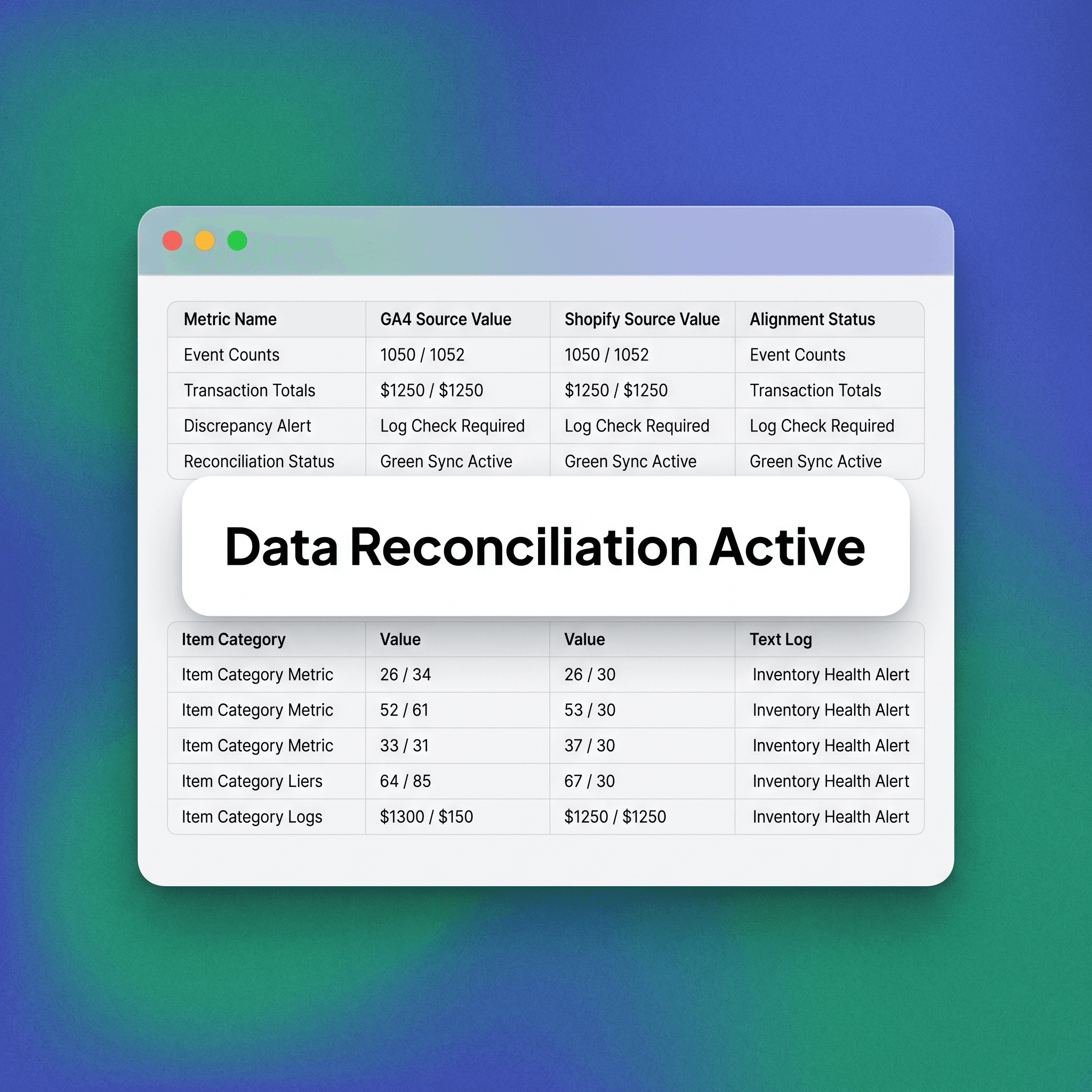
Shopify Analytics vs GA4: When to Use Which and How to Reconcile Both. If you run a Shopify store and have both GA4 and Shopify Analytics open at the same time, you've probably noticed they don't agree. Different revenue numbers. Different session counts. Different conversion rates. Before you assume something is broken, understand this: both platforms are working correctly.
They're just measuring different things, using different logic. The real problem isn't the discrepancy. It's not knowing which number to trust for which decision.
This guide breaks down exactly how each platform works, where each one belongs in your decision-making, and how to build a reconciliation process that keeps your team aligned. By understanding the fundamental architectural differences between server-side transaction logging and client-side behavioral tracking, you gain the ability to synthesize these two disparate data streams into a cohesive operational strategy, ensuring that your decision-making is backed by the most accurate source for the specific business question you are currently attempting to solve.
Why GA4 and Shopify Analytics Will Never Fully Match
This is the first thing to accept. The two platforms are architecturally different. Shopify Analytics pulls directly from order data inside Shopify's database. GA4 collects behavioral data through a JavaScript tag that fires in the browser. These are fundamentally different data sources, and they will produce different numbers every time. A few specific reasons the numbers diverge:
Ad blockers — and browser privacy settings prevent GA4 tags from firing, which means some sessions and purchases never get recorded in GA4 at all.
Shopify counts orders — whereas GA4 counts events, meaning a single order might trigger the purchase event late, not at all, or multiple times depending on tag configuration.
Currency and refund handling — works differently because Shopify updates revenue when a refund is processed, while GA4 requires custom implementation to handle these modifications.
Attribution windows — and models differ significantly, as Shopify's attribution is last-click and session-based, while GA4 uses a data-driven model by default that redistributes credit.
Session definitions — are different, as GA4 resets a session when the source or medium changes mid-visit, whereas Shopify does not utilize session logic in the same restrictive manner.
A 5–15% discrepancy in revenue between the two platforms is normal. Anything beyond that warrants investigation, but the baseline difference is expected. Because Shopify operates on the backend (server-side) to record an immutable financial ledger, its data is inherently more "perfect" for tax and reporting, whereas GA4 functions as a client-side (frontend) estimation engine designed for marketing sentiment; acknowledging this divergence prevents the common management trap of trying to force perfect alignment between two tools that serve completely different functional purposes within an enterprise-grade e-commerce stack.
What Shopify Analytics Does Well
Shopify Analytics is the source of truth for transactional and operational data. It reads directly from the order ledger, which means it's reliable, complete, and updated in real time. Use Shopify Analytics when you need to answer:
Revenue generation — How much revenue did we generate this month, net of refunds?
Product volume — Which products are selling and at what volume?
Average order value — What is the average order value right now?
Discount codes — How are discount codes performing?
Customer behavior — What does returning customer behavior look like?
Sales channels — How are different sales channels (online store, POS, Shop app) contributing to revenue?
Shopify's built-in reports are clean and actionable for operations, merchandising, and finance. If you're reconciling revenue with your accountant, use Shopify. If you're reviewing inventory performance or evaluating a product launch, use Shopify. Where Shopify Analytics falls short: it tells you what happened, not how customers got there or what they did before they converted. Traffic source data in Shopify is limited. Funnel visibility is minimal. You can't see where users dropped off, which pages drove engagement, or how paid campaigns actually performed at the session level, which is precisely why you must treat Shopify as the "accounting" layer of your business while looking elsewhere for the "marketing intelligence" required to drive future growth.
What GA4 Does Well
GA4 is a behavioral analytics platform. Its strength is understanding the path to purchase — how users find you, what they engage with, where they abandon, and which acquisition channels are actually driving valuable traffic. Use GA4 when you need to answer:
Traffic channels — Which traffic channels are driving the highest-quality sessions?
Checkout funnel — Where are users dropping off in the checkout funnel?
Assisted conversion — What is the assisted conversion path for paid social vs. organic search?
Landing page performance — How do different landing pages perform by engagement rate and conversion?
Cross-session behavior — What does user behavior look like across multiple sessions before purchase?
Campaign revenue — Which campaigns in Google Ads are generating revenue, not just clicks?
GA4 is the right tool for acquisition optimization, UX testing, content performance, and any decision that involves understanding user behavior rather than confirming order data. Where GA4 falls short: it undercounts orders because of tag-based data collection. Revenue figures are less reliable because they depend on clean event implementation and accurate attribution. GA4 revenue numbers should never be used for financial reporting. Because GA4 relies on the end-user's browser environment—which is increasingly hostile to tracking—it is best utilized for identifying macro trends and comparative performance shifts rather than granular financial reconciliation, making it an indispensable tool for marketing experimentation while remaining inherently unsuited for verifying the bank-account-level accuracy required for financial auditing.
The GA4 vs Shopify Analytics Decision Matrix
This framework gives your team a clear, repeatable way to route questions to the right platform. Use it to eliminate internal disagreements about which number is "right." The Project Supply Analytics Routing Matrix:
Revenue and GMV reporting — Use Shopify Analytics.
Refund and net revenue — Use Shopify Analytics.
Product and SKU performance — Use Shopify Analytics, with GA4 as a secondary reference.
Discount code effectiveness — Use Shopify Analytics.
Traffic source performance — Use GA4.
Checkout funnel drop-off — Use GA4.
Campaign attribution — Use GA4.
New vs. returning customers — Use both platforms for cross-verification.
Conversion rate by channel — Use GA4.
On-site behavior (time, scroll, etc.) — Use GA4.
Financial reconciliation — Use Shopify Analytics.
The rule of thumb: if the question is about money that moved, use Shopify. If the question is about behavior that led to money moving, use GA4. Maintaining this strict dichotomy in your reporting workflows prevents "analysis paralysis" among your marketing and finance teams, as it assigns a definitive, non-negotiable source of truth for every KPI, thereby fostering organizational alignment and allowing your team to focus on interpreting results rather than arguing over the methodological validity of the platforms themselves.
How to Reconcile GA4 and Shopify Analytics
Reconciliation isn't about forcing the numbers to match. It's about understanding the gap and confirming it's within expected range. Here's a clean process for doing this consistently.
Step 1: Set a Reconciliation Baseline
Run both platforms over the same date range and record the difference in reported orders and revenue. This is your baseline gap. For most stores with a properly configured GA4 setup, the order discrepancy will be 5–12% and revenue will be within 10–20% depending on attribution model settings. Document this baseline. If the gap widens significantly in a future period, that's a signal something changed — a tag broke, a new payment method was added, or GA4's configuration needs updating. By establishing this historical norm, you create a "canary in the coal mine" for your data health; monitoring this percentage is the single most effective way to detect silent failures in your tracking stack before they corrupt your marketing decision-making process for weeks or even months at a time.
Step 2: Check GA4 Purchase Event Health
The most common reason GA4 undercounts orders is a misconfigured or misfiring purchase event. In GA4, go to Reports → Realtime → Events and run a test transaction. Confirm the purchase event fires once and contains the correct transaction ID, revenue value, and item array. In Google Tag Manager (if you're using it), check that the purchase trigger is not firing on page refresh or thank-you page revisit. Duplicate purchase events inflate GA4 revenue beyond Shopify's count, which is the opposite of the typical issue but equally problematic. Ensuring data integrity at the event-tracking level is an ongoing operational requirement, as theme updates and third-party app installations can frequently interfere with the DOM elements your tags rely on, meaning that regular automated testing of the checkout flow is non-negotiable for anyone serious about maintainable marketing data.
Step 3: Align Your Attribution Reference Point
Shopify and GA4 attribute orders differently by default. Shopify uses last-click, session-based attribution. GA4 defaults to data-driven attribution, which can assign partial credit to multiple touchpoints. If you're comparing channel revenue between the two platforms, understand that you're comparing two different attribution methodologies — not two different measurements of the same thing. For apples-to-apples channel comparison, switch GA4 to last-click attribution within the Attribution settings and rerun the report. The gap will likely shrink. When you normalize these models, you are essentially aligning the "logical interpretation" of the data, which allows your marketing team to see the actual path to purchase through a consistent lens, thereby reducing the friction often found between teams that optimize based on disparate attribution logic.
Step 4: Build a Weekly Reconciliation Snapshot
Create a simple spreadsheet (or automate it via a Looker Studio report) that pulls the following each week:
Shopify totals — Total orders, gross revenue, net revenue after refunds.
GA4 totals — Purchase events recorded, reported revenue, top acquisition channels by conversions.
Calculated gap — (Shopify orders − GA4 orders) / Shopify orders × 100.
If that percentage is stable week over week, your setup is clean. If it spikes, investigate before making any major decisions based on either data source. Standardizing this weekly audit transforms the "discrepancy problem" from an anxiety-inducing crisis into a routine operational hygiene task; by automating the visualization of these gaps, you ensure that your stakeholders have constant visibility into the "truth" of the platform's health, which builds institutional trust and confidence in your analytical outputs.
Common Mistakes Teams Make With These Platforms
Trusting GA4 revenue for financial reporting — GA4 revenue is a behavioral signal, not a financial record; using it for board reports creates confusion at best and misaligned incentives at worst.
Ignoring GA4 entirely — Some teams disable GA4 because the numbers don't match; this removes the only tool they have for behavioral analysis, funnel optimization, and multi-touch attribution.
Over-relying on default attribution — Data-driven attribution requires high volume to work accurately; stores with few conversions should consider switching to last-click until volume scales.
Neglecting audit trails — Theme updates or payment provider switches frequently break tracking tags; if you don't audit after site changes, your data will become silently misleading over time.
Misinterpreting conversion rates — Shopify and GA4 calculate conversion rate differently; neither is wrong, so define internally which metric your team reports on and stick with it.
The consistent thread among successful teams is that they treat their analytics tools like a specialized engine; they acknowledge the inherent limitations and design flaws of each platform—specifically GA4's sample-heavy, tag-dependent nature and Shopify's lack of behavioral depth—and create a hybrid workflow that leverages the financial precision of the former and the marketing intelligence of the latter, ultimately resulting in a high-fidelity data environment that supports both aggressive growth and prudent financial management.
Shopify Analytics vs GA4: When to Use Which and How to Reconcile Both. If you run a Shopify store and have both GA4 and Shopify Analytics open at the same time, you've probably noticed they don't agree. Different revenue numbers. Different session counts. Different conversion rates. Before you assume something is broken, understand this: both platforms are working correctly.
They're just measuring different things, using different logic. The real problem isn't the discrepancy. It's not knowing which number to trust for which decision.
This guide breaks down exactly how each platform works, where each one belongs in your decision-making, and how to build a reconciliation process that keeps your team aligned. By understanding the fundamental architectural differences between server-side transaction logging and client-side behavioral tracking, you gain the ability to synthesize these two disparate data streams into a cohesive operational strategy, ensuring that your decision-making is backed by the most accurate source for the specific business question you are currently attempting to solve.
Why GA4 and Shopify Analytics Will Never Fully Match
This is the first thing to accept. The two platforms are architecturally different. Shopify Analytics pulls directly from order data inside Shopify's database. GA4 collects behavioral data through a JavaScript tag that fires in the browser. These are fundamentally different data sources, and they will produce different numbers every time. A few specific reasons the numbers diverge:
Ad blockers — and browser privacy settings prevent GA4 tags from firing, which means some sessions and purchases never get recorded in GA4 at all.
Shopify counts orders — whereas GA4 counts events, meaning a single order might trigger the purchase event late, not at all, or multiple times depending on tag configuration.
Currency and refund handling — works differently because Shopify updates revenue when a refund is processed, while GA4 requires custom implementation to handle these modifications.
Attribution windows — and models differ significantly, as Shopify's attribution is last-click and session-based, while GA4 uses a data-driven model by default that redistributes credit.
Session definitions — are different, as GA4 resets a session when the source or medium changes mid-visit, whereas Shopify does not utilize session logic in the same restrictive manner.
A 5–15% discrepancy in revenue between the two platforms is normal. Anything beyond that warrants investigation, but the baseline difference is expected. Because Shopify operates on the backend (server-side) to record an immutable financial ledger, its data is inherently more "perfect" for tax and reporting, whereas GA4 functions as a client-side (frontend) estimation engine designed for marketing sentiment; acknowledging this divergence prevents the common management trap of trying to force perfect alignment between two tools that serve completely different functional purposes within an enterprise-grade e-commerce stack.
What Shopify Analytics Does Well
Shopify Analytics is the source of truth for transactional and operational data. It reads directly from the order ledger, which means it's reliable, complete, and updated in real time. Use Shopify Analytics when you need to answer:
Revenue generation — How much revenue did we generate this month, net of refunds?
Product volume — Which products are selling and at what volume?
Average order value — What is the average order value right now?
Discount codes — How are discount codes performing?
Customer behavior — What does returning customer behavior look like?
Sales channels — How are different sales channels (online store, POS, Shop app) contributing to revenue?
Shopify's built-in reports are clean and actionable for operations, merchandising, and finance. If you're reconciling revenue with your accountant, use Shopify. If you're reviewing inventory performance or evaluating a product launch, use Shopify. Where Shopify Analytics falls short: it tells you what happened, not how customers got there or what they did before they converted. Traffic source data in Shopify is limited. Funnel visibility is minimal. You can't see where users dropped off, which pages drove engagement, or how paid campaigns actually performed at the session level, which is precisely why you must treat Shopify as the "accounting" layer of your business while looking elsewhere for the "marketing intelligence" required to drive future growth.
What GA4 Does Well
GA4 is a behavioral analytics platform. Its strength is understanding the path to purchase — how users find you, what they engage with, where they abandon, and which acquisition channels are actually driving valuable traffic. Use GA4 when you need to answer:
Traffic channels — Which traffic channels are driving the highest-quality sessions?
Checkout funnel — Where are users dropping off in the checkout funnel?
Assisted conversion — What is the assisted conversion path for paid social vs. organic search?
Landing page performance — How do different landing pages perform by engagement rate and conversion?
Cross-session behavior — What does user behavior look like across multiple sessions before purchase?
Campaign revenue — Which campaigns in Google Ads are generating revenue, not just clicks?
GA4 is the right tool for acquisition optimization, UX testing, content performance, and any decision that involves understanding user behavior rather than confirming order data. Where GA4 falls short: it undercounts orders because of tag-based data collection. Revenue figures are less reliable because they depend on clean event implementation and accurate attribution. GA4 revenue numbers should never be used for financial reporting. Because GA4 relies on the end-user's browser environment—which is increasingly hostile to tracking—it is best utilized for identifying macro trends and comparative performance shifts rather than granular financial reconciliation, making it an indispensable tool for marketing experimentation while remaining inherently unsuited for verifying the bank-account-level accuracy required for financial auditing.
The GA4 vs Shopify Analytics Decision Matrix
This framework gives your team a clear, repeatable way to route questions to the right platform. Use it to eliminate internal disagreements about which number is "right." The Project Supply Analytics Routing Matrix:
Revenue and GMV reporting — Use Shopify Analytics.
Refund and net revenue — Use Shopify Analytics.
Product and SKU performance — Use Shopify Analytics, with GA4 as a secondary reference.
Discount code effectiveness — Use Shopify Analytics.
Traffic source performance — Use GA4.
Checkout funnel drop-off — Use GA4.
Campaign attribution — Use GA4.
New vs. returning customers — Use both platforms for cross-verification.
Conversion rate by channel — Use GA4.
On-site behavior (time, scroll, etc.) — Use GA4.
Financial reconciliation — Use Shopify Analytics.
The rule of thumb: if the question is about money that moved, use Shopify. If the question is about behavior that led to money moving, use GA4. Maintaining this strict dichotomy in your reporting workflows prevents "analysis paralysis" among your marketing and finance teams, as it assigns a definitive, non-negotiable source of truth for every KPI, thereby fostering organizational alignment and allowing your team to focus on interpreting results rather than arguing over the methodological validity of the platforms themselves.
How to Reconcile GA4 and Shopify Analytics
Reconciliation isn't about forcing the numbers to match. It's about understanding the gap and confirming it's within expected range. Here's a clean process for doing this consistently.
Step 1: Set a Reconciliation Baseline
Run both platforms over the same date range and record the difference in reported orders and revenue. This is your baseline gap. For most stores with a properly configured GA4 setup, the order discrepancy will be 5–12% and revenue will be within 10–20% depending on attribution model settings. Document this baseline. If the gap widens significantly in a future period, that's a signal something changed — a tag broke, a new payment method was added, or GA4's configuration needs updating. By establishing this historical norm, you create a "canary in the coal mine" for your data health; monitoring this percentage is the single most effective way to detect silent failures in your tracking stack before they corrupt your marketing decision-making process for weeks or even months at a time.
Step 2: Check GA4 Purchase Event Health
The most common reason GA4 undercounts orders is a misconfigured or misfiring purchase event. In GA4, go to Reports → Realtime → Events and run a test transaction. Confirm the purchase event fires once and contains the correct transaction ID, revenue value, and item array. In Google Tag Manager (if you're using it), check that the purchase trigger is not firing on page refresh or thank-you page revisit. Duplicate purchase events inflate GA4 revenue beyond Shopify's count, which is the opposite of the typical issue but equally problematic. Ensuring data integrity at the event-tracking level is an ongoing operational requirement, as theme updates and third-party app installations can frequently interfere with the DOM elements your tags rely on, meaning that regular automated testing of the checkout flow is non-negotiable for anyone serious about maintainable marketing data.
Step 3: Align Your Attribution Reference Point
Shopify and GA4 attribute orders differently by default. Shopify uses last-click, session-based attribution. GA4 defaults to data-driven attribution, which can assign partial credit to multiple touchpoints. If you're comparing channel revenue between the two platforms, understand that you're comparing two different attribution methodologies — not two different measurements of the same thing. For apples-to-apples channel comparison, switch GA4 to last-click attribution within the Attribution settings and rerun the report. The gap will likely shrink. When you normalize these models, you are essentially aligning the "logical interpretation" of the data, which allows your marketing team to see the actual path to purchase through a consistent lens, thereby reducing the friction often found between teams that optimize based on disparate attribution logic.
Step 4: Build a Weekly Reconciliation Snapshot
Create a simple spreadsheet (or automate it via a Looker Studio report) that pulls the following each week:
Shopify totals — Total orders, gross revenue, net revenue after refunds.
GA4 totals — Purchase events recorded, reported revenue, top acquisition channels by conversions.
Calculated gap — (Shopify orders − GA4 orders) / Shopify orders × 100.
If that percentage is stable week over week, your setup is clean. If it spikes, investigate before making any major decisions based on either data source. Standardizing this weekly audit transforms the "discrepancy problem" from an anxiety-inducing crisis into a routine operational hygiene task; by automating the visualization of these gaps, you ensure that your stakeholders have constant visibility into the "truth" of the platform's health, which builds institutional trust and confidence in your analytical outputs.
Common Mistakes Teams Make With These Platforms
Trusting GA4 revenue for financial reporting — GA4 revenue is a behavioral signal, not a financial record; using it for board reports creates confusion at best and misaligned incentives at worst.
Ignoring GA4 entirely — Some teams disable GA4 because the numbers don't match; this removes the only tool they have for behavioral analysis, funnel optimization, and multi-touch attribution.
Over-relying on default attribution — Data-driven attribution requires high volume to work accurately; stores with few conversions should consider switching to last-click until volume scales.
Neglecting audit trails — Theme updates or payment provider switches frequently break tracking tags; if you don't audit after site changes, your data will become silently misleading over time.
Misinterpreting conversion rates — Shopify and GA4 calculate conversion rate differently; neither is wrong, so define internally which metric your team reports on and stick with it.
The consistent thread among successful teams is that they treat their analytics tools like a specialized engine; they acknowledge the inherent limitations and design flaws of each platform—specifically GA4's sample-heavy, tag-dependent nature and Shopify's lack of behavioral depth—and create a hybrid workflow that leverages the financial precision of the former and the marketing intelligence of the latter, ultimately resulting in a high-fidelity data environment that supports both aggressive growth and prudent financial management.
FAQ
Why does GA4 show less revenue than Shopify Analytics?
GA4 collects data through a browser-based JavaScript tag. Ad blockers, browser privacy settings, VPNs, and slow page loads can all prevent that tag from firing, meaning some purchase events are never recorded. Shopify, by contrast, records orders at the server level when a transaction is completed. The gap is structural, not a configuration error.
Which platform should I use to report revenue to stakeholders?
Use Shopify Analytics for any revenue figure shared with finance, investors, or leadership. Shopify's revenue data comes directly from the order database and accounts for refunds. GA4 revenue is a behavioral approximation and should not be used as a financial source of record.
Can I make GA4 and Shopify Analytics show the same number?
Not exactly, and that's not the right goal. You can reduce the gap by improving GA4 tag implementation, removing duplicate events, and adjusting attribution settings. But you will never achieve a perfect match because the platforms collect data differently by design. The goal is a stable, understood gap — not identical numbers.
What causes a sudden increase in the discrepancy between GA4 and Shopify?
Common triggers include a broken purchase event tag, a new payment provider that redirects outside the Shopify domain (like PayPal or a third-party checkout), a Shopify theme update that changed the thank-you page URL, or a Google Tag Manager change that altered when the purchase event fires. If the gap widens noticeably, audit your GA4 purchase event first.
Does Shopify Analytics show where my traffic comes from?
Yes, but with significant limitations. Shopify's built-in traffic source reports are less granular and less reliable than GA4. They don't break down paid campaigns, don't support UTM parameter analysis well, and don't provide session-level behavioral context. For acquisition analysis, GA4 is the right tool.
Should I use GA4 or Shopify Analytics to measure marketing performance?
Use GA4 for measuring marketing performance at the channel and campaign level. GA4 shows how traffic sources contribute to conversions, what the assisted conversion paths look like, and which campaigns are driving engaged sessions versus just volume. Shopify's attribution is limited to last-click and doesn't give you enough to optimize paid or organic programs.
Is there a tool that combines GA4 and Shopify data in one place?
Yes. Tools like Looker Studio (free, with GA4 and Shopify connectors), Triple Whale, Northbeam, and Elevar are designed to pull data from both sources and present a unified view. For most D2C stores at early to mid scale, a Looker Studio dashboard that combines both data sources is sufficient and cost-effective. More sophisticated attribution tools become relevant when ad spend scales significantly and multi-touch attribution accuracy becomes a meaningful business lever.
insights
Explore more on AI, Design and Growth

SEO
Google AI & Local SEO: Rank in Both (2026 Guide)
Learn how to optimize content for Google AI search and local SEO simultaneously to rank in AI Overviews, maps, and organic search results.

SEO
Semantic Content Clusters for SEO & AEO (Templates)
Learn how to build semantic content clusters for SEO and AEO. Includes practical templates, internal linking structures, and examples for ranking in AI search.

SEO
How Google AI Search Works: RankBrain to Gemini (2026)
Discover how Google’s AI search evolved from RankBrain to Gemini and what it means for SEO, AI search results, and ranking strategies in 2026.
SEO
Google AI & Local SEO: Rank in Both (2026 Guide)
Learn how to optimize content for Google AI search and local SEO simultaneously to rank in AI Overviews, maps, and organic search results.
SEO
Semantic Content Clusters for SEO & AEO (Templates)
Learn how to build semantic content clusters for SEO and AEO. Includes practical templates, internal linking structures, and examples for ranking in AI search.
get in touch
Ready to Grow From Day One?
Strategy, execution, and digital experiences designed to move together. Fill out the form below and our team will contact you shortly.
get in touch
Ready to Grow From Day One?
Strategy, execution, and digital experiences designed to move together. Fill out the form below and our team will contact you shortly.
get in touch
Ready to Grow From Day One?
Strategy, execution, and digital experiences designed to move together. Fill out the form below and our team will contact you shortly.
Services
We'd love to hear from you.
Tell us what you're building and where you need support.
© 2026 projectsupply AI, Data and Digital Engineering
Company. Pune, India. All rights reserved.
Part of Tangle
Services
We'd love to hear from you.
Tell us what you're building and where you need support.
© 2026 projectsupply AI, Data and Digital Engineering
Company. Pune, India. All rights reserved.
Part of Tangle
Services
We'd love to hear from you.
Tell us what you're building and where you need support.
© 2026 projectsupply AI, Data and Digital Engineering
Company. Pune, India. All rights reserved.
Part of Tangle