
Ecommerce Development
Shopify Blog Post Optimisation: Fix Posts That Rank But Don't Convert
Shopify Blog Post Optimisation: Fix Posts That Rank But Don't Convert
08 min read
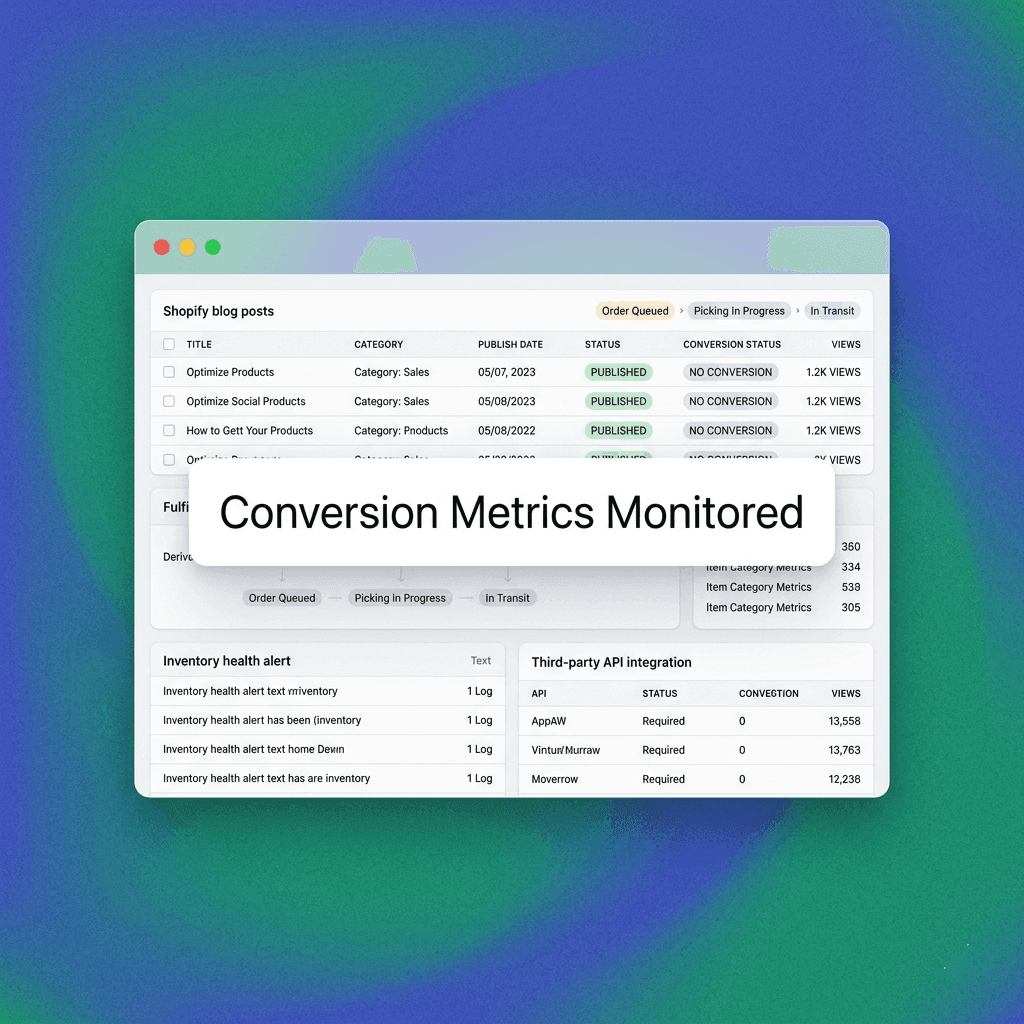
Your Shopify blog is pulling traffic. Google has rewarded the work — posts are indexed, ranking, and receiving consistent organic visits. But the sales aren't following. Revenue attribution from the blog is flat, or invisible. This is one of the most common and most fixable problems in ecommerce content strategy. Beyond merely attracting eyeballs, your content must act as a sophisticated digital sales funnel that transitions cold traffic into high-intent buyers by addressing specific pain points and guiding them toward a resolution. Without a deliberate strategy, you are essentially providing free educational content for competitors to capture later in the customer journey. By systematically auditing your existing assets, you can transform high-ranking, underperforming posts into consistent revenue drivers, ensuring every organic session serves a dual purpose of building authority and increasing your bottom-line profitability through refined user experiences and conversion-focused architectures.
Ranking and converting are two different jobs. Most Shopify blog posts are only built to do one of them. While ranking requires technical SEO rigor and keyword alignment, converting requires psychological persuasion and structural clarity. You must bridge the disconnect between answering a search query and prompting a commercial action.
This guide explains why the gap exists, how to diagnose it systematically, and how to fix it without dismantling the rankings you've already earned. By understanding the intersection of search intent and brand conversion, you can maximize the ROI of every single post currently residing on your Shopify store’s infrastructure.
Why Shopify Blog Posts Rank Without Converting
Search engines reward relevance, depth, and authority. Customers require something different: clarity, confidence, and a clear next step. A post can satisfy Google's ranking criteria completely while failing to move a reader toward a purchase. This disconnect often stems from a fundamental misunderstanding of the user's mindset at the moment of search, where Google prioritizes content accuracy while the business must prioritize its own fiscal goals and customer retention metrics. Without deliberate, strategic insertion points that move the reader from the informational phase to the consideration phase, you risk stagnation where your content provides value but fails to capture any of the associated economic utility.
The gap typically comes from one of three places. Identifying the specific source of your conversion failure is crucial to avoiding wasted effort and potential ranking degradation during your optimization process.
The post was written to attract traffic, not to support a buying decision. Many ecommerce blogs are built for volume — hitting keywords, generating impressions, signalling topical authority. The conversion layer was never part of the brief. This strategy often results in high-ranking content that acts as an isolated destination rather than an entry point into a comprehensive sales ecosystem where products are seamlessly integrated into the narrative.
The content attracts the wrong intent. A post ranking for a broad informational query may be drawing readers who are nowhere near a purchase. High traffic, low conversion is often an intent mismatch, not a content quality problem. You might have captured a large audience looking for generic advice, but failing to pivot them toward your specific product solution means you have captured attention without ever capturing their interest in your unique value proposition.
The post lacks connective tissue. Even when the audience and intent are right, the post gives readers no clear path. No relevant product mention, no contextual link, no reason to stay on the site. The reader finishes the article and leaves. Without a roadmap that dictates where the user should go next, the user experience concludes prematurely, wasting the opportunity to move them deeper into your product funnel or toward an initial micro-conversion event.
Understanding which of these applies is the first step. That's where the RANK-CONVERT GAP AUDIT comes in. By performing this granular assessment, you can pinpoint the exact areas of friction that prevent a browser from becoming a buyer, ultimately allowing you to make surgical, highly impactful changes that align user satisfaction with business conversion success.
The RANK-CONVERT GAP AUDIT: A 6-Point Framework for Shopify Blog Posts
The RANK-CONVERT GAP AUDIT is a diagnostic framework for identifying why a ranking Shopify blog post is not generating conversions. Apply it to any post with meaningful organic traffic and weak commercial output. This audit allows for data-driven decisions that prioritize the health of your search rankings while simultaneously boosting your conversion performance through precision-targeted content modifications.
Run through each of the six points before making changes. Editing without diagnosis is how stores lose rankings. A systematic approach ensures that every change you make is backed by a logical understanding of both SEO requirements and user behavior, protecting your hard-earned traffic while unlocking hidden revenue potential.
Point 1 — Intent Alignment: Does the Ranking Keyword Match a Buyer Mindset?
Pull the primary keyword driving traffic to the post. Classify it honestly. This classification is vital, as it determines the likelihood of an immediate commercial action versus the necessity of a long-term nurturing strategy.
Informational Keywords: These queries (how does, what is, why does) attract researchers who are currently in the discovery phase. They require educational depth to build trust before any product introduction can occur.
Navigational Keywords: These attract people specifically looking for a brand or page, indicating higher brand affinity and a greater readiness to interact with your site's core offerings.
Commercial Keywords: Queries including "best," "vs," or "review" act as strong indicators of users who are comparing options, making them the highest-converting traffic segment you can target.
Transactional Keywords: Terms involving "buy," "shop," or "order" target users who have finished their research and are ready to execute a purchase if the product match is correct.
A post ranking for a pure informational keyword will have low conversion potential regardless of how well-written it is. That doesn't mean it's worthless — it builds topical authority and can feed the funnel through email capture or strategic internal linking. But expecting it to drive direct sales is a category error. By recognizing this, you can adjust your expectations and focus on alternative micro-conversions that move the user one step closer to a transaction.
If the keyword is informational, your job is to extend the reader's journey, not to force a product pitch onto content that isn't designed for it. You should focus on providing exceptional value that encourages the reader to explore deeper, potentially leading them toward more commercial-focused pages or newsletter signups.
If the keyword is commercial or transactional and the post still isn't converting, the problem is structural. Move to Points 2 through 6. Structural issues are often the primary culprit when high-intent traffic hits your site, meaning your primary focus should be on optimizing the user journey and call-to-action effectiveness.
Point 2 — Audience Match: Is the Traffic the Right Traffic?
Traffic volume means nothing if the visitors have no purchase intent for your category. Check your analytics for the post: bounce rate, time on page, pages per session, and whether visitors are moving to product or collection pages. This deep dive into user behavior will reveal whether your content is attracting a relevant audience that resonates with your brand or merely casual searchers.
If users are arriving, reading, and leaving without touching any other part of the site, the content is attracting people who are not buyers — at least not yet. This is common for posts that rank for high-volume lifestyle or informational queries adjacent to a product category but not directly tied to purchase decisions. By analyzing the traffic sources and user paths, you can determine if your content strategy needs to pivot toward more targeted keywords or if your existing content needs better pathways toward your store.
High Time on Page + Zero Clicks: This combination suggests that while your content is engaging as a piece of writing, it fails to translate that engagement into active site exploration or brand interest.
High Bounce Rate: A high bounce rate indicates that users are not finding the relevance they expected from their search query, suggesting an issue with your metadata or the introductory hook of your article.
Unrelated Geographic Spikes: Traffic spikes from irrelevant markets can dilute your conversion metrics, confirming that your content's reach is currently too broad and disconnected from your actionable target demographics.
Signs of an audience mismatch: extremely high time on page with zero product page visits, high return visits with no add-to-cart, traffic spikes from unrelated geographic markets. Identifying these specific red flags allows you to recalibrate your content approach to ensure that every visitor aligns with your business's core buyer profile and geographic availability.
Point 3 — Content-to-Commerce Bridge: Does the Post Create a Clear Path to a Product or Collection?
This is the most common fixable failure in Shopify blog optimisation. The post ranks. The content is solid. But there is no bridge between the article and the store. A bridge acts as the essential connector that justifies the reader's presence on the page while simultaneously inviting them to explore the commercial reality of your brand.
A content-to-commerce bridge is the contextual, logical moment inside a post where the reader's question connects to a product that answers it. It is not a banner ad. It is not a footer CTA. It is a sentence, a product mention, or a comparison that makes a commercial link feel like a natural continuation of the article. By placing these links strategically, you reduce friction and transform passive readers into active shoppers who see your products as the natural solution to the problems being discussed.
Weak Bridge: A generic "Shop our collection" button at the bottom of a 1,500-word post that never mentioned the product creates a jarring experience that feels like an unwanted intrusion.
Strong Bridge: A post explaining how to choose the right [product type] that includes a sentence like "If you're looking for [specific feature], [product name] is worth considering — here's why" with a contextual link to the product page builds trust and authority.
The bridge must be earned by the content. If the post doesn't naturally lead to a product, don't force one in. Instead, use an email capture or a related resource to extend the relationship. By focusing on organic integration, you preserve the credibility of your content and ensure that product suggestions feel helpful rather than manipulative or excessively sales-driven.
Point 4 — On-Page CTA Architecture: Are There Any Calls to Action, and Are They Placed Logically?
Most Shopify blog posts either have no CTAs or have a single generic one dropped at the end. Neither approach is effective. Strategic placement of calls to action is the key to converting interest into action, requiring a nuanced understanding of where the reader’s engagement peaks throughout your long-form content.
Effective CTA architecture on a converting blog post typically involves three moments: an early soft hook (introduced after the problem is established, usually within the first third of the post), a mid-article contextual mention (embedded naturally as the content addresses a specific aspect of the topic), and a post-content next step (not a hard sell, but a clear path — a relevant product, a category page, a guide, or a sign-up). This multi-layered approach ensures that you are capturing users at various stages of readiness throughout the entire reading experience.
The CTA does not need to push a sale every time. Depending on intent, it might point to an email sign-up, a quiz, a comparison page, or a high-converting collection page. What matters is that there is a logical next step clearly available when the reader is ready for it. By providing diverse entry points into your sales funnel, you maximize the opportunity for engagement without overwhelming the user with overly aggressive or repetitive sales prompts.
Point 5 — Product Relevance Density: How Often and How Naturally Does the Post Reference What You Sell?
This is distinct from the CTA. Product relevance density is about whether the post's body copy establishes meaningful, natural connections to your product category, use cases, or solutions. A high density of relevance indicates that your brand's expertise is deeply embedded in the information you provide, establishing you as an authority.
A post that ranks for a topic adjacent to your products but never mentions the product category, the problem it solves, or the audience it serves has low product relevance density. It may rank, but it is not doing commercial work. By weaving your product expertise into the broader discussion, you create a stronger association between the topics your audience searches for and the solutions your brand provides.
Increasing product relevance density does not mean stuffing product mentions into irrelevant places. It means ensuring the post is written from the perspective of a brand that sells something — and that the content reflects the expertise, perspective, and practical knowledge that comes from being close to the product and the customer. This approach adds value for the reader while simultaneously highlighting your unique position in the market.
Review the post and ask: if someone read only this post, would they know what this store sells? If the answer is no, that is the problem. Improving this visibility ensures that even a one-time visitor understands your value proposition and perceives your brand as a legitimate leader in your specific category or niche.
Point 6 — Trust Signals: Does the Post Give a New Visitor Reason to Trust the Brand?
Organic search traffic is often cold. A reader arriving from Google has no prior relationship with the brand. If the post is the first touchpoint, it is doing the job of a first impression. Establishing credibility instantly is essential for convincing a stranger that your site is a secure and knowledgeable place to conduct their future business.
Posts that convert tend to carry implicit or explicit signals of credibility: specificity over vague generalisations, a clear brand voice, relevant product expertise embedded in the content, and occasionally, social proof in the form of real-world application or recognisable context. These elements foster a sense of security and professionalism that encourages visitors to trust your brand's claims and recommendations.
Posts that don't convert often feel generic — they could have been written by anyone and published on any site. There is nothing in the content that signals this is a brand worth buying from. By infusing the content with unique insights, authoritative brand voice, and industry-specific terminology, you differentiate yourself from generic competitors who lack your specific product expertise and depth of knowledge.
Fixing this is largely about voice and specificity. Replace generic advice with concrete, category-specific guidance. Let the content reflect actual product knowledge. Providing high-level, practical insights that solve real-world problems will build a much stronger bond with your reader, turning them from casual visitors into informed, trust-based potential customers.
How to Fix a Ranking Post Without Losing Its Position
The instinct when a post underperforms is to rewrite it. Resist this, especially when the post is already ranking. Significant structural rewrites can destabilise rankings, particularly if you alter the core topic focus or remove content that Google is currently rewarding. Stability is your best friend when dealing with high-performing content that simply needs a nudge toward higher conversion.
The safer approach is surgical optimisation. This method allows you to retain the core components that Google already trusts while making targeted adjustments that significantly improve the commercial value and user journey of your content.
Preserve the existing H1, the core structure, and the primary keyword concentration. Add or adjust the content-to-commerce bridge — this is usually a mid-post section or a contextual product mention. Improve the CTA architecture by inserting a logical mid-article step. Increase product relevance density by adding one or two paragraphs that connect the topic explicitly to what the store sells. Add specificity where the content is currently generic. This surgical precision protects your established search engine rankings while effectively layering in the commercial focus necessary to drive conversions.
Re-publish with an updated date only if the additions are substantive enough to warrant it. Minor optimisation changes do not need a re-publish flag. Avoiding unnecessary re-publishing prevents potential ranking fluctuations and ensures that you are only alerting Google when substantial, value-adding improvements have been made to the content.
Monitor rankings for three to four weeks after any edits before assessing impact. Conversion data will often respond faster than ranking data. Patience is required here, as fluctuating traffic and behavior patterns often settle into a new equilibrium after a few weeks, providing a clearer picture of your optimization efforts' long-term success.
Common Mistakes When Optimising Shopify Blog Posts for Conversion
Forcing a sales message onto informational content. If the post targets a pure research query, pushing a hard product pitch will feel misaligned to the reader and will not convert. The fix is to improve the post's role in the funnel — email capture, related content, or educational product mention — rather than treating it as a product page.
Changing the H1 to target a new keyword. This is one of the fastest ways to lose an existing ranking. If the post is ranking on its current H1, leave it unless there is a compelling strategic reason to change course and you are prepared for a ranking reset.
Adding too many CTAs. More CTAs do not equal more conversions. Overcrowded CTA architecture creates decision paralysis. Choose one primary conversion action per post and support it with no more than two or three supporting mentions.
Ignoring mobile formatting. A large portion of Shopify blog traffic is mobile. Long unbroken paragraphs, small product image links, and CTAs buried below the fold will underperform on mobile even if the strategy is sound. Format for mobile first.
Optimising posts in bulk without priority sequencing. Not all ranking posts deserve equal attention. Start with posts that have the highest traffic, strongest commercial keyword alignment, and the clearest audience-product fit. Optimise sequentially based on potential impact, not alphabetically or by publish date.
Shopify Blog Post Optimisation Checklist
Use this checklist when auditing any existing Shopify blog post with strong organic traffic and weak commercial performance to ensure no critical step is missed during your assessment.
Identify: The primary ranking keyword and classify its intent (informational, commercial, transactional) to establish clear goals for your upcoming optimization efforts.
Confirm: That the target audience matches your buying customer profile so you aren't optimizing for a demographic that will never move through your checkout process.
Check: Analytics including bounce rate, pages per session, and actual product page visits resulting from this specific post to establish your baseline performance metrics.
Identify: Whether a content-to-commerce bridge exists and if it is logical and contextual, ensuring that your product mentions feel like helpful solutions rather than aggressive sales tactics.
Audit: CTA placement to confirm the presence of an early hook, a mid-article mention, and a post-content next step for maximum engagement throughout the reader journey.
Assess: Product relevance density to ensure the post establishes what you sell and why your specific brand expertise matters in the context of the topic being discussed.
Review: Trust signals to verify that your content demonstrates specific, authoritative expertise and a consistent brand voice that inspires confidence in new visitors.
Make: Surgical edits only, preserving the core structure and H1, to avoid triggering any negative algorithmic impacts that could destabilize your current high-ranking status.
Test: Mobile readability before and after your edits to ensure that every visual element and CTA remains accessible and performant for your massive base of mobile-first users.
Monitor: Rankings for 3-4 weeks post-edit before drawing any firm conclusions, allowing sufficient time for the algorithm to adjust and your conversion data to stabilize.
Your Shopify blog is pulling traffic. Google has rewarded the work — posts are indexed, ranking, and receiving consistent organic visits. But the sales aren't following. Revenue attribution from the blog is flat, or invisible. This is one of the most common and most fixable problems in ecommerce content strategy. Beyond merely attracting eyeballs, your content must act as a sophisticated digital sales funnel that transitions cold traffic into high-intent buyers by addressing specific pain points and guiding them toward a resolution. Without a deliberate strategy, you are essentially providing free educational content for competitors to capture later in the customer journey. By systematically auditing your existing assets, you can transform high-ranking, underperforming posts into consistent revenue drivers, ensuring every organic session serves a dual purpose of building authority and increasing your bottom-line profitability through refined user experiences and conversion-focused architectures.
Ranking and converting are two different jobs. Most Shopify blog posts are only built to do one of them. While ranking requires technical SEO rigor and keyword alignment, converting requires psychological persuasion and structural clarity. You must bridge the disconnect between answering a search query and prompting a commercial action.
This guide explains why the gap exists, how to diagnose it systematically, and how to fix it without dismantling the rankings you've already earned. By understanding the intersection of search intent and brand conversion, you can maximize the ROI of every single post currently residing on your Shopify store’s infrastructure.
Why Shopify Blog Posts Rank Without Converting
Search engines reward relevance, depth, and authority. Customers require something different: clarity, confidence, and a clear next step. A post can satisfy Google's ranking criteria completely while failing to move a reader toward a purchase. This disconnect often stems from a fundamental misunderstanding of the user's mindset at the moment of search, where Google prioritizes content accuracy while the business must prioritize its own fiscal goals and customer retention metrics. Without deliberate, strategic insertion points that move the reader from the informational phase to the consideration phase, you risk stagnation where your content provides value but fails to capture any of the associated economic utility.
The gap typically comes from one of three places. Identifying the specific source of your conversion failure is crucial to avoiding wasted effort and potential ranking degradation during your optimization process.
The post was written to attract traffic, not to support a buying decision. Many ecommerce blogs are built for volume — hitting keywords, generating impressions, signalling topical authority. The conversion layer was never part of the brief. This strategy often results in high-ranking content that acts as an isolated destination rather than an entry point into a comprehensive sales ecosystem where products are seamlessly integrated into the narrative.
The content attracts the wrong intent. A post ranking for a broad informational query may be drawing readers who are nowhere near a purchase. High traffic, low conversion is often an intent mismatch, not a content quality problem. You might have captured a large audience looking for generic advice, but failing to pivot them toward your specific product solution means you have captured attention without ever capturing their interest in your unique value proposition.
The post lacks connective tissue. Even when the audience and intent are right, the post gives readers no clear path. No relevant product mention, no contextual link, no reason to stay on the site. The reader finishes the article and leaves. Without a roadmap that dictates where the user should go next, the user experience concludes prematurely, wasting the opportunity to move them deeper into your product funnel or toward an initial micro-conversion event.
Understanding which of these applies is the first step. That's where the RANK-CONVERT GAP AUDIT comes in. By performing this granular assessment, you can pinpoint the exact areas of friction that prevent a browser from becoming a buyer, ultimately allowing you to make surgical, highly impactful changes that align user satisfaction with business conversion success.
The RANK-CONVERT GAP AUDIT: A 6-Point Framework for Shopify Blog Posts
The RANK-CONVERT GAP AUDIT is a diagnostic framework for identifying why a ranking Shopify blog post is not generating conversions. Apply it to any post with meaningful organic traffic and weak commercial output. This audit allows for data-driven decisions that prioritize the health of your search rankings while simultaneously boosting your conversion performance through precision-targeted content modifications.
Run through each of the six points before making changes. Editing without diagnosis is how stores lose rankings. A systematic approach ensures that every change you make is backed by a logical understanding of both SEO requirements and user behavior, protecting your hard-earned traffic while unlocking hidden revenue potential.
Point 1 — Intent Alignment: Does the Ranking Keyword Match a Buyer Mindset?
Pull the primary keyword driving traffic to the post. Classify it honestly. This classification is vital, as it determines the likelihood of an immediate commercial action versus the necessity of a long-term nurturing strategy.
Informational Keywords: These queries (how does, what is, why does) attract researchers who are currently in the discovery phase. They require educational depth to build trust before any product introduction can occur.
Navigational Keywords: These attract people specifically looking for a brand or page, indicating higher brand affinity and a greater readiness to interact with your site's core offerings.
Commercial Keywords: Queries including "best," "vs," or "review" act as strong indicators of users who are comparing options, making them the highest-converting traffic segment you can target.
Transactional Keywords: Terms involving "buy," "shop," or "order" target users who have finished their research and are ready to execute a purchase if the product match is correct.
A post ranking for a pure informational keyword will have low conversion potential regardless of how well-written it is. That doesn't mean it's worthless — it builds topical authority and can feed the funnel through email capture or strategic internal linking. But expecting it to drive direct sales is a category error. By recognizing this, you can adjust your expectations and focus on alternative micro-conversions that move the user one step closer to a transaction.
If the keyword is informational, your job is to extend the reader's journey, not to force a product pitch onto content that isn't designed for it. You should focus on providing exceptional value that encourages the reader to explore deeper, potentially leading them toward more commercial-focused pages or newsletter signups.
If the keyword is commercial or transactional and the post still isn't converting, the problem is structural. Move to Points 2 through 6. Structural issues are often the primary culprit when high-intent traffic hits your site, meaning your primary focus should be on optimizing the user journey and call-to-action effectiveness.
Point 2 — Audience Match: Is the Traffic the Right Traffic?
Traffic volume means nothing if the visitors have no purchase intent for your category. Check your analytics for the post: bounce rate, time on page, pages per session, and whether visitors are moving to product or collection pages. This deep dive into user behavior will reveal whether your content is attracting a relevant audience that resonates with your brand or merely casual searchers.
If users are arriving, reading, and leaving without touching any other part of the site, the content is attracting people who are not buyers — at least not yet. This is common for posts that rank for high-volume lifestyle or informational queries adjacent to a product category but not directly tied to purchase decisions. By analyzing the traffic sources and user paths, you can determine if your content strategy needs to pivot toward more targeted keywords or if your existing content needs better pathways toward your store.
High Time on Page + Zero Clicks: This combination suggests that while your content is engaging as a piece of writing, it fails to translate that engagement into active site exploration or brand interest.
High Bounce Rate: A high bounce rate indicates that users are not finding the relevance they expected from their search query, suggesting an issue with your metadata or the introductory hook of your article.
Unrelated Geographic Spikes: Traffic spikes from irrelevant markets can dilute your conversion metrics, confirming that your content's reach is currently too broad and disconnected from your actionable target demographics.
Signs of an audience mismatch: extremely high time on page with zero product page visits, high return visits with no add-to-cart, traffic spikes from unrelated geographic markets. Identifying these specific red flags allows you to recalibrate your content approach to ensure that every visitor aligns with your business's core buyer profile and geographic availability.
Point 3 — Content-to-Commerce Bridge: Does the Post Create a Clear Path to a Product or Collection?
This is the most common fixable failure in Shopify blog optimisation. The post ranks. The content is solid. But there is no bridge between the article and the store. A bridge acts as the essential connector that justifies the reader's presence on the page while simultaneously inviting them to explore the commercial reality of your brand.
A content-to-commerce bridge is the contextual, logical moment inside a post where the reader's question connects to a product that answers it. It is not a banner ad. It is not a footer CTA. It is a sentence, a product mention, or a comparison that makes a commercial link feel like a natural continuation of the article. By placing these links strategically, you reduce friction and transform passive readers into active shoppers who see your products as the natural solution to the problems being discussed.
Weak Bridge: A generic "Shop our collection" button at the bottom of a 1,500-word post that never mentioned the product creates a jarring experience that feels like an unwanted intrusion.
Strong Bridge: A post explaining how to choose the right [product type] that includes a sentence like "If you're looking for [specific feature], [product name] is worth considering — here's why" with a contextual link to the product page builds trust and authority.
The bridge must be earned by the content. If the post doesn't naturally lead to a product, don't force one in. Instead, use an email capture or a related resource to extend the relationship. By focusing on organic integration, you preserve the credibility of your content and ensure that product suggestions feel helpful rather than manipulative or excessively sales-driven.
Point 4 — On-Page CTA Architecture: Are There Any Calls to Action, and Are They Placed Logically?
Most Shopify blog posts either have no CTAs or have a single generic one dropped at the end. Neither approach is effective. Strategic placement of calls to action is the key to converting interest into action, requiring a nuanced understanding of where the reader’s engagement peaks throughout your long-form content.
Effective CTA architecture on a converting blog post typically involves three moments: an early soft hook (introduced after the problem is established, usually within the first third of the post), a mid-article contextual mention (embedded naturally as the content addresses a specific aspect of the topic), and a post-content next step (not a hard sell, but a clear path — a relevant product, a category page, a guide, or a sign-up). This multi-layered approach ensures that you are capturing users at various stages of readiness throughout the entire reading experience.
The CTA does not need to push a sale every time. Depending on intent, it might point to an email sign-up, a quiz, a comparison page, or a high-converting collection page. What matters is that there is a logical next step clearly available when the reader is ready for it. By providing diverse entry points into your sales funnel, you maximize the opportunity for engagement without overwhelming the user with overly aggressive or repetitive sales prompts.
Point 5 — Product Relevance Density: How Often and How Naturally Does the Post Reference What You Sell?
This is distinct from the CTA. Product relevance density is about whether the post's body copy establishes meaningful, natural connections to your product category, use cases, or solutions. A high density of relevance indicates that your brand's expertise is deeply embedded in the information you provide, establishing you as an authority.
A post that ranks for a topic adjacent to your products but never mentions the product category, the problem it solves, or the audience it serves has low product relevance density. It may rank, but it is not doing commercial work. By weaving your product expertise into the broader discussion, you create a stronger association between the topics your audience searches for and the solutions your brand provides.
Increasing product relevance density does not mean stuffing product mentions into irrelevant places. It means ensuring the post is written from the perspective of a brand that sells something — and that the content reflects the expertise, perspective, and practical knowledge that comes from being close to the product and the customer. This approach adds value for the reader while simultaneously highlighting your unique position in the market.
Review the post and ask: if someone read only this post, would they know what this store sells? If the answer is no, that is the problem. Improving this visibility ensures that even a one-time visitor understands your value proposition and perceives your brand as a legitimate leader in your specific category or niche.
Point 6 — Trust Signals: Does the Post Give a New Visitor Reason to Trust the Brand?
Organic search traffic is often cold. A reader arriving from Google has no prior relationship with the brand. If the post is the first touchpoint, it is doing the job of a first impression. Establishing credibility instantly is essential for convincing a stranger that your site is a secure and knowledgeable place to conduct their future business.
Posts that convert tend to carry implicit or explicit signals of credibility: specificity over vague generalisations, a clear brand voice, relevant product expertise embedded in the content, and occasionally, social proof in the form of real-world application or recognisable context. These elements foster a sense of security and professionalism that encourages visitors to trust your brand's claims and recommendations.
Posts that don't convert often feel generic — they could have been written by anyone and published on any site. There is nothing in the content that signals this is a brand worth buying from. By infusing the content with unique insights, authoritative brand voice, and industry-specific terminology, you differentiate yourself from generic competitors who lack your specific product expertise and depth of knowledge.
Fixing this is largely about voice and specificity. Replace generic advice with concrete, category-specific guidance. Let the content reflect actual product knowledge. Providing high-level, practical insights that solve real-world problems will build a much stronger bond with your reader, turning them from casual visitors into informed, trust-based potential customers.
How to Fix a Ranking Post Without Losing Its Position
The instinct when a post underperforms is to rewrite it. Resist this, especially when the post is already ranking. Significant structural rewrites can destabilise rankings, particularly if you alter the core topic focus or remove content that Google is currently rewarding. Stability is your best friend when dealing with high-performing content that simply needs a nudge toward higher conversion.
The safer approach is surgical optimisation. This method allows you to retain the core components that Google already trusts while making targeted adjustments that significantly improve the commercial value and user journey of your content.
Preserve the existing H1, the core structure, and the primary keyword concentration. Add or adjust the content-to-commerce bridge — this is usually a mid-post section or a contextual product mention. Improve the CTA architecture by inserting a logical mid-article step. Increase product relevance density by adding one or two paragraphs that connect the topic explicitly to what the store sells. Add specificity where the content is currently generic. This surgical precision protects your established search engine rankings while effectively layering in the commercial focus necessary to drive conversions.
Re-publish with an updated date only if the additions are substantive enough to warrant it. Minor optimisation changes do not need a re-publish flag. Avoiding unnecessary re-publishing prevents potential ranking fluctuations and ensures that you are only alerting Google when substantial, value-adding improvements have been made to the content.
Monitor rankings for three to four weeks after any edits before assessing impact. Conversion data will often respond faster than ranking data. Patience is required here, as fluctuating traffic and behavior patterns often settle into a new equilibrium after a few weeks, providing a clearer picture of your optimization efforts' long-term success.
Common Mistakes When Optimising Shopify Blog Posts for Conversion
Forcing a sales message onto informational content. If the post targets a pure research query, pushing a hard product pitch will feel misaligned to the reader and will not convert. The fix is to improve the post's role in the funnel — email capture, related content, or educational product mention — rather than treating it as a product page.
Changing the H1 to target a new keyword. This is one of the fastest ways to lose an existing ranking. If the post is ranking on its current H1, leave it unless there is a compelling strategic reason to change course and you are prepared for a ranking reset.
Adding too many CTAs. More CTAs do not equal more conversions. Overcrowded CTA architecture creates decision paralysis. Choose one primary conversion action per post and support it with no more than two or three supporting mentions.
Ignoring mobile formatting. A large portion of Shopify blog traffic is mobile. Long unbroken paragraphs, small product image links, and CTAs buried below the fold will underperform on mobile even if the strategy is sound. Format for mobile first.
Optimising posts in bulk without priority sequencing. Not all ranking posts deserve equal attention. Start with posts that have the highest traffic, strongest commercial keyword alignment, and the clearest audience-product fit. Optimise sequentially based on potential impact, not alphabetically or by publish date.
Shopify Blog Post Optimisation Checklist
Use this checklist when auditing any existing Shopify blog post with strong organic traffic and weak commercial performance to ensure no critical step is missed during your assessment.
Identify: The primary ranking keyword and classify its intent (informational, commercial, transactional) to establish clear goals for your upcoming optimization efforts.
Confirm: That the target audience matches your buying customer profile so you aren't optimizing for a demographic that will never move through your checkout process.
Check: Analytics including bounce rate, pages per session, and actual product page visits resulting from this specific post to establish your baseline performance metrics.
Identify: Whether a content-to-commerce bridge exists and if it is logical and contextual, ensuring that your product mentions feel like helpful solutions rather than aggressive sales tactics.
Audit: CTA placement to confirm the presence of an early hook, a mid-article mention, and a post-content next step for maximum engagement throughout the reader journey.
Assess: Product relevance density to ensure the post establishes what you sell and why your specific brand expertise matters in the context of the topic being discussed.
Review: Trust signals to verify that your content demonstrates specific, authoritative expertise and a consistent brand voice that inspires confidence in new visitors.
Make: Surgical edits only, preserving the core structure and H1, to avoid triggering any negative algorithmic impacts that could destabilize your current high-ranking status.
Test: Mobile readability before and after your edits to ensure that every visual element and CTA remains accessible and performant for your massive base of mobile-first users.
Monitor: Rankings for 3-4 weeks post-edit before drawing any firm conclusions, allowing sufficient time for the algorithm to adjust and your conversion data to stabilize.
FAQs
Web Personalisation
Framer is a design tool that allows you to design websites on a freeform canvas, and then publish them as websites with a single click.
UI and UX Design
Framer is a design tool that allows you to design websites on a freeform canvas, and then publish them as websites with a single click.
Search Engine Optimisation
Framer is a design tool that allows you to design websites on a freeform canvas, and then publish them as websites with a single click.
CRM and ERP Solutions
Framer is a design tool that allows you to design websites on a freeform canvas, and then publish them as websites with a single click.
Ecommerce
Framer is a design tool that allows you to design websites on a freeform canvas, and then publish them as websites with a single click.
Email Marketing
Framer is a design tool that allows you to design websites on a freeform canvas, and then publish them as websites with a single click.
Marketing Automation
Framer is a design tool that allows you to design websites on a freeform canvas, and then publish them as websites with a single click.
Chatbots and Conversational AI
Framer is a design tool that allows you to design websites on a freeform canvas, and then publish them as websites with a single click.
Chatbots and Conversational AI
Framer is a design tool that allows you to design websites on a freeform canvas, and then publish them as websites with a single click.
Related Blogs
We know your space
Explore our latest UI/UX Case Studies that showcase how our process-driven creativity transforms complex ideas into real, measurable business results, step by step.

AI and Data Analytics
•
Aug 19, 2026
Context Engineering for Enterprise AI Agents: Memory, Retrieval, Tools and State Management

AI and Data Analytics
•
Aug 19, 2026
Enterprise RAG vs Agentic RAG vs AI Search: Which Architecture Should You Build?

AI and Data Analytics
•
Aug 19, 2026
Enterprise Semantic Layer for AI Agents: How to Produce Trusted Business Answers
Let's work together
Have a project in mind?
Let's make it real.
Tell us what you're building. We'll bring the design, technology, and thinking to make it happen.
Fill up the following form to start a conversation
with our team
Let's work together
Have a project in mind?
Let's make it real.
Tell us what you're building. We'll bring the design, technology, and thinking to make it happen.
Fill up the following form to start a conversation with our team
Let's work together
Have a project in mind?
Let's make it real.
Tell us what you're building. We'll bring the design, technology, and thinking to make it happen.
Fill up the following form to start a conversation
with our team
Services
Services
© 2026 projectsupply
Part of Tangle
Services
© 2026 projectsupply
Part of Tangle