

Shopify
Shopify Brand Architecture: Managing Multiple D2C Brands Under One Organization
Shopify Brand Architecture: Managing Multiple D2C Brands Under One Organization
Running multiple D2C brands on Shopify? This guide covers every structural model for Shopify brand architecture — separate stores, expansion stores, and Markets — so you can build without breaking.
Running multiple D2C brands on Shopify? This guide covers every structural model for Shopify brand architecture — separate stores, expansion stores, and Markets — so you can build without breaking.
08 min read
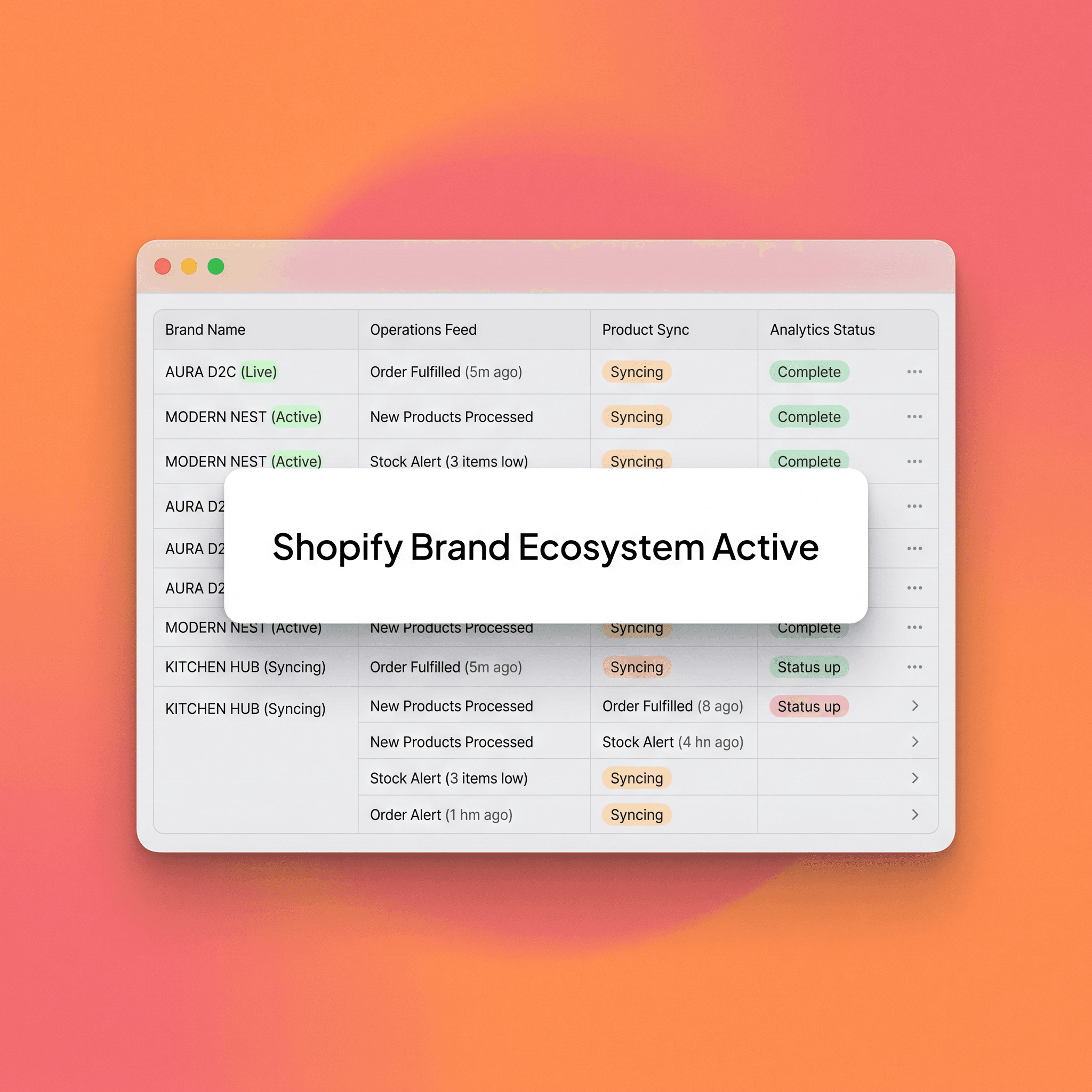
If you're running more than one D2C brand on Shopify — or planning to — the structural decisions you make early will either scale cleanly or create compounding operational debt. Most teams don't think about Shopify brand architecture until they're already tangled in it. This process often begins with a singular vision that eventually fractures under the weight of diverse product lines or target demographics, leading to a sprawling, unmanageable backend that drains resources. By addressing these structural concerns during the initial growth phase, operators can prevent the technical debt that arises from misaligned data structures and redundant app subscriptions. Failing to architect correctly now often results in a costly migration later, where critical SEO equity, historical order data, and customer loyalty profiles are jeopardized during a forced platform restructuring.
This guide cuts through the options. You'll find a clear breakdown of every major structural model, a decision framework for choosing the right one, and the most common mistakes operators make when building a multi-brand Shopify setup. We aim to equip you with the strategic foresight necessary to evaluate long-term maintenance costs versus immediate deployment speed, ensuring that your technical foundation supports your business roadmap rather than restricting it. By systematically analyzing the operational touchpoints of your various brands, you can determine whether a centralized or decentralized approach best serves your specific organizational goals and headcount capabilities.
What Is Shopify Brand Architecture?
Shopify brand architecture refers to how you organize, connect, and operate multiple brands within the Shopify ecosystem. It covers store structure, admin access, inventory management, customer data, and technology stack — all the infrastructure decisions that determine how much operational lift your team carries as you scale. Developing a robust architecture requires deep alignment between your business logic and the technical capabilities of the Shopify platform, specifically regarding how data flows between touchpoints and how staff manages access. This framework acts as the underlying skeleton for your digital operations, dictating the friction levels for day-to-day tasks like updating product catalogs or deploying site-wide promotional campaigns. By clearly defining these relationships, you ensure that as your portfolio expands, your operational complexity does not grow at the same exponential rate, maintaining efficiency across the entire business unit.
A brand architecture decision isn't just a Shopify question. It's a business question. Two brands that share a customer base, warehouse, and fulfillment provider have fundamentally different infrastructure needs than two brands with distinct customers, separate suppliers, and different growth timelines. When evaluating these options, operators must consider the intersection of logistical constraints, marketing strategy, and data privacy compliance to determine the optimal deployment. The complexity of managing shared inventory, for example, often dictates the necessity of an integrated warehouse management system, which may influence your final decision on store structure. Ultimately, the architecture you select serves as the primary driver for both team velocity and data integrity, ensuring that as you add new brands to your portfolio, you retain a competitive edge in your specific market segment.
The right structure depends on the relationship between your brands — not on what's technically possible. Every brand in your portfolio possesses unique requirements for customer acquisition, post-purchase experience, and backend inventory management that must be analyzed holistically. Ignoring the nuanced operational needs of individual brands in favor of a one-size-fits-all approach often leads to severe limitations in customer segmentation and marketing automation. By prioritizing long-term scalability and business logic over temporary technical convenience, you can create a sustainable infrastructure that supports diverse brand identities without sacrificing centralized control or visibility.
The Three Core Structural Models
Model 1: Separate Independent Stores
Each brand runs its own standalone Shopify store, with its own admin, domain, checkout, and data layer. This approach provides maximum isolation and control, ensuring that product updates, theme adjustments, and app installations on one brand never accidentally impact another. By decoupling the stores, you gain the ability to tailor each instance to specific demographic requirements, international markets, or distinct business models without worrying about cross-contamination of site assets. This model is essentially the gold standard for maintaining brand purity, especially when the brands involved have entirely disparate aesthetics, price points, and customer journeys that would clash if forced into a single unified storefront.
This is the most common starting point — and often the right one. Separate stores create clean brand separation, independent performance tracking, and full flexibility for each brand's tech stack and theme. Starting with independent entities allows for a "fail fast" mentality, where each brand can iterate on its unique growth trajectory without the burden of cross-portfolio technical dependencies. This modularity allows for the rapid testing of different ecommerce strategies and marketing tactics, providing a clearer view of individual brand profitability and operational efficiency. By maintaining this separation, you keep your data sets pristine, making it significantly easier to perform accurate cohort analysis and calculate customer lifetime value on a per-brand basis.
Best suited for:
Brands targeting different customer segments with no overlap
Portfolio acquisitions where the incoming brand already has infrastructure
Situations where different teams own different brands end-to-end
Brands with different fulfillment providers or inventory systems
Trade-offs to weigh:
Each store requires its own app stack, which multiplies subscription costs
No shared customer data across brands without a third-party CDP
Staff accounts aren't shared — permissions must be managed separately per store
Reporting requires consolidation at the organization or analytics layer
On Shopify Plus: The Organization Admin gives you a centralized dashboard across all stores, user management at the org level, and campaign automation across the portfolio. Separate stores become significantly more manageable at the Plus tier. This central management console is critical for maintaining security and visibility as your portfolio grows, allowing administrators to enforce password policies and manage team permissions from a single control point. With the overhead reduced by organization-level tools, you can enjoy the benefits of store independence while simultaneously gaining the efficiency of a centralized management structure. This setup essentially provides the "best of both worlds," balancing operational isolation with administrative oversight, which is vital for high-growth firms looking to scale multiple brands concurrently.
Model 2: Shopify Expansion Stores
Expansion stores are additional storefronts tied to a single Shopify Plus account. They sit under the same organization, share the billing relationship, and benefit from the organization-level admin — but each expansion store operates independently in terms of theme, products, pricing, and checkout. This model is a powerful middle ground, offering the administrative benefits of a centralized platform while still allowing for the brand-level nuance required for effective customer engagement. It is an excellent choice for businesses looking to scale their operational capacity without the headache of managing disparate merchant accounts, as it streamlines the financial and administrative aspects of running a multi-brand operation.
This model is commonly used for geographic expansion (one store per region or currency) but works equally well for brand expansion when you want operational centralization without brand consolidation. By leveraging the internal capabilities of the Shopify Plus organization, you can easily share resources such as staff permissions and payment providers across your storefronts while maintaining separate product catalogs and storefront experiences. This architectural efficiency helps reduce the time-to-market for new brands, allowing you to launch a new product line as a standalone entity while benefiting from the existing backend ecosystem of your primary organization. This approach ensures that your team remains focused on growth rather than the mundane technical overhead associated with managing separate, disconnected merchant entities.
Best suited for:
A parent company with multiple consumer brands that share back-end operations
Brands that need distinct storefronts but share a single ops team
Organizations where centralized user management and org-level analytics matter
Teams that want a consistent tech stack across brands with store-level customization
Trade-offs to weigh:
Requires Shopify Plus — this model isn't available on standard plans
Inventory is not natively shared across stores without integration (e.g., a WMS or a tool like Linnworks or Extensiv)
Storefront duplication means theme maintenance across multiple stores unless headless or a shared component library is in use
Each store still requires its own app configuration unless apps support org-level deployment
Model 3: Multi-Brand Under One Store (Shopify Markets or Product Segmentation)
Some operators attempt to run multiple brands under a single Shopify store — using product tags, collections, metafields, or Shopify Markets to create apparent brand separation within one unified back end. This approach relies on complex front-end logic and sophisticated tagging systems to route customers through different site experiences, effectively masking the fact that the entire operation is running on a single engine. While attractive due to its simplicity, this model often leads to significant technical complexity when managing cross-sell strategies or maintaining clean analytics, as it requires a high degree of discipline in data organization and metadata management.
This is the most operationally lean model and the most structurally fragile. While you might save time on initial setup, you effectively create a "spaghetti" backend where one mistake in product tagging can have far-reaching consequences for the customer experience across all brands. As the store grows, the sheer volume of products and unique brand requirements will likely overwhelm the native capabilities of Shopify, forcing your team to build custom code workarounds that are difficult to support and upgrade. This fragility makes long-term growth incredibly difficult, as you are perpetually fighting the platform's native architecture rather than working within its intended framework.
Best suited for:
Very early-stage testing of a secondary brand concept before full build-out
Brands so tightly related they're more like sub-lines than independent identities
Small teams where the overhead of a second store is genuinely prohibitive
Trade-offs to weigh:
Checkout is unified — customers from both "brands" see the same brand identity at checkout
Email and customer communication comes from one sender identity
Analytics, attribution, and reporting are significantly harder to separate
As brands grow, migration to separate stores creates disruption — this model doesn't scale cleanly
Brand perception risk: two brands sharing a checkout can dilute both
This model is rarely the right long-term answer. Use it as a temporary structure, not a permanent one. When you reach a point where you need to scale beyond the limitations of a single checkout or unified branding, the cost of migrating your customers, SEO value, and order history to a separate store can be staggering. It is far better to acknowledge the limitations of this model early and build with the intention of spinning out new, separate stores as soon as the business model is validated. By treating this as a transitionary state rather than a destination, you can prepare your data and operational workflows for a clean break when the time is right, ensuring that your long-term scalability remains intact.
The Multi-Brand Shopify Architecture Matrix
Use this matrix to evaluate which model fits your situation. Score each criterion against your current brands to identify the right structural path.
Decision Criteria → Model Fit
Decision Criteria | Separate Stores | Expansion Stores (Plus) | Single Store |
Distinct brand identities | Best fit | Strong fit | Poor fit |
Shared ops team | Workable | Best fit | Best fit |
Shared inventory/warehouse | Requires integration | Requires integration | Native |
Independent customer data | Best fit | Strong fit | Poor fit |
Budget for Shopify Plus | Not required | Required | Not required |
Scalability long-term | Strong | Best fit | Poor |
How to Choose: The Brand Architecture Decision Workflow
Rather than defaulting to the most complex or most familiar option, work through these questions in order. This structured evaluation helps eliminate emotional bias, ensuring that your choice is based on objective data and clear operational requirements. By systematically reviewing each step, you can surface potential bottlenecks in your supply chain or technology stack that might have otherwise remained hidden until they caused a production issue. This workflow serves as your roadmap for architectural planning, allowing you to justify your decisions to stakeholders and ensure buy-in across the entire leadership team before any physical migration begins.
Step 1 — Define brand relationship. Are these brands targeting meaningfully different customers, or are they product-line variations? If they share more than 60% of their potential audience, a unified store model is worth evaluating before committing to full separation. This analysis should also include a deep look at the customer intent behind each brand, as the path-to-purchase for a luxury product differs significantly from a high-frequency consumable. By mapping the customer journey for both, you can determine if they can coexist within a single store structure or if they require distinct checkout experiences to meet consumer expectations for branding and trust.
Step 2 — Assess operational overlap. Do both brands share a warehouse, 3PL, fulfillment team, or customer service function? Shared ops teams benefit from expansion stores or strong org-level tooling. Fully siloed ops favor fully siloed stores. If your warehouse management software is already integrated with Shopify, you must account for how additional storefronts will interact with existing API connections and inventory sync triggers. Failing to plan for these technical realities can lead to stock inaccuracies or fulfillment errors that directly impact customer satisfaction and increase the load on your support team.
Step 3 — Confirm your Shopify plan tier. Expansion stores require Shopify Plus. If you're on a standard plan with ambitions to add a second brand, factor the Plus upgrade cost into your build decision. While the jump to Plus is a significant financial commitment, the long-term ROI is often realized through improved conversion rates, reduced administrative time, and access to advanced enterprise-level features like Flow and Launchpad. Before upgrading, perform a detailed cost-benefit analysis to determine if the increased revenue potential and administrative savings outweigh the additional monthly subscription costs and potential development fees.
Step 4 — Map your tech stack dependencies. List every app your primary store uses. Identify which are store-specific versus org-level. A loyalty program tied to customer identity is a significant complication when brands share infrastructure. An email platform that supports multiple sub-accounts is not. You must scrutinize every third-party integration, looking specifically for API rate limits and data storage constraints that might be affected by an expansion to a multi-store setup. This audit ensures that your critical tech components, such as your payment gateway or personalization engines, can scale without experiencing downtime or data synchronization failures.
Step 5 — Project 18 months out. The structure that handles two brands cleanly today needs to handle three or four in 18 months. Architecture decisions are expensive to undo. Build for where you're going, not where you are. Consider the potential for international expansion, new product categories, or future acquisitions that might require a more flexible and robust platform structure. By looking ahead, you can choose an architecture that is inherently modular, allowing you to plug in new brands or features without needing to rewrite your underlying foundation or disrupt your existing sales operations.
Common Mistakes in Multi-Brand Shopify Architecture
Defaulting to "just duplicate the store." Duplicating a store is easy. Managing two diverging codebases of themes, apps, and configurations without a documented system creates technical debt fast. If you duplicate, build a governance model alongside it. This governance should include strict version control, centralized management of shared design components, and documented procedures for rolling out updates across the portfolio. Without this rigor, you will soon find that your "duplicate" stores have drifted so far apart that they are essentially distinct, unmanaged silos, negating the benefits of a structured approach.
Treating expansion stores as free. Shopify Plus expansion stores are included in your plan, but each store still carries app subscription costs, development overhead, and maintenance requirements. Cost model before you build. While you aren't paying extra for the Shopify seat, you are definitely paying for the personnel required to keep those stores updated, secure, and optimized for performance. When calculating the total cost of ownership for a new expansion store, include the human hours for theme maintenance, data management, and the recurring subscription fees for every app required to run the store, as these can quickly balloon into a significant line item.
Underestimating customer data fragmentation. One of the most common regrets from multi-brand operators: no unified view of customers who buy across brands. If your brands have overlapping audiences, invest in a CDP or data layer before you need it — not after. Without a centralized source of truth, you lose the ability to perform effective cross-brand marketing, resulting in wasted ad spend and missed opportunities for upselling or bundling products across your portfolio. Investing in a robust data strategy early ensures that you can harness the collective power of your customer data to drive growth and retention across all your brand assets.
Skipping a cross-brand analytics layer. Separate stores mean separate Shopify analytics dashboards. Without a centralized reporting layer (GA4, a BI tool, or a data warehouse), you're flying blind on portfolio-level performance. You need to be able to see which brands are the primary drivers of profit and which are struggling, all from a single screen, to make informed capital allocation decisions. Failing to unify your reporting means you are forced to manually export and stitch together data, which is not only inefficient but prone to human error and delayed insights that can negatively impact your business decisions.
Choosing structure based on Shopify features, not business logic. Shopify Markets is a powerful tool — but it's designed for geographic and currency expansion, not brand architecture. Using it as a workaround for brand separation is a technical solution to a structural problem. It is critical to recognize the limitations of native platform tools, as misusing them for purposes they weren't designed for often leads to unpredictable behavior and complex support scenarios. Always ensure that your architectural decisions are grounded in your business's strategic goals rather than the desire to use a specific, shiny feature within the Shopify admin panel.
Delaying the migration conversation. If you know a single-store setup is a temporary test, document from day one what a migration to a proper structure looks like. The longer you wait, the more data, SEO equity, and customer history is entangled. This documentation should include a step-by-step plan for migrating product data, customer accounts, and 301 redirects to ensure that you don't lose your search rankings or disrupt your loyal customer base. By keeping the exit strategy at the forefront of your planning, you ensure that you are always ready to pivot to a more sustainable, independent infrastructure as soon as the business case justifies it.
Shopify Organization Admin: What It Actually Does for Multi-Brand Teams
If you're on Shopify Plus and managing multiple stores, the Organization Admin is one of the most underused tools in the stack. This powerful interface provides a bird's-eye view of your entire portfolio, acting as the control center for your entire ecommerce operation and ensuring that global settings are consistent across every brand. It serves as the hub where you can manage enterprise-level security protocols, such as SSO for team access, and view unified audit logs that help with compliance and risk management. By utilizing the features within the Organization Admin, you transform from a series of fragmented storefront managers into a single, cohesive team operating at scale with a unified strategy.
At the organization level, you can manage user permissions across all stores from a single interface — a meaningful time and security advantage as your team grows. You can view aggregated performance data across your brand portfolio, run automations and campaigns across stores simultaneously (via Shopify Flow at the org level), and access org-level analytics without switching between store dashboards. This consolidation of power allows for rapid deployment of operational changes, such as enabling a new global payment method or updating privacy policies, across all stores at once. It essentially bridges the gap between managing independent sites and managing a portfolio, giving you the administrative leverage required to operate a complex, multi-brand business with speed and accuracy.
For multi-brand operators on Plus, the Organization Admin effectively makes expansion stores a genuinely practical architecture — not just a billing convenience. It provides the infrastructure necessary for teams to collaborate without stepping on each other's toes, allowing for clear separation of duties while maintaining oversight for leadership. As you continue to scale, the value of this centralized control only increases, enabling you to maintain a lean, high-performing organization that is capable of managing dozens of stores with a minimal team. This administrative efficiency is the key to maintaining a competitive advantage in the D2C space, as it allows you to focus on product and marketing rather than getting bogged down in platform maintenance and management tasks.
If you're running more than one D2C brand on Shopify — or planning to — the structural decisions you make early will either scale cleanly or create compounding operational debt. Most teams don't think about Shopify brand architecture until they're already tangled in it. This process often begins with a singular vision that eventually fractures under the weight of diverse product lines or target demographics, leading to a sprawling, unmanageable backend that drains resources. By addressing these structural concerns during the initial growth phase, operators can prevent the technical debt that arises from misaligned data structures and redundant app subscriptions. Failing to architect correctly now often results in a costly migration later, where critical SEO equity, historical order data, and customer loyalty profiles are jeopardized during a forced platform restructuring.
This guide cuts through the options. You'll find a clear breakdown of every major structural model, a decision framework for choosing the right one, and the most common mistakes operators make when building a multi-brand Shopify setup. We aim to equip you with the strategic foresight necessary to evaluate long-term maintenance costs versus immediate deployment speed, ensuring that your technical foundation supports your business roadmap rather than restricting it. By systematically analyzing the operational touchpoints of your various brands, you can determine whether a centralized or decentralized approach best serves your specific organizational goals and headcount capabilities.
What Is Shopify Brand Architecture?
Shopify brand architecture refers to how you organize, connect, and operate multiple brands within the Shopify ecosystem. It covers store structure, admin access, inventory management, customer data, and technology stack — all the infrastructure decisions that determine how much operational lift your team carries as you scale. Developing a robust architecture requires deep alignment between your business logic and the technical capabilities of the Shopify platform, specifically regarding how data flows between touchpoints and how staff manages access. This framework acts as the underlying skeleton for your digital operations, dictating the friction levels for day-to-day tasks like updating product catalogs or deploying site-wide promotional campaigns. By clearly defining these relationships, you ensure that as your portfolio expands, your operational complexity does not grow at the same exponential rate, maintaining efficiency across the entire business unit.
A brand architecture decision isn't just a Shopify question. It's a business question. Two brands that share a customer base, warehouse, and fulfillment provider have fundamentally different infrastructure needs than two brands with distinct customers, separate suppliers, and different growth timelines. When evaluating these options, operators must consider the intersection of logistical constraints, marketing strategy, and data privacy compliance to determine the optimal deployment. The complexity of managing shared inventory, for example, often dictates the necessity of an integrated warehouse management system, which may influence your final decision on store structure. Ultimately, the architecture you select serves as the primary driver for both team velocity and data integrity, ensuring that as you add new brands to your portfolio, you retain a competitive edge in your specific market segment.
The right structure depends on the relationship between your brands — not on what's technically possible. Every brand in your portfolio possesses unique requirements for customer acquisition, post-purchase experience, and backend inventory management that must be analyzed holistically. Ignoring the nuanced operational needs of individual brands in favor of a one-size-fits-all approach often leads to severe limitations in customer segmentation and marketing automation. By prioritizing long-term scalability and business logic over temporary technical convenience, you can create a sustainable infrastructure that supports diverse brand identities without sacrificing centralized control or visibility.
The Three Core Structural Models
Model 1: Separate Independent Stores
Each brand runs its own standalone Shopify store, with its own admin, domain, checkout, and data layer. This approach provides maximum isolation and control, ensuring that product updates, theme adjustments, and app installations on one brand never accidentally impact another. By decoupling the stores, you gain the ability to tailor each instance to specific demographic requirements, international markets, or distinct business models without worrying about cross-contamination of site assets. This model is essentially the gold standard for maintaining brand purity, especially when the brands involved have entirely disparate aesthetics, price points, and customer journeys that would clash if forced into a single unified storefront.
This is the most common starting point — and often the right one. Separate stores create clean brand separation, independent performance tracking, and full flexibility for each brand's tech stack and theme. Starting with independent entities allows for a "fail fast" mentality, where each brand can iterate on its unique growth trajectory without the burden of cross-portfolio technical dependencies. This modularity allows for the rapid testing of different ecommerce strategies and marketing tactics, providing a clearer view of individual brand profitability and operational efficiency. By maintaining this separation, you keep your data sets pristine, making it significantly easier to perform accurate cohort analysis and calculate customer lifetime value on a per-brand basis.
Best suited for:
Brands targeting different customer segments with no overlap
Portfolio acquisitions where the incoming brand already has infrastructure
Situations where different teams own different brands end-to-end
Brands with different fulfillment providers or inventory systems
Trade-offs to weigh:
Each store requires its own app stack, which multiplies subscription costs
No shared customer data across brands without a third-party CDP
Staff accounts aren't shared — permissions must be managed separately per store
Reporting requires consolidation at the organization or analytics layer
On Shopify Plus: The Organization Admin gives you a centralized dashboard across all stores, user management at the org level, and campaign automation across the portfolio. Separate stores become significantly more manageable at the Plus tier. This central management console is critical for maintaining security and visibility as your portfolio grows, allowing administrators to enforce password policies and manage team permissions from a single control point. With the overhead reduced by organization-level tools, you can enjoy the benefits of store independence while simultaneously gaining the efficiency of a centralized management structure. This setup essentially provides the "best of both worlds," balancing operational isolation with administrative oversight, which is vital for high-growth firms looking to scale multiple brands concurrently.
Model 2: Shopify Expansion Stores
Expansion stores are additional storefronts tied to a single Shopify Plus account. They sit under the same organization, share the billing relationship, and benefit from the organization-level admin — but each expansion store operates independently in terms of theme, products, pricing, and checkout. This model is a powerful middle ground, offering the administrative benefits of a centralized platform while still allowing for the brand-level nuance required for effective customer engagement. It is an excellent choice for businesses looking to scale their operational capacity without the headache of managing disparate merchant accounts, as it streamlines the financial and administrative aspects of running a multi-brand operation.
This model is commonly used for geographic expansion (one store per region or currency) but works equally well for brand expansion when you want operational centralization without brand consolidation. By leveraging the internal capabilities of the Shopify Plus organization, you can easily share resources such as staff permissions and payment providers across your storefronts while maintaining separate product catalogs and storefront experiences. This architectural efficiency helps reduce the time-to-market for new brands, allowing you to launch a new product line as a standalone entity while benefiting from the existing backend ecosystem of your primary organization. This approach ensures that your team remains focused on growth rather than the mundane technical overhead associated with managing separate, disconnected merchant entities.
Best suited for:
A parent company with multiple consumer brands that share back-end operations
Brands that need distinct storefronts but share a single ops team
Organizations where centralized user management and org-level analytics matter
Teams that want a consistent tech stack across brands with store-level customization
Trade-offs to weigh:
Requires Shopify Plus — this model isn't available on standard plans
Inventory is not natively shared across stores without integration (e.g., a WMS or a tool like Linnworks or Extensiv)
Storefront duplication means theme maintenance across multiple stores unless headless or a shared component library is in use
Each store still requires its own app configuration unless apps support org-level deployment
Model 3: Multi-Brand Under One Store (Shopify Markets or Product Segmentation)
Some operators attempt to run multiple brands under a single Shopify store — using product tags, collections, metafields, or Shopify Markets to create apparent brand separation within one unified back end. This approach relies on complex front-end logic and sophisticated tagging systems to route customers through different site experiences, effectively masking the fact that the entire operation is running on a single engine. While attractive due to its simplicity, this model often leads to significant technical complexity when managing cross-sell strategies or maintaining clean analytics, as it requires a high degree of discipline in data organization and metadata management.
This is the most operationally lean model and the most structurally fragile. While you might save time on initial setup, you effectively create a "spaghetti" backend where one mistake in product tagging can have far-reaching consequences for the customer experience across all brands. As the store grows, the sheer volume of products and unique brand requirements will likely overwhelm the native capabilities of Shopify, forcing your team to build custom code workarounds that are difficult to support and upgrade. This fragility makes long-term growth incredibly difficult, as you are perpetually fighting the platform's native architecture rather than working within its intended framework.
Best suited for:
Very early-stage testing of a secondary brand concept before full build-out
Brands so tightly related they're more like sub-lines than independent identities
Small teams where the overhead of a second store is genuinely prohibitive
Trade-offs to weigh:
Checkout is unified — customers from both "brands" see the same brand identity at checkout
Email and customer communication comes from one sender identity
Analytics, attribution, and reporting are significantly harder to separate
As brands grow, migration to separate stores creates disruption — this model doesn't scale cleanly
Brand perception risk: two brands sharing a checkout can dilute both
This model is rarely the right long-term answer. Use it as a temporary structure, not a permanent one. When you reach a point where you need to scale beyond the limitations of a single checkout or unified branding, the cost of migrating your customers, SEO value, and order history to a separate store can be staggering. It is far better to acknowledge the limitations of this model early and build with the intention of spinning out new, separate stores as soon as the business model is validated. By treating this as a transitionary state rather than a destination, you can prepare your data and operational workflows for a clean break when the time is right, ensuring that your long-term scalability remains intact.
The Multi-Brand Shopify Architecture Matrix
Use this matrix to evaluate which model fits your situation. Score each criterion against your current brands to identify the right structural path.
Decision Criteria → Model Fit
Decision Criteria | Separate Stores | Expansion Stores (Plus) | Single Store |
Distinct brand identities | Best fit | Strong fit | Poor fit |
Shared ops team | Workable | Best fit | Best fit |
Shared inventory/warehouse | Requires integration | Requires integration | Native |
Independent customer data | Best fit | Strong fit | Poor fit |
Budget for Shopify Plus | Not required | Required | Not required |
Scalability long-term | Strong | Best fit | Poor |
How to Choose: The Brand Architecture Decision Workflow
Rather than defaulting to the most complex or most familiar option, work through these questions in order. This structured evaluation helps eliminate emotional bias, ensuring that your choice is based on objective data and clear operational requirements. By systematically reviewing each step, you can surface potential bottlenecks in your supply chain or technology stack that might have otherwise remained hidden until they caused a production issue. This workflow serves as your roadmap for architectural planning, allowing you to justify your decisions to stakeholders and ensure buy-in across the entire leadership team before any physical migration begins.
Step 1 — Define brand relationship. Are these brands targeting meaningfully different customers, or are they product-line variations? If they share more than 60% of their potential audience, a unified store model is worth evaluating before committing to full separation. This analysis should also include a deep look at the customer intent behind each brand, as the path-to-purchase for a luxury product differs significantly from a high-frequency consumable. By mapping the customer journey for both, you can determine if they can coexist within a single store structure or if they require distinct checkout experiences to meet consumer expectations for branding and trust.
Step 2 — Assess operational overlap. Do both brands share a warehouse, 3PL, fulfillment team, or customer service function? Shared ops teams benefit from expansion stores or strong org-level tooling. Fully siloed ops favor fully siloed stores. If your warehouse management software is already integrated with Shopify, you must account for how additional storefronts will interact with existing API connections and inventory sync triggers. Failing to plan for these technical realities can lead to stock inaccuracies or fulfillment errors that directly impact customer satisfaction and increase the load on your support team.
Step 3 — Confirm your Shopify plan tier. Expansion stores require Shopify Plus. If you're on a standard plan with ambitions to add a second brand, factor the Plus upgrade cost into your build decision. While the jump to Plus is a significant financial commitment, the long-term ROI is often realized through improved conversion rates, reduced administrative time, and access to advanced enterprise-level features like Flow and Launchpad. Before upgrading, perform a detailed cost-benefit analysis to determine if the increased revenue potential and administrative savings outweigh the additional monthly subscription costs and potential development fees.
Step 4 — Map your tech stack dependencies. List every app your primary store uses. Identify which are store-specific versus org-level. A loyalty program tied to customer identity is a significant complication when brands share infrastructure. An email platform that supports multiple sub-accounts is not. You must scrutinize every third-party integration, looking specifically for API rate limits and data storage constraints that might be affected by an expansion to a multi-store setup. This audit ensures that your critical tech components, such as your payment gateway or personalization engines, can scale without experiencing downtime or data synchronization failures.
Step 5 — Project 18 months out. The structure that handles two brands cleanly today needs to handle three or four in 18 months. Architecture decisions are expensive to undo. Build for where you're going, not where you are. Consider the potential for international expansion, new product categories, or future acquisitions that might require a more flexible and robust platform structure. By looking ahead, you can choose an architecture that is inherently modular, allowing you to plug in new brands or features without needing to rewrite your underlying foundation or disrupt your existing sales operations.
Common Mistakes in Multi-Brand Shopify Architecture
Defaulting to "just duplicate the store." Duplicating a store is easy. Managing two diverging codebases of themes, apps, and configurations without a documented system creates technical debt fast. If you duplicate, build a governance model alongside it. This governance should include strict version control, centralized management of shared design components, and documented procedures for rolling out updates across the portfolio. Without this rigor, you will soon find that your "duplicate" stores have drifted so far apart that they are essentially distinct, unmanaged silos, negating the benefits of a structured approach.
Treating expansion stores as free. Shopify Plus expansion stores are included in your plan, but each store still carries app subscription costs, development overhead, and maintenance requirements. Cost model before you build. While you aren't paying extra for the Shopify seat, you are definitely paying for the personnel required to keep those stores updated, secure, and optimized for performance. When calculating the total cost of ownership for a new expansion store, include the human hours for theme maintenance, data management, and the recurring subscription fees for every app required to run the store, as these can quickly balloon into a significant line item.
Underestimating customer data fragmentation. One of the most common regrets from multi-brand operators: no unified view of customers who buy across brands. If your brands have overlapping audiences, invest in a CDP or data layer before you need it — not after. Without a centralized source of truth, you lose the ability to perform effective cross-brand marketing, resulting in wasted ad spend and missed opportunities for upselling or bundling products across your portfolio. Investing in a robust data strategy early ensures that you can harness the collective power of your customer data to drive growth and retention across all your brand assets.
Skipping a cross-brand analytics layer. Separate stores mean separate Shopify analytics dashboards. Without a centralized reporting layer (GA4, a BI tool, or a data warehouse), you're flying blind on portfolio-level performance. You need to be able to see which brands are the primary drivers of profit and which are struggling, all from a single screen, to make informed capital allocation decisions. Failing to unify your reporting means you are forced to manually export and stitch together data, which is not only inefficient but prone to human error and delayed insights that can negatively impact your business decisions.
Choosing structure based on Shopify features, not business logic. Shopify Markets is a powerful tool — but it's designed for geographic and currency expansion, not brand architecture. Using it as a workaround for brand separation is a technical solution to a structural problem. It is critical to recognize the limitations of native platform tools, as misusing them for purposes they weren't designed for often leads to unpredictable behavior and complex support scenarios. Always ensure that your architectural decisions are grounded in your business's strategic goals rather than the desire to use a specific, shiny feature within the Shopify admin panel.
Delaying the migration conversation. If you know a single-store setup is a temporary test, document from day one what a migration to a proper structure looks like. The longer you wait, the more data, SEO equity, and customer history is entangled. This documentation should include a step-by-step plan for migrating product data, customer accounts, and 301 redirects to ensure that you don't lose your search rankings or disrupt your loyal customer base. By keeping the exit strategy at the forefront of your planning, you ensure that you are always ready to pivot to a more sustainable, independent infrastructure as soon as the business case justifies it.
Shopify Organization Admin: What It Actually Does for Multi-Brand Teams
If you're on Shopify Plus and managing multiple stores, the Organization Admin is one of the most underused tools in the stack. This powerful interface provides a bird's-eye view of your entire portfolio, acting as the control center for your entire ecommerce operation and ensuring that global settings are consistent across every brand. It serves as the hub where you can manage enterprise-level security protocols, such as SSO for team access, and view unified audit logs that help with compliance and risk management. By utilizing the features within the Organization Admin, you transform from a series of fragmented storefront managers into a single, cohesive team operating at scale with a unified strategy.
At the organization level, you can manage user permissions across all stores from a single interface — a meaningful time and security advantage as your team grows. You can view aggregated performance data across your brand portfolio, run automations and campaigns across stores simultaneously (via Shopify Flow at the org level), and access org-level analytics without switching between store dashboards. This consolidation of power allows for rapid deployment of operational changes, such as enabling a new global payment method or updating privacy policies, across all stores at once. It essentially bridges the gap between managing independent sites and managing a portfolio, giving you the administrative leverage required to operate a complex, multi-brand business with speed and accuracy.
For multi-brand operators on Plus, the Organization Admin effectively makes expansion stores a genuinely practical architecture — not just a billing convenience. It provides the infrastructure necessary for teams to collaborate without stepping on each other's toes, allowing for clear separation of duties while maintaining oversight for leadership. As you continue to scale, the value of this centralized control only increases, enabling you to maintain a lean, high-performing organization that is capable of managing dozens of stores with a minimal team. This administrative efficiency is the key to maintaining a competitive advantage in the D2C space, as it allows you to focus on product and marketing rather than getting bogged down in platform maintenance and management tasks.
FAQs
What is the difference between Shopify expansion stores and separate Shopify stores?
Expansion stores are additional storefronts tied to a Shopify Plus organization account. They sit under the same billing relationship and are managed through the Organization Admin. Separate stores are independent Shopify accounts with no structural connection. The practical difference: expansion stores enable centralized user management and org-level reporting, while separate stores offer full independence at the cost of more fragmented administration. By opting for expansion stores, businesses can leverage centralized billing and unified staff permissions, which are essential for growing teams. In contrast, separate stores provide total isolation, making them the superior choice for brands that require distinct operational protocols, unique vendor integrations, or separate compliance frameworks that don't need to be shared across the broader business portfolio.
Do I need Shopify Plus to manage multiple brands on Shopify?
No — you can run multiple brands on separate standard Shopify plans without a Plus account. However, you lose the Organization Admin, expansion store inclusion, and org-level tooling. For operators managing two or more active brands, the operational value of Shopify Plus typically justifies the cost once the brands reach meaningful revenue. The benefits of Plus extend beyond simple cost savings, as the platform offers increased API capacity, enterprise-grade security features, and advanced checkout customization that are vital for high-volume stores. As your revenue grows, the platform-level features provided by Plus allow you to scale your operations more effectively than standard plans, eventually making the investment a net positive for your growing brand portfolio.
Can I share inventory across multiple Shopify stores?
Not natively. Shopify does not sync inventory between separate stores or expansion stores out of the box. Shared inventory requires a third-party integration — typically a warehouse management system (WMS), a multi-store inventory sync app, or an ERP with Shopify connectors. If shared inventory is central to your operations, map this integration before committing to a multi-store architecture. Managing this connection requires careful planning regarding data frequency and synchronization logic, especially when dealing with high-velocity SKU turnover. Without a robust middleware solution, you run the risk of overselling products or inaccurate stock reporting across your various brands, which can lead to significant customer service issues and lost potential revenue.
How do I handle customer data across multiple Shopify brands?
Each Shopify store maintains its own customer database. Customers who purchase from two of your brands are stored as separate records unless you connect them at a data layer. For brands with meaningful audience overlap, a Customer Data Platform (CDP) or a centralized data warehouse is the practical solution for building unified customer profiles across the portfolio. By consolidating this data, you can unlock powerful insights into cross-brand purchasing behaviors and create more targeted marketing campaigns that resonate with your high-value shoppers. Investing in this data infrastructure is a foundational step for any maturing multi-brand operation, as it turns your fragmented data silos into a powerful, actionable asset for driving long-term customer retention.
What is the best Shopify structure for a holding company with multiple D2C brands?
Shopify Plus with expansion stores is typically the strongest fit for a holding company model. It provides brand-level storefront independence, centralized org-level administration, consolidated billing, and org-level reporting — which aligns well with how holding companies need to manage performance across a portfolio. Separate independent stores work if brands operate in fully siloed business units. Choosing the Plus model allows holding companies to streamline their accounting and technical support teams, ensuring that the backend infrastructure is consistent and easy to audit. This centralized visibility is crucial for leadership to assess the health of the portfolio and make data-driven investment decisions, providing a scalable framework that can grow as the holding company acquires or launches new D2C ventures.
When should I migrate from a single-store to a multi-store Shopify architecture?
Migrate when brand separation is causing measurable problems — customer confusion at checkout, analytics that can't be cleanly separated, tech stack conflicts between brand requirements, or team structures that need independent access levels. Don't migrate prematurely, but don't delay once these signals appear. The cost and disruption of migration increases significantly as order history, SEO equity, and customer data grow. Early detection of these pain points is essential for a smooth transition, so keeping a close eye on operational friction is key. By acting decisively once the business requirements outpace the platform's current structural capability, you protect your hard-earned traffic and avoid a messy, high-risk migration process that could damage your brand's reputation and search rankings.
How does Shopify Markets fit into a multi-brand architecture?
Shopify Markets is designed for international expansion — managing multiple currencies, languages, pricing, and regional domains within a single store. It is not designed as a brand architecture tool. Attempting to use Markets to simulate separate brand identities creates checkout, analytics, and brand perception complications. If your need is genuine brand separation, build separate storefronts. Using Markets for its intended purpose ensures that you leverage the platform's native strengths for localization and cross-border selling rather than forcing it into a role that could compromise your site's architecture. Properly utilizing this tool can significantly increase conversion in international markets, but it should never be mistaken for a substitute for a true multi-brand infrastructure when your goal is distinct corporate or consumer identities.
insights
Explore more on AI, Design and Growth

SEO
Google AI & Local SEO: Rank in Both (2026 Guide)
Learn how to optimize content for Google AI search and local SEO simultaneously to rank in AI Overviews, maps, and organic search results.

SEO
Semantic Content Clusters for SEO & AEO (Templates)
Learn how to build semantic content clusters for SEO and AEO. Includes practical templates, internal linking structures, and examples for ranking in AI search.

SEO
How Google AI Search Works: RankBrain to Gemini (2026)
Discover how Google’s AI search evolved from RankBrain to Gemini and what it means for SEO, AI search results, and ranking strategies in 2026.
SEO
Google AI & Local SEO: Rank in Both (2026 Guide)
Learn how to optimize content for Google AI search and local SEO simultaneously to rank in AI Overviews, maps, and organic search results.
SEO
Semantic Content Clusters for SEO & AEO (Templates)
Learn how to build semantic content clusters for SEO and AEO. Includes practical templates, internal linking structures, and examples for ranking in AI search.
get in touch
Ready to Grow From Day One?
Strategy, execution, and digital experiences designed to move together. Fill out the form below and our team will contact you shortly.
get in touch
Ready to Grow From Day One?
Strategy, execution, and digital experiences designed to move together. Fill out the form below and our team will contact you shortly.
get in touch
Ready to Grow From Day One?
Strategy, execution, and digital experiences designed to move together. Fill out the form below and our team will contact you shortly.
Services
We'd love to hear from you.
Tell us what you're building and where you need support.
© 2026 projectsupply AI, Data and Digital Engineering
Company. Pune, India. All rights reserved.
Part of Tangle
Services
We'd love to hear from you.
Tell us what you're building and where you need support.
© 2026 projectsupply AI, Data and Digital Engineering
Company. Pune, India. All rights reserved.
Part of Tangle
Services
We'd love to hear from you.
Tell us what you're building and where you need support.
© 2026 projectsupply AI, Data and Digital Engineering
Company. Pune, India. All rights reserved.
Part of Tangle