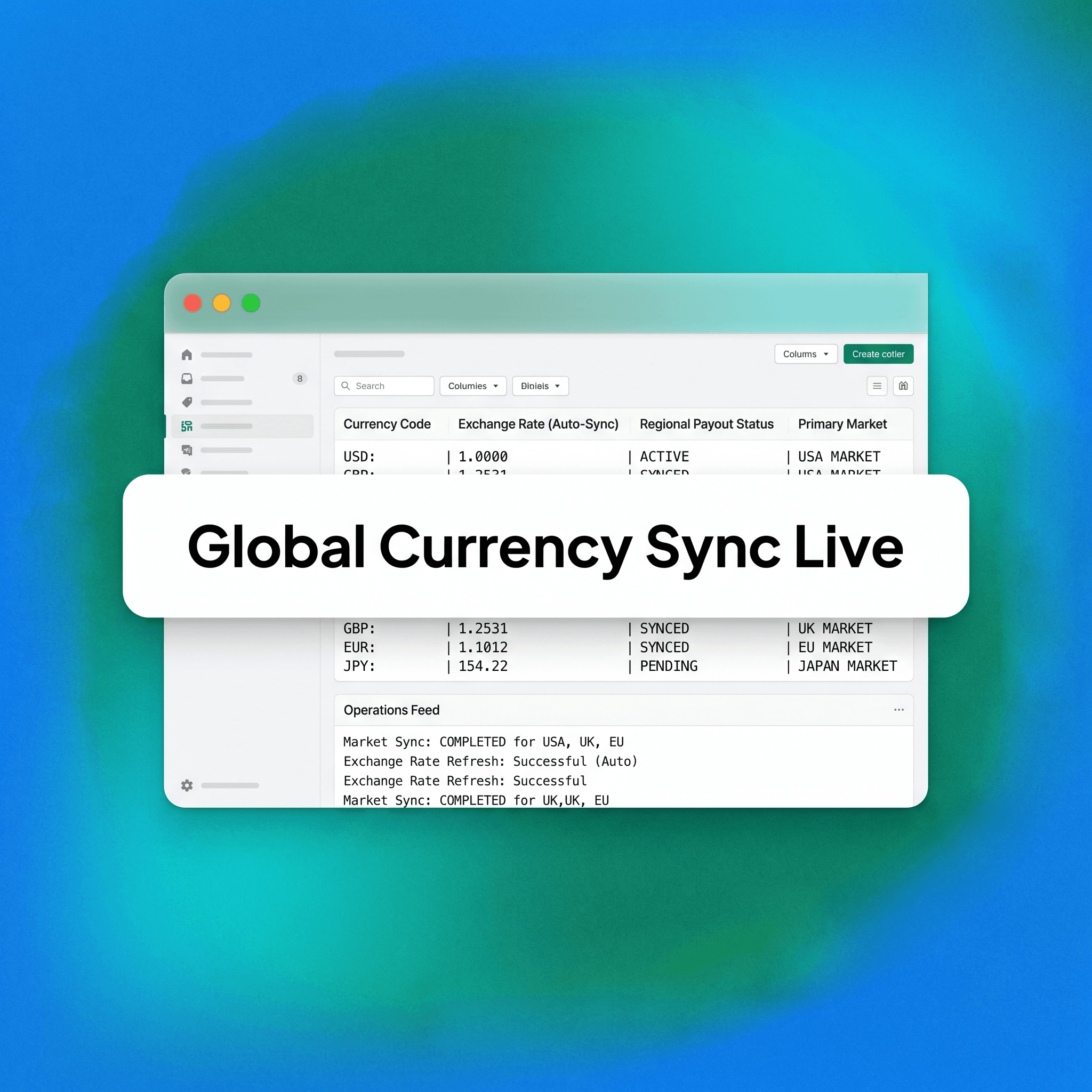
Shopify Multi-Currency Setup: The Complete Guide for Brands Selling in 3 or More Markets Multi-currency on Shopify sounds straightforward until you're managing five markets, three pricing tiers, and a currency rounding rule that keeps rounding the wrong way. This guide covers everything you need to configure Shopify multi-currency correctly — from initial setup through pricing strategy, common failure points, and what to audit before you scale. Managing localization across a vast transactional matrix demands a granular understanding of how database fields, exchange engines, and localization scripts interface under heavy volume. When scaling brands expand their footprint, minor technical missteps within localization settings mutate into massive margin leaks and fragmented customer experiences. This analysis outlines the architectural patterns and localized financial logic required to build a highly optimized, cross-border e-commerce system that preserves capital and scales predictably. If you're selling into three or more markets and still running a single-currency store, you're leaving conversion rate on the table. Here's how to fix that. Forcing international shoppers to browse in a foreign currency creates deep psychological friction at checkout, which drives up immediate cart abandonment metrics. International consumers demand localized transparency; seeing prices natively removes transactional cognitive load and matches local market expectations. Failing to implement multi-currency functionality means your customer acquisition costs will consistently rise as top-of-funnel ad spend is wasted on traffic that bounces due to local currency checkout friction. Upgrading your global commerce engine ensures that your brand captures high-intent international demand while maximizing cross-border return on ad spend. This post breaks down everything you need to know about setting up and optimization of localized global storefront infrastructure. We will evaluate how to navigate the operational prerequisites, outline a step-by-step implementation methodology, examine the technical differences between native layouts and legacy app workarounds, and analyze cross-border pricing strategy architectures. Additionally, we will break down the structural pitfalls that disrupt global rollouts and review the performance tracking metrics needed to protect your gross international margins. By implementing the technical steps outlined in this deep dive, your engineering and operations teams can deploy a highly secure, conversion-optimized international scaling framework that supports infinite global expansion.
What "Multi-Currency" Actually Means on Shopify
Shopify's multi-currency capability is part of its broader Shopify Markets infrastructure, introduced to replace the older Geolocation app and currency converter workarounds that many stores were patching together. The legacy ecosystem relied heavily on client-side JavaScript mutations that scraped the DOM to swap currency text strings on the fly, creating major visual layout shifts during page loading. Furthermore, these old scripts completely failed to pass localized price data into checkout fields, resulting in a jarring scenario where an international user browsed in their local currency but faced an un-localized default base currency upon entering the payment pipeline. The native architecture remedies this structural deficiency by unifying localization directly inside the core application layer, ensuring that price localization remains continuous, server-side, and structurally synchronized from initial page view to final payment settlement. When you enable multi-currency properly, Shopify can:
Natively Display Pricing: Display prices in a customer's local currency at storefront level, preventing layout shifts and removing checkout friction.
Settle Transactions Locally: Process checkout in that local currency (on Shopify Payments), allowing international customers to pay without facing hidden foreign transaction penalties.
Apply Advanced Rules: Apply market-specific pricing rules — not just FX conversion — giving merchandising teams full control over localized margins.
Isolate Localization Elements: Manage separate tax and shipping logic per market, ensuring complete compliance with regional customs and trade boundaries. The critical distinction: currency display and currency settlement are two different things. Shopify can show a customer prices in EUR while your payouts still arrive in GBP. Understanding that split matters before you touch any settings. If your corporate treasury functions entirely out of a single domestic banking entity, your business operates under a single settlement framework regardless of how many regional storefront currencies are actively enabled. This structural split means that every cross-border transaction triggers an internal foreign exchange routing event handled directly by Shopify Payments' processing infrastructure. If your finance team is not factoring the underlying spread fees and regional settlement conversions into their master balance sheet models, unexpected accounting discrepancies can emerge during month-end reconciliation loops.
Prerequisites Before You Start
Before configuring multi-currency, confirm these are in place:
Plan Tier Validation: You are on Shopify Basic or higher (Markets is available on all paid plans, but features scale with plan tier), granting access to global localization portals.
Processor Activation: Shopify Payments is enabled in your primary market — local currency checkout requires it to execute multi-currency settlement structures.
Theme Component Compatibility: Your theme is compatible with Shopify Markets (most modern themes are; older or heavily customised themes may need developer review to ensure clean rendering).
Target Boundary Definition: You have identified which markets you are targeting — Shopify defines "markets" by country or region grouping, not by language alone. If you are using a third-party payment gateway instead of Shopify Payments, customers will see prices in local currency but check out in your store's default currency. That creates friction. Resolve this before launch. Operating on an un-supported payment gateway means your site will face a significant conversion drop at the final point of purchase, as users realize the display currency was merely an un-backed frontend mask. This settlement failure triggers bank-level cardholder warnings, unexpected currency conversion surcharges, and immediate trust destruction within international checkout funnels. Ensuring full alignment with supported processing rails before allocating capital to international marketing ensures that your transaction lines remain highly performant, compliant, and optimized for global scaling.
Step-by-Step: Shopify Multi-Currency Setup
Step 1: Access Shopify Markets
Navigate to Settings > Markets in your Shopify admin. You will see your primary market already configured. This is the market your store originally launched in. This central command module functions as the administrative center for all international expansion, housing the core configuration blocks for your global distribution footprint. Within this interface, developers can access precise API controls, examine regional storefront access settings, and audit existing localization variables. Ensuring that your primary market's base currency and domestic tax rules are completely locked down forms the essential starting line before building secondary international market definitions.
Step 2: Add Your Target Markets
Click Add market, name it clearly, and assign the relevant countries. Grouping countries into a single market is useful when they share pricing strategy and currency. Keep markets separate when pricing, tax treatment, or shipping logic differs significantly. Regional grouping must be driven by strict macroeconomic profiling rather than simple geographical proximity. For example, grouping distinct non-EU nations with Eurozone economies into a single market layer will cause major tax compliance and currency mismatches down the line. Segment your regions dynamically by matching their unique financial characteristics, local purchasing powers, and supply chain fulfillment setups to keep operations clean. For brands entering three or more markets simultaneously, a common working structure is:
Primary Market: Home country, default currency configuration, serving as the master benchmark for your brand's global unit economic modeling.
Market 2: One or two closely aligned countries with similar purchasing power, utilizing shared currency structures to simplify early international rollouts.
Market 3+: Distinct regions with their own pricing needs, demanding dedicated localized marketing assets and tailored margin rules. Avoid the temptation to put every international country into one catch-all market. It creates pricing and logistics problems downstream. Blending asymmetric economic regions into a singular group prevents you from executing localized pricing adjustments, locking your catalog into generalized price models that erode margin in premium regions while pricing out developing markets. It also breaks your ability to configure accurate localized shipping rules and country-specific duty calculations, resulting in cart abandonment and customs delivery holdups. Dedicated market isolation is the only way to retain granular control over your global expansion metrics.
Step 3: Enable Local Currencies Per Market
Inside each market, go to the Currencies section. Shopify will suggest the dominant local currency. Enable it. This simple toggle activates the backend currency mapping tables, instructing the platform's core database to begin calculating exchange rates for all active SKUs. Once enabled, the store's data infrastructure stands ready to dynamically render alternative currency symbols and coordinate transaction arrays without relying on third-party scripts. This structural activation forms the foundational plumbing required to support downstream localized merchandising rules. If a market contains multiple countries with different currencies (e.g., a Nordic market with DKK, SEK, and NOK), you can enable multiple currencies within that market. Shopify will serve each customer the currency aligned to their detected location. The storefront engine uses server-side IP detection to instantly identify incoming user locations and match them against the active multi-currency database matrix. This automated matching happens before the HTML document renders, ensuring that international shoppers receive an instantly localized experience with zero visual flashing or currency delays. This setup allows brands to manage broad, multi-currency geographic territories under a unified market umbrella without splitting administrative focuses.
Step 4: Set Pricing Rules
This is where most brands underinvest. Shopify gives you two options per market: Conversion-based pricing — Shopify automatically converts your base currency price at the current exchange rate, adjusted daily. Simple to manage, but creates unpredictable price points (€47.83 is not a clean retail price). This programmatic automation completely eliminates the daily operational burden of tracking global forex fluctuations, as the platform dynamically syncs currency conversions using live mid-market exchange indexes. However, this fluid adjustment model strips away pricing consistency, causing your product values to continuously shift in response to macro-economic market movements. This constant price fluidity can complicate printed marketing collateral, break promotional campaign continuity, and introduce unexpected margin variance if your raw production costs do not move in tandem with forex rates. Fixed pricing — You manually set a price for each market in that market's currency. More control, better price integrity, but requires active management as exchange rates shift. This strategy allows your merchandising team to treat every international territory as a distinct retail environment, locking in precise psychological price points that match local consumer habits. Manually defining prices protects your gross profit margins from unexpected currency drops and stops cross-border price erosion. However, maintaining manual pricing across thousands of SKUs demands strong operational workflows, regular manual audits, and a dedicated data management plan to prevent catalog inconsistencies as global currencies move. For brands with strong brand positioning or premium pricing, fixed pricing by market is almost always the right call. For brands running high SKU counts and thin margins, conversion-based pricing with rounding rules applied is a defensible shortcut. Luxury and premium D2C operators require total control over their brand value, making fluid, unpolished price points an unacceptable compromise that dilutes brand perception. Conversely, high-volume catalogs operating on tight margin profiles must prioritize automated forex protections over absolute aesthetic pricing precision. Choosing between these models should be dictated by your catalog's scale, your operational capacity, and the premium positioning of your brand across global markets.
Step 5: Configure Currency Rounding Rules
Rounding rules prevent the ugly decimal prices that conversion-based pricing produces. Under Settings > Markets, select a market and find the Currency formatting and rounding section. This technical configuration acts as a backend filter that cleans up converted prices before rendering them to the user interface. By setting up strict mathematical rounding behaviors, you eliminate the unpolished, fractional values generated by pure forex conversions. This system automatically adjusts raw currency payloads into standardized retail price endings, protecting brand integrity while automating international price maintenance. Common rounding configurations:
Mass-Market Rounding: Round to nearest 0.99 (e.g., €29.99) — works for value-driven mass-market positioning, matching standard promotional discount psychology.
Premium Storefront Rounding: Round to nearest 0 (e.g., €30.00) — cleaner for premium or DTC luxury brands, projecting prestige and clean value structures.
Regional Consumer Rounding: Round to nearest 0.95 — common in certain European markets, aligning with entrenched local brick-and-mortar pricing conventions. Set this per market, not globally, because consumer price expectations vary by region. Forcing a single rounding standard across all global territories ignores entrenched regional purchasing behaviors and local consumer psychology. While Japanese consumers expect clean, whole-number yen representations without fractional decimals, North American shoppers respond to classic fractional charm pricing models. Customizing your rounding strategies for each separate market ensures your pricing looks native, highly professional, and perfectly optimized for local conversion behaviors.
Step 6: Configure Domains or Subfolders (Optional but Recommended)
Shopify Markets supports market-specific domains or subfolders:
Subfolder Structural Approach: yourbrand.com/en-gb — aggregates domain authority under a single master URL, simplifying technical SEO management and link-juice preservation.
Dedicated Country Domain: yourbrand.co.uk — utilizes a localized Top-Level Domain (TLD) to project a strong local trust signal and maximize local click-through rates. For brands entering three or more markets, subfolders are the lower-overhead option unless you have a strong local brand presence that justifies a dedicated TLD. Dedicated domains require separate SEO work per domain. Launching separate TLD architectures means your marketing team must manage distinct domain authorities, handle unique sitemap submissions, and invest heavily in separate backlink acquisition campaigns for each country. For lean operations scaling across multiple territories, a subfolder structure keeps search engine equity centralized under your primary root domain. This configuration ensures that your core SEO authority instantly boosts new international market launches, speeding up search engine indexation with minimal engineering work.
Step 7: Test Before Launch
Before making any market live, run through this checklist:
Geographic IP Simulation: Simulate a visit from each target country using a VPN or Shopify's market preview tool to verify correct data routing.
Localization Validation: Confirm the correct currency symbols, localized rounding rules, and translated language variants display properly across all landing layouts.
End-to-End Checkout Audit: Complete a test checkout end-to-end in each market's currency to ensure payment gateway routing operates without errors.
Cross-Border Tax Verification: Verify tax calculations are correct for each region, auditing localized VAT calculations in EU markets and GST implementation in ANZ territories.
Logistics Engine Verification: Confirm shipping rates are displaying correctly by destination, ensuring that dimensional weights and regional carrier profiles map accurately.
Promotion Matrix Audit: Check that any discount codes or promotions apply correctly under multi-currency conditions without triggering unexpected margin degradation.
The Multi-Market Currency Readiness Matrix
Use this before enabling any new market. Rate each factor as Ready, Partial, or Not Ready. Only launch when all factors are at Ready or you have documented workarounds for any Partial items. Operational Factors
Gateway Checkout Status: Payment gateway supports local currency checkout, completely removing cross-border conversion friction during final transaction execution.
Processor Availability: Shopify Payments active in this market, unlocking native checkout settlement capabilities and multi-currency transaction accounting.
Carrier Profile Alignment: Shipping carrier and rates configured for this region, matching localized zone dimensions and regional distribution networks.
Customs Compliance Mapping: Duties and import tax handling confirmed (DDP or DDU decision made), securing transparent landed cost projections at the checkout page.
Returns Operational Strategy: Returns and refund policy updated for this market, establishing localized consolidation warehouses and clear international reverse logistics guidelines. Pricing Factors
Merchandising Model Selection: Pricing model selected (fixed or conversion-based), matching corporate margin strategies and regional competitive dynamics.
Formatting Logic Deployment: Rounding rules configured, cleaning up raw forex values into clean, psychologically optimized local price endings.
Local Benchmark Validation: Price points validated against local market expectations, ensuring your products remain competitive within the local economic context.
Promotion Impact Modeling: Promotional pricing reviewed for currency impact, stopping overlapping discounts from draining cross-border margins. Technical Factors
Layout Integrity Testing: Theme tested in market preview, ensuring localized text expansion strings do not break frontend templates or checkout layouts.
URL Routing Confirmation: Domain or subfolder structure confirmed, locking in clean technical parameters for international traffic direction.
SEO Metadata Alignment: Hreflang tags configured (if using separate domains or subfolders), directing search engines to serve localized search indexing configurations.
Selector UI Visibility: Currency selector visible and functional on storefront, letting international shoppers manually override automated geo-IP location tracking.
Pipeline Transaction Check: Checkout tested end-to-end in local currency, verifying that third-party apps parse localized cart attributes accurately. Compliance Factors
Fiscal Registration Security: Local tax registration status confirmed, securing necessary business permissions before collecting international sales taxes.
Display Transparency Auditing: VAT/GST display compliance checked, ensuring pricing complies with local legal mandates for tax-inclusive or tax-exclusive listings.
Consumer Law Alignment: Terms and conditions reflect local consumer law requirements, protecting your storefront from international compliance liabilities. This matrix works as a launch gate. If you cannot check off the compliance column, do not launch that market yet. Rushing an international storefront live without securing structural legal clearances can expose your business to immediate regulatory penalties, border custom holds, and permanent ad account bans. Treating this readiness matrix as a strict operations gate protects your scaling business from the chaos of non-compliant global growth. It ensures that every international market functions as a stable, high-margin revenue loop rather than a operational bottleneck.
Shopify Markets vs. The Old Geolocation Approach
Brands that set up international selling before Shopify Markets launched often did it with the Geolocation app and a third-party currency converter. That setup had real limitations:
Checkout Conversion Disconnect: Currency conversion happened client-side, not in checkout — customers saw one price and paid another, destroying checkout completion metrics.
Monolithic Price Models: No market-specific pricing logic — every country got the same base price, just converted, blocking localized optimization options.
Search Engine Disorganization: SEO signals were inconsistent — hreflang and canonical tags were difficult to manage correctly, splitting search visibility. Shopify Markets resolved most of these. If your store still runs the old Geolocation app alongside a currency converter, the priority action is migrating to native Markets before adding new currencies. Running both simultaneously creates conflicts. Mixing legacy front-end scripts with native server-side configurations can trigger infinite reload loops, broken pricing layouts, and double-rounding errors that corrupt cart values. Migrating onto native Shopify Markets clears out this technical debt, standardizes your global data structure, and gives your operations team a clean, reliable foundation to optimize multi-market scaling.
Pricing Strategy Across Markets: The Core Decision
Multi-currency setup is the technical layer. Pricing strategy is the business layer. They need to be aligned before you flip any switches. Three common approaches brands use when pricing across markets: Uniform global pricing — One price, converted to local currency. Lowest operational overhead. Works when your brand competes on availability or convenience rather than price. Vulnerable to arbitrage if price gaps between markets become large. While this basic approach simplifies catalog data management, it leaves your business completely exposed to macro-economic margin squeeze. If your local fulfillment costs, cross-border shipping rates, or regional import duties spike unexpectedly, a converted base price cannot shift to offset these localized expenses, turning high-volume international markets into low-margin cash strains. Market-adjusted pricing — Prices set per market based on local purchasing power, competitive landscape, and margin targets. More complex to manage but reflects how sophisticated DTC brands actually operate internationally. This localized strategy gives brands the flexibility to optimize margins by setting higher prices in affluent regions to offset steep international logistics costs, while lowering entry prices in emerging regions to win market share from local competitors. Implementing this model requires a deep understanding of local consumer habits and consistent data management pipelines, but it yields significantly better profit outcomes at scale. Channel-adjusted pricing — Prices vary not just by market but by channel within a market (your Shopify storefront vs. a local marketplace vs. a retail wholesale price). Requires careful management to avoid channel conflict. Brands leveraging this advanced matrix must ensure that their direct-to-consumer storefront prices do not trigger automated pricing penalties on third-party marketplaces like Amazon, while protecting the wholesale margins of brick-and-mortar retail partners. Managing this multi-layered framework requires advanced enterprise resource planning software and dynamic pricing rules to prevent cross-channel friction and protect brand equity. Most brands scaling into three or more markets land on market-adjusted pricing as the operational middle ground. It requires more setup but produces better conversion rates and margin outcomes than uniform pricing at scale. Designing your international business around localized market pricing parameters allows your brand to absorb regional operational shocks without sacrificing global catalog consistency. It empowers your merchandising team to craft promotions that fit local holiday schedules and consumer buying seasons, turning a basic multi-currency setup into a highly targeted, margin-optimized international distribution engine.
Common Mistakes (And How to Avoid Them)
Premature Infrastructure Activation: Activating multi-currency before Shopify Payments is live, forcing customers to browse in their local currency only to face a sudden base-currency switch at checkout.
Over-Aggregation of Territories: Grouping too many countries into one market, creating skewed price points and tax mismatches by applying a singular pricing rule across asymmetric economic zones.
Neglecting Formatting Details: Ignoring rounding rules, allowing unpolished forex values to break consumer confidence and damage your brand's professional presentation.
Promotional Logic Overlap: Not auditing discount logic under multi-currency, which can cause fixed-amount promotions to apply incorrectly and erode product margins across foreign currencies.
Static Operational Management: Treating currency setup as a one-time task, failing to establish regular pricing review checkpoints to protect international margins against volatile forex shifts.
SEO Metadata Omission: Neglecting hreflang when using subfolders or separate domains, blinding search engine indexers and causing the wrong localized URLs to surface to international shoppers. Systematically resolving these common setup errors requires cross-functional alignment between your engineering, marketing, and finance teams. By setting up automated alerts for exchange rate movements, building clear testing protocols for new promotions, and running regular SEO audits on your international subfolders, you prevent small setting mistakes from harming your global conversion rates. Protecting your localization backend with disciplined maintenance safeguards your international investments and ensures a flawless customer journey for every shopper worldwide.
What to Monitor After Launch
Once multi-currency is live across your markets, track these metrics per market — not just in aggregate:
Localized Conversion Analysis: Track conversion rate by market and currency to quickly isolate and fix checkout drops triggered by localized payment issues.
Gross Unit Optimization: Monitor average order value in local currency to evaluate the performance of regional upselling tactics and bundle offers.
Friction Pipeline Tracking: Review cart abandonment rate by market, as sudden spikes often reveal checkout currency mismatches or hidden localized shipping surcharges.
Reverse Logistics Auditing: Evaluate refund rates by market to identify regional sizing discrepancies, product description translation errors, or local expectation mismatches.
Gateway Transaction Health: Check payment failure rates across local payment methods to catch technical connection issues or localized credit authentication failures early. Most Shopify analytics dashboards default to showing data in your base currency. Make sure your team is reviewing market-level data in local currency at least monthly. Relying entirely on converted financial summaries can mask deep operational issues within specific international regions. If a specific territory is facing high payment gateway failure rates or elevated card abandonment metrics, those losses can easily be missed inside aggregated global performance views. Building dedicated, market-level analytics dashboards ensures total visibility into localized conversion funnels, letting your operations team deploy targeted optimizations that protect global profit pools.