
Ecommerce Development
Shopify and n8n: How to Build Advanced Ecommerce Automations for Free
Shopify and n8n: How to Build Advanced Ecommerce Automations for Free
08 min read
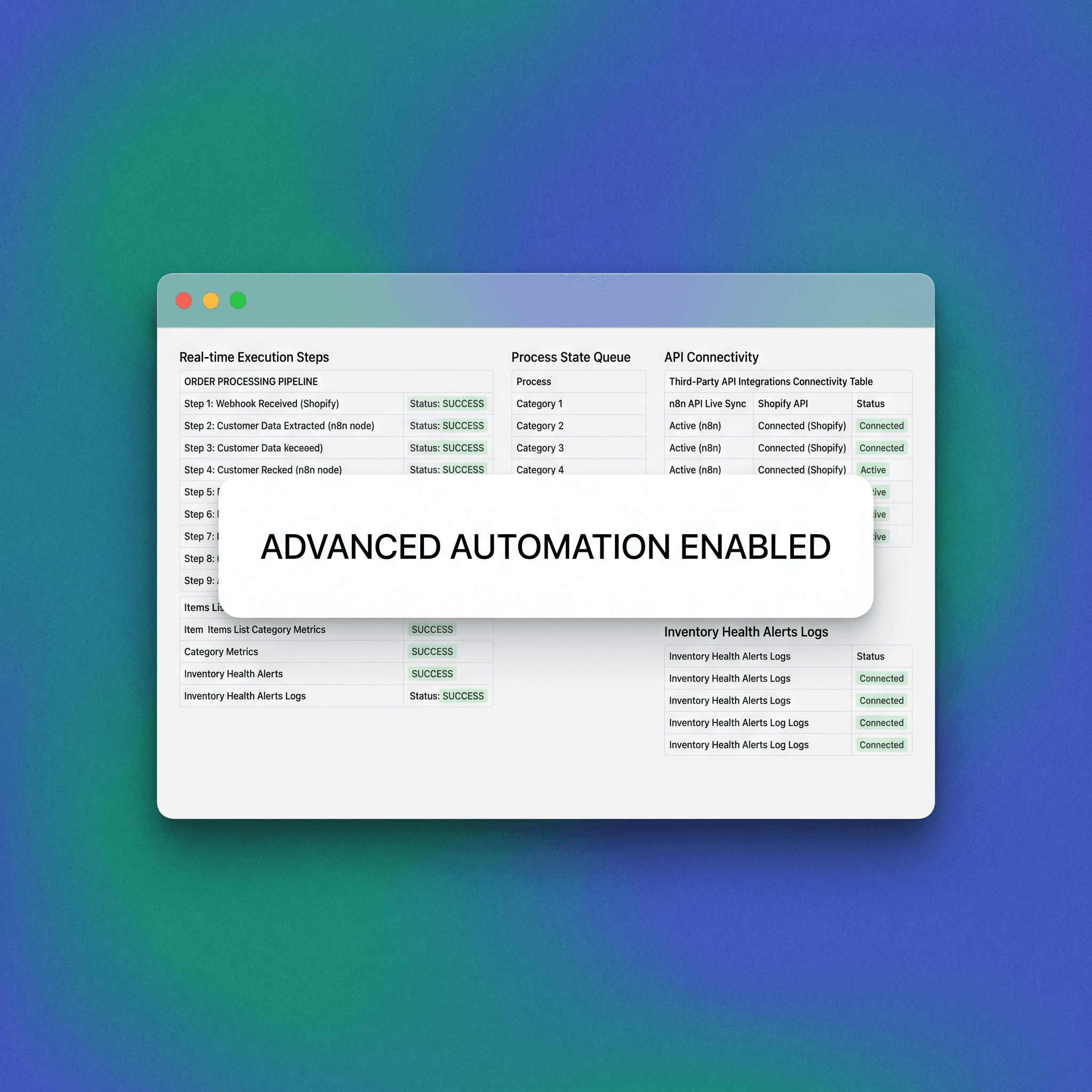
If you're running a Shopify store and still triggering workflows manually — or paying Zapier $100+ a month for what should be simple logic — there's a better path. n8n is an open-source workflow automation tool that connects to Shopify's API and lets you build complex, multi-step automations without per-task pricing or locked-in SaaS contracts. This guide breaks down exactly how to use n8n with Shopify, which workflows to build first, and how to structure your automation stack so it scales as your operation does. By transitioning from manual labor to automated execution, you minimize human error, reduce overhead costs associated with subscription-based SaaS tools, and unlock the ability to iterate on your business logic in real-time. This approach allows growing D2C brands to maintain high performance without sacrificing their margins to the "automation tax" common in legacy platforms.
What Is n8n and Why Does It Work Well With Shopify?
n8n (pronounced "n-eight-n") is an open-source, self-hostable workflow automation platform. Think Zapier or Make, but with no per-task cost caps, full code access when you need it, and the ability to run entirely on your own infrastructure. Shopify has a well-documented REST and GraphQL API, native webhooks, and a broad App ecosystem. That makes it one of the cleaner platforms to automate — and one of the best starting points if you're building out an n8n stack. The combination is practical for several reasons. n8n handles conditional logic, data transformation, loops, and error handling in a way that most no-code tools can't. Shopify generates dense event data — orders, customers, inventory, fulfillment — that becomes genuinely useful when routed correctly. By utilizing this infrastructure, operators can move away from siloed applications and create a centralized nervous system for their ecommerce business that responds to consumer behavior with surgical precision.
How n8n connects to Shopify
n8n has a dedicated Shopify node that supports OAuth or API key authentication. Once connected, you can trigger workflows from Shopify webhook events or poll Shopify's API on a schedule. You can also write back to Shopify — updating orders, tagging customers, adjusting inventory — without leaving the workflow. This deep integration allows for bidirectional data flow, ensuring that information isn't just pulled for reporting, but used to dynamically update the store’s state. By configuring webhooks, you effectively "subscribe" to store events, allowing your automation to trigger the millisecond a specific change occurs, which is critical for time-sensitive tasks like fraud prevention or high-touch customer support.
The Shopify x n8n Automation Stack Map
Before building individual workflows, it helps to think about your automation stack in layers. This framework — the Shopify x n8n Automation Stack Map — organises automations by operational function and complexity. Most early-stage Shopify operators over-invest in Layer 1 and under-invest in Layers 3 and 4, where the real operational leverage sits. Implementing this layered strategy allows teams to categorize their technical debt and prioritize high-impact workflows that drive revenue or save significant labor hours.
Layer 1 — Event Response (Reactive)
Automations triggered by a specific Shopify event. Low complexity, high immediacy. Examples: order confirmation routing, fraud flag alerts, new customer tagging. These workflows serve as the foundational bedrock of your automated operations, providing immediate feedback loops that keep the store running smoothly without manual oversight. They ensure that basic data hygiene is maintained automatically, reducing the burden on customer service agents who would otherwise spend hours manually sorting and tagging new records as they enter the system.
Layer 2 — Scheduled Operations (Proactive)
Automations that run on a schedule regardless of a triggering event. Examples: daily inventory checks, weekly cohort reports pulled from Shopify and pushed to a spreadsheet, reorder threshold alerts. These proactive tasks allow you to stay ahead of logistical bottlenecks by surfacing actionable data before a crisis occurs, such as an out-of-stock event that ruins a marketing campaign. By moving these tasks into a scheduled n8n workflow, you institutionalize your reporting cadence and remove the "memory" reliance that often leads to inconsistent oversight in smaller teams.
Layer 3 — Cross-System Orchestration (Integrated)
Automations that connect Shopify to external systems — CRMs, ERPs, warehouses, email platforms, Slack. Examples: syncing new Shopify customers to a CRM, pushing fulfillment data to a 3PL portal, triggering post-purchase email sequences in an external ESP. This layer is where the true power of automation is realized, breaking down data silos and ensuring that every stakeholder across your organization has visibility into the current state of the customer journey. When Shopify acts as the central truth, syncing that truth to specialized tools allows for a best-in-class tech stack that isn't tethered by the limitations of platform-specific plugins.
Layer 4 — Logic-Driven Workflows (Conditional)
Automations that branch based on data. Examples: routing high-value orders to a priority fulfilment queue, applying different post-purchase flows based on product category, escalating repeat-return customers to a manual review process. These workflows utilize complex conditional branching, allowing the system to behave differently based on the specific attributes of the data it receives. By introducing this level of nuance, you can treat your high-value customers with priority while automating away the menial work associated with routine, low-value interactions, effectively scaling your personalized customer experience.
Five Shopify Automations Worth Building in n8n
These are practical starting points. Each one is buildable with a standard n8n setup and Shopify API access. By focusing on these five areas, you can see immediate improvements in operational efficiency and data quality. Each workflow acts as a proof-of-concept for the power of the n8n-Shopify connection, allowing your team to build confidence in your automated infrastructure.
1. Order Tagging by Customer Segment
What it does: When a new order is placed, n8n pulls the customer's order history from Shopify, calculates lifetime value or order frequency, and applies a tag (e.g. "vip", "first-time", "at-risk") back to the customer record. Why it matters: Shopify's native segmentation is limited. Tagging customers programmatically lets you use those tags downstream — in email tools, loyalty platforms, or Shopify's own discount logic. Nodes used: Shopify Trigger → HTTP Request (or Shopify node) → IF node → Shopify node (update customer). This logic allows you to transform static customer data into dynamic, actionable segments that reflect the real-time purchasing behavior of your users, enabling highly relevant marketing communication that significantly boosts conversion rates and long-term customer loyalty.
2. Low Inventory Alert with Reorder Logic
What it does: A scheduled workflow runs every morning, pulls inventory levels across all SKUs via the Shopify API, flags any SKU below a defined threshold, and sends an alert to Slack or email with the product name, current stock, and a direct link to the Shopify admin page. Why it matters: Most inventory alert apps either cost money or require you to set thresholds inside the app itself. This workflow lives in your infrastructure, is free to run, and can be extended to auto-generate a purchase order draft or notify a supplier directly. Nodes used: Schedule Trigger → Shopify node (get inventory levels) → IF node → Slack node or Send Email node. By automating this, you effectively eliminate the "human element" of inventory management, ensuring that replenishment decisions are based on accurate, daily data rather than anecdotal evidence or reactive panic.
3. Post-Purchase CRM Sync
What it does: When an order is marked as paid, n8n pushes the customer's data — name, email, order value, product purchased — to your CRM (HubSpot, Pipedrive, Notion, Airtable, or any system with an API or webhook endpoint). Why it matters: Keeping Shopify and your CRM in sync manually is a guaranteed source of errors and delays. This workflow removes the gap entirely, so your sales or CS team always has current order data without switching tools. Nodes used: Shopify Trigger (order paid) → Set node (map fields) → HubSpot / HTTP Request / Airtable node. Creating this bridge ensures that your marketing and customer service teams have a unified view of the customer, allowing for personalized, relevant follow-up that turns a single purchase into a long-term relationship.
4. Abandoned Cart Escalation
What it does: n8n polls Shopify for checkouts that were created but not completed within a set window (e.g. 2 hours). If the cart value is above a defined threshold — say, $200 — it pushes a high-priority alert to a Slack channel or triggers a personalised outreach via your ESP, rather than relying on a generic abandoned cart email. Why it matters: Standard abandoned cart flows treat a $25 cart and a $500 cart the same way. This workflow lets you add a manual or higher-touch recovery layer for high-value abandons. Nodes used: Schedule Trigger → Shopify node (get abandoned checkouts) → IF node (cart value filter) → Slack node or HTTP Request. By prioritizing these high-value interactions, you can focus your most expensive resources on the recovery efforts that yield the highest return, maximizing your store's recovery revenue.
5. Return and Refund Flagging Workflow
What it does: When a refund is created in Shopify, n8n checks whether the same customer has submitted more than one return in the past 90 days. If so, it tags the customer in Shopify and creates a task in your team's project management tool (Asana, Linear, Notion) for manual review. Why it matters: Repeat returners are either experiencing a product quality issue or gaming your returns policy. Catching this automatically prevents both revenue leakage and fulfilment overhead. Nodes used: Shopify Trigger (refund created) → Shopify node (get customer orders) → IF node → Shopify node (tag customer) + Asana / HTTP Request node. This defensive automation protects your margins and helps you identify systemic product issues, allowing you to iterate on your offerings and improve the quality of the customer experience for everyone.
How to Set Up n8n for Shopify: The Short Version
This is not a step-by-step installation guide, but here's what you need to know before starting. By understanding the infrastructure requirements and security protocols, you can set up a robust, scalable system that grows with your business. It is essential to ensure that your setup is maintainable and secure from day one, which simplifies long-term operations.
Hosting options.
You can run n8n on a cloud VM (DigitalOcean, Hetzner, AWS Lightsail), use n8n's own hosted cloud product, or run it locally for testing. Self-hosting is free; n8n Cloud has a paid tier. Choosing the right hosting depends on your team's comfort level with Linux server management and your willingness to maintain the underlying software and security patches over time.
Shopify API access.
You'll need to create a Custom App in your Shopify admin under Settings → Apps → Develop Apps. Enable the API scopes your workflows need (orders, customers, inventory, etc.) and save your API credentials. This custom app acts as the secure gatekeeper for your data, allowing you to define exactly which permissions are granted to n8n, ensuring the principle of least privilege is applied to all your integrations.
Authentication in n8n.
In n8n, add a new Shopify credential using your store's domain and the API access token from the custom app. Test the connection before building workflows. Secure credential management is the foundation of a safe automation stack, so ensure you store your tokens in an environment-controlled manner if possible to minimize exposure risk.
Webhook vs. polling.
Shopify webhooks are event-driven and faster. Polling is useful for scheduled reports or when you want to batch-process records. n8n handles both natively. Understanding the trade-offs between real-time event triggers and scheduled batch processing allows you to balance performance with server load, preventing unnecessary API calls while maintaining the speed required for critical operations.
Common Mistakes When Automating Shopify with n8n
Getting the integration running is straightforward. Keeping it running well is where most teams run into problems. By avoiding these common pitfalls, you can build a more resilient and scalable automation architecture that handles the complexities of real-world ecommerce operations. It is important to treat your automation workflows as code, which means maintaining documentation, handling errors, and planning for scale from the beginning.
Over-engineering the first workflow.
Start with one clear trigger and one clear output. Complex branching logic built before you understand your data will create maintenance debt fast. Keep it simple and focus on solving one specific problem before iterating on the workflow's complexity, which allows you to validate your assumptions and ensure that the underlying API interactions are performing as expected in a production environment.
Not handling API rate limits.
Shopify's REST API has rate limits (typically 2 requests per second for standard plans, higher for Shopify Plus). If your workflows process high order volumes, you need to build in rate limit handling or use Shopify's GraphQL API, which uses a cost-based quota system. Proactive management of these limits ensures your store’s connection remains stable, preventing failed executions and the potential loss of critical order or inventory data during periods of high traffic.
Skipping error handling.
n8n lets you add error workflows — separate flows that trigger when a main workflow fails. If you're running production automations and not using error handling, you won't know when something breaks until it's already caused a problem. Implementing a robust error-notification system turns your automation from a "black box" into a transparent and reliable system that alerts you immediately when human intervention is required to resolve a failure.
Storing sensitive data carelessly.
If you're self-hosting n8n, your workflow data and credentials live on your server. Apply basic security hygiene: environment variables for credentials, restricted access to the n8n UI, and regular backups. Ensuring the physical or cloud server environment is secure is your primary responsibility, and failing to secure the n8n interface could lead to unauthorized access to your store’s critical data, such as customer email addresses and order history.
Building without documentation.
n8n workflows can become hard to read quickly. Name your nodes clearly, use sticky notes inside the canvas for context, and keep a simple log of what each workflow does and when it was last updated. Documentation is the difference between a system that is easily maintainable by your team and one that becomes an unreadable tangle of nodes that no one dares to touch for fear of breaking the entire store operation.
Shopify Automation Trade-offs: n8n vs. Native Tools vs. Paid Platforms
No tool is the right answer in every context. Here's how to think about the options. Choosing the right tool depends on your technical maturity, budget, and the level of control you require over your ecommerce data. As you scale, you may find that you need to shift from off-the-shelf tools to more flexible, self-hosted solutions to keep your growth uninhibited.
Shopify Flow.
Shopify Flow is free and built into Shopify (Plus feature). It handles simple if/then logic well, but it's limited to Shopify-native actions and doesn't connect to external systems. It is an excellent starting point for basic operations within the Shopify ecosystem, but teams will eventually hit its functional ceiling as their operational needs expand beyond the boundaries of the Shopify admin interface.
Zapier / Make.
Zapier / Make are fast to set up and require no hosting. They're the right choice for teams who want pre-built connectors and are comfortable with per-task pricing. They become expensive at volume and limit custom logic. These platforms offer a quick win for small teams, but they often lead to "SaaS lock-in" where the cost of scaling becomes prohibitive, eventually forcing a migration to more cost-effective, high-control tools like n8n.
n8n.
n8n is best when you need multi-step logic, external system integrations, high-volume workflows, or custom data transformation — and when your team has the capacity to manage a self-hosted tool or budget for n8n Cloud. This offers the best balance of power and cost, provided your team has the technical aptitude or infrastructure support to manage the platform effectively as you scale your operations.
Custom code.
Custom code (Shopify scripts or direct API calls) is appropriate when your workflow requirements are highly specific, performance-critical, or deeply integrated into your own systems. Higher build cost, higher control. While this offers the ultimate flexibility, it also carries the highest maintenance burden, requiring ongoing development cycles that can distract from your core business objectives if not managed strategically within your product roadmap.
If you're running a Shopify store and still triggering workflows manually — or paying Zapier $100+ a month for what should be simple logic — there's a better path. n8n is an open-source workflow automation tool that connects to Shopify's API and lets you build complex, multi-step automations without per-task pricing or locked-in SaaS contracts. This guide breaks down exactly how to use n8n with Shopify, which workflows to build first, and how to structure your automation stack so it scales as your operation does. By transitioning from manual labor to automated execution, you minimize human error, reduce overhead costs associated with subscription-based SaaS tools, and unlock the ability to iterate on your business logic in real-time. This approach allows growing D2C brands to maintain high performance without sacrificing their margins to the "automation tax" common in legacy platforms.
What Is n8n and Why Does It Work Well With Shopify?
n8n (pronounced "n-eight-n") is an open-source, self-hostable workflow automation platform. Think Zapier or Make, but with no per-task cost caps, full code access when you need it, and the ability to run entirely on your own infrastructure. Shopify has a well-documented REST and GraphQL API, native webhooks, and a broad App ecosystem. That makes it one of the cleaner platforms to automate — and one of the best starting points if you're building out an n8n stack. The combination is practical for several reasons. n8n handles conditional logic, data transformation, loops, and error handling in a way that most no-code tools can't. Shopify generates dense event data — orders, customers, inventory, fulfillment — that becomes genuinely useful when routed correctly. By utilizing this infrastructure, operators can move away from siloed applications and create a centralized nervous system for their ecommerce business that responds to consumer behavior with surgical precision.
How n8n connects to Shopify
n8n has a dedicated Shopify node that supports OAuth or API key authentication. Once connected, you can trigger workflows from Shopify webhook events or poll Shopify's API on a schedule. You can also write back to Shopify — updating orders, tagging customers, adjusting inventory — without leaving the workflow. This deep integration allows for bidirectional data flow, ensuring that information isn't just pulled for reporting, but used to dynamically update the store’s state. By configuring webhooks, you effectively "subscribe" to store events, allowing your automation to trigger the millisecond a specific change occurs, which is critical for time-sensitive tasks like fraud prevention or high-touch customer support.
The Shopify x n8n Automation Stack Map
Before building individual workflows, it helps to think about your automation stack in layers. This framework — the Shopify x n8n Automation Stack Map — organises automations by operational function and complexity. Most early-stage Shopify operators over-invest in Layer 1 and under-invest in Layers 3 and 4, where the real operational leverage sits. Implementing this layered strategy allows teams to categorize their technical debt and prioritize high-impact workflows that drive revenue or save significant labor hours.
Layer 1 — Event Response (Reactive)
Automations triggered by a specific Shopify event. Low complexity, high immediacy. Examples: order confirmation routing, fraud flag alerts, new customer tagging. These workflows serve as the foundational bedrock of your automated operations, providing immediate feedback loops that keep the store running smoothly without manual oversight. They ensure that basic data hygiene is maintained automatically, reducing the burden on customer service agents who would otherwise spend hours manually sorting and tagging new records as they enter the system.
Layer 2 — Scheduled Operations (Proactive)
Automations that run on a schedule regardless of a triggering event. Examples: daily inventory checks, weekly cohort reports pulled from Shopify and pushed to a spreadsheet, reorder threshold alerts. These proactive tasks allow you to stay ahead of logistical bottlenecks by surfacing actionable data before a crisis occurs, such as an out-of-stock event that ruins a marketing campaign. By moving these tasks into a scheduled n8n workflow, you institutionalize your reporting cadence and remove the "memory" reliance that often leads to inconsistent oversight in smaller teams.
Layer 3 — Cross-System Orchestration (Integrated)
Automations that connect Shopify to external systems — CRMs, ERPs, warehouses, email platforms, Slack. Examples: syncing new Shopify customers to a CRM, pushing fulfillment data to a 3PL portal, triggering post-purchase email sequences in an external ESP. This layer is where the true power of automation is realized, breaking down data silos and ensuring that every stakeholder across your organization has visibility into the current state of the customer journey. When Shopify acts as the central truth, syncing that truth to specialized tools allows for a best-in-class tech stack that isn't tethered by the limitations of platform-specific plugins.
Layer 4 — Logic-Driven Workflows (Conditional)
Automations that branch based on data. Examples: routing high-value orders to a priority fulfilment queue, applying different post-purchase flows based on product category, escalating repeat-return customers to a manual review process. These workflows utilize complex conditional branching, allowing the system to behave differently based on the specific attributes of the data it receives. By introducing this level of nuance, you can treat your high-value customers with priority while automating away the menial work associated with routine, low-value interactions, effectively scaling your personalized customer experience.
Five Shopify Automations Worth Building in n8n
These are practical starting points. Each one is buildable with a standard n8n setup and Shopify API access. By focusing on these five areas, you can see immediate improvements in operational efficiency and data quality. Each workflow acts as a proof-of-concept for the power of the n8n-Shopify connection, allowing your team to build confidence in your automated infrastructure.
1. Order Tagging by Customer Segment
What it does: When a new order is placed, n8n pulls the customer's order history from Shopify, calculates lifetime value or order frequency, and applies a tag (e.g. "vip", "first-time", "at-risk") back to the customer record. Why it matters: Shopify's native segmentation is limited. Tagging customers programmatically lets you use those tags downstream — in email tools, loyalty platforms, or Shopify's own discount logic. Nodes used: Shopify Trigger → HTTP Request (or Shopify node) → IF node → Shopify node (update customer). This logic allows you to transform static customer data into dynamic, actionable segments that reflect the real-time purchasing behavior of your users, enabling highly relevant marketing communication that significantly boosts conversion rates and long-term customer loyalty.
2. Low Inventory Alert with Reorder Logic
What it does: A scheduled workflow runs every morning, pulls inventory levels across all SKUs via the Shopify API, flags any SKU below a defined threshold, and sends an alert to Slack or email with the product name, current stock, and a direct link to the Shopify admin page. Why it matters: Most inventory alert apps either cost money or require you to set thresholds inside the app itself. This workflow lives in your infrastructure, is free to run, and can be extended to auto-generate a purchase order draft or notify a supplier directly. Nodes used: Schedule Trigger → Shopify node (get inventory levels) → IF node → Slack node or Send Email node. By automating this, you effectively eliminate the "human element" of inventory management, ensuring that replenishment decisions are based on accurate, daily data rather than anecdotal evidence or reactive panic.
3. Post-Purchase CRM Sync
What it does: When an order is marked as paid, n8n pushes the customer's data — name, email, order value, product purchased — to your CRM (HubSpot, Pipedrive, Notion, Airtable, or any system with an API or webhook endpoint). Why it matters: Keeping Shopify and your CRM in sync manually is a guaranteed source of errors and delays. This workflow removes the gap entirely, so your sales or CS team always has current order data without switching tools. Nodes used: Shopify Trigger (order paid) → Set node (map fields) → HubSpot / HTTP Request / Airtable node. Creating this bridge ensures that your marketing and customer service teams have a unified view of the customer, allowing for personalized, relevant follow-up that turns a single purchase into a long-term relationship.
4. Abandoned Cart Escalation
What it does: n8n polls Shopify for checkouts that were created but not completed within a set window (e.g. 2 hours). If the cart value is above a defined threshold — say, $200 — it pushes a high-priority alert to a Slack channel or triggers a personalised outreach via your ESP, rather than relying on a generic abandoned cart email. Why it matters: Standard abandoned cart flows treat a $25 cart and a $500 cart the same way. This workflow lets you add a manual or higher-touch recovery layer for high-value abandons. Nodes used: Schedule Trigger → Shopify node (get abandoned checkouts) → IF node (cart value filter) → Slack node or HTTP Request. By prioritizing these high-value interactions, you can focus your most expensive resources on the recovery efforts that yield the highest return, maximizing your store's recovery revenue.
5. Return and Refund Flagging Workflow
What it does: When a refund is created in Shopify, n8n checks whether the same customer has submitted more than one return in the past 90 days. If so, it tags the customer in Shopify and creates a task in your team's project management tool (Asana, Linear, Notion) for manual review. Why it matters: Repeat returners are either experiencing a product quality issue or gaming your returns policy. Catching this automatically prevents both revenue leakage and fulfilment overhead. Nodes used: Shopify Trigger (refund created) → Shopify node (get customer orders) → IF node → Shopify node (tag customer) + Asana / HTTP Request node. This defensive automation protects your margins and helps you identify systemic product issues, allowing you to iterate on your offerings and improve the quality of the customer experience for everyone.
How to Set Up n8n for Shopify: The Short Version
This is not a step-by-step installation guide, but here's what you need to know before starting. By understanding the infrastructure requirements and security protocols, you can set up a robust, scalable system that grows with your business. It is essential to ensure that your setup is maintainable and secure from day one, which simplifies long-term operations.
Hosting options.
You can run n8n on a cloud VM (DigitalOcean, Hetzner, AWS Lightsail), use n8n's own hosted cloud product, or run it locally for testing. Self-hosting is free; n8n Cloud has a paid tier. Choosing the right hosting depends on your team's comfort level with Linux server management and your willingness to maintain the underlying software and security patches over time.
Shopify API access.
You'll need to create a Custom App in your Shopify admin under Settings → Apps → Develop Apps. Enable the API scopes your workflows need (orders, customers, inventory, etc.) and save your API credentials. This custom app acts as the secure gatekeeper for your data, allowing you to define exactly which permissions are granted to n8n, ensuring the principle of least privilege is applied to all your integrations.
Authentication in n8n.
In n8n, add a new Shopify credential using your store's domain and the API access token from the custom app. Test the connection before building workflows. Secure credential management is the foundation of a safe automation stack, so ensure you store your tokens in an environment-controlled manner if possible to minimize exposure risk.
Webhook vs. polling.
Shopify webhooks are event-driven and faster. Polling is useful for scheduled reports or when you want to batch-process records. n8n handles both natively. Understanding the trade-offs between real-time event triggers and scheduled batch processing allows you to balance performance with server load, preventing unnecessary API calls while maintaining the speed required for critical operations.
Common Mistakes When Automating Shopify with n8n
Getting the integration running is straightforward. Keeping it running well is where most teams run into problems. By avoiding these common pitfalls, you can build a more resilient and scalable automation architecture that handles the complexities of real-world ecommerce operations. It is important to treat your automation workflows as code, which means maintaining documentation, handling errors, and planning for scale from the beginning.
Over-engineering the first workflow.
Start with one clear trigger and one clear output. Complex branching logic built before you understand your data will create maintenance debt fast. Keep it simple and focus on solving one specific problem before iterating on the workflow's complexity, which allows you to validate your assumptions and ensure that the underlying API interactions are performing as expected in a production environment.
Not handling API rate limits.
Shopify's REST API has rate limits (typically 2 requests per second for standard plans, higher for Shopify Plus). If your workflows process high order volumes, you need to build in rate limit handling or use Shopify's GraphQL API, which uses a cost-based quota system. Proactive management of these limits ensures your store’s connection remains stable, preventing failed executions and the potential loss of critical order or inventory data during periods of high traffic.
Skipping error handling.
n8n lets you add error workflows — separate flows that trigger when a main workflow fails. If you're running production automations and not using error handling, you won't know when something breaks until it's already caused a problem. Implementing a robust error-notification system turns your automation from a "black box" into a transparent and reliable system that alerts you immediately when human intervention is required to resolve a failure.
Storing sensitive data carelessly.
If you're self-hosting n8n, your workflow data and credentials live on your server. Apply basic security hygiene: environment variables for credentials, restricted access to the n8n UI, and regular backups. Ensuring the physical or cloud server environment is secure is your primary responsibility, and failing to secure the n8n interface could lead to unauthorized access to your store’s critical data, such as customer email addresses and order history.
Building without documentation.
n8n workflows can become hard to read quickly. Name your nodes clearly, use sticky notes inside the canvas for context, and keep a simple log of what each workflow does and when it was last updated. Documentation is the difference between a system that is easily maintainable by your team and one that becomes an unreadable tangle of nodes that no one dares to touch for fear of breaking the entire store operation.
Shopify Automation Trade-offs: n8n vs. Native Tools vs. Paid Platforms
No tool is the right answer in every context. Here's how to think about the options. Choosing the right tool depends on your technical maturity, budget, and the level of control you require over your ecommerce data. As you scale, you may find that you need to shift from off-the-shelf tools to more flexible, self-hosted solutions to keep your growth uninhibited.
Shopify Flow.
Shopify Flow is free and built into Shopify (Plus feature). It handles simple if/then logic well, but it's limited to Shopify-native actions and doesn't connect to external systems. It is an excellent starting point for basic operations within the Shopify ecosystem, but teams will eventually hit its functional ceiling as their operational needs expand beyond the boundaries of the Shopify admin interface.
Zapier / Make.
Zapier / Make are fast to set up and require no hosting. They're the right choice for teams who want pre-built connectors and are comfortable with per-task pricing. They become expensive at volume and limit custom logic. These platforms offer a quick win for small teams, but they often lead to "SaaS lock-in" where the cost of scaling becomes prohibitive, eventually forcing a migration to more cost-effective, high-control tools like n8n.
n8n.
n8n is best when you need multi-step logic, external system integrations, high-volume workflows, or custom data transformation — and when your team has the capacity to manage a self-hosted tool or budget for n8n Cloud. This offers the best balance of power and cost, provided your team has the technical aptitude or infrastructure support to manage the platform effectively as you scale your operations.
Custom code.
Custom code (Shopify scripts or direct API calls) is appropriate when your workflow requirements are highly specific, performance-critical, or deeply integrated into your own systems. Higher build cost, higher control. While this offers the ultimate flexibility, it also carries the highest maintenance burden, requiring ongoing development cycles that can distract from your core business objectives if not managed strategically within your product roadmap.
FAQs
Web Personalisation
Framer is a design tool that allows you to design websites on a freeform canvas, and then publish them as websites with a single click.
UI and UX Design
Framer is a design tool that allows you to design websites on a freeform canvas, and then publish them as websites with a single click.
Search Engine Optimisation
Framer is a design tool that allows you to design websites on a freeform canvas, and then publish them as websites with a single click.
CRM and ERP Solutions
Framer is a design tool that allows you to design websites on a freeform canvas, and then publish them as websites with a single click.
Ecommerce
Framer is a design tool that allows you to design websites on a freeform canvas, and then publish them as websites with a single click.
Email Marketing
Framer is a design tool that allows you to design websites on a freeform canvas, and then publish them as websites with a single click.
Marketing Automation
Framer is a design tool that allows you to design websites on a freeform canvas, and then publish them as websites with a single click.
Chatbots and Conversational AI
Framer is a design tool that allows you to design websites on a freeform canvas, and then publish them as websites with a single click.
Chatbots and Conversational AI
Framer is a design tool that allows you to design websites on a freeform canvas, and then publish them as websites with a single click.
Related Blogs
We know your space
Explore our latest UI/UX Case Studies that showcase how our process-driven creativity transforms complex ideas into real, measurable business results, step by step.

AI and Data Analytics
•
Aug 19, 2026
Context Engineering for Enterprise AI Agents: Memory, Retrieval, Tools and State Management

AI and Data Analytics
•
Aug 19, 2026
Enterprise RAG vs Agentic RAG vs AI Search: Which Architecture Should You Build?

AI and Data Analytics
•
Aug 19, 2026
Enterprise Semantic Layer for AI Agents: How to Produce Trusted Business Answers
Let's work together
Have a project in mind?
Let's make it real.
Tell us what you're building. We'll bring the design, technology, and thinking to make it happen.
Fill up the following form to start a conversation
with our team
Let's work together
Have a project in mind?
Let's make it real.
Tell us what you're building. We'll bring the design, technology, and thinking to make it happen.
Fill up the following form to start a conversation with our team
Let's work together
Have a project in mind?
Let's make it real.
Tell us what you're building. We'll bring the design, technology, and thinking to make it happen.
Fill up the following form to start a conversation
with our team
Services
Services
© 2026 projectsupply
Part of Tangle
Services
© 2026 projectsupply
Part of Tangle