

Shopify
08 min read
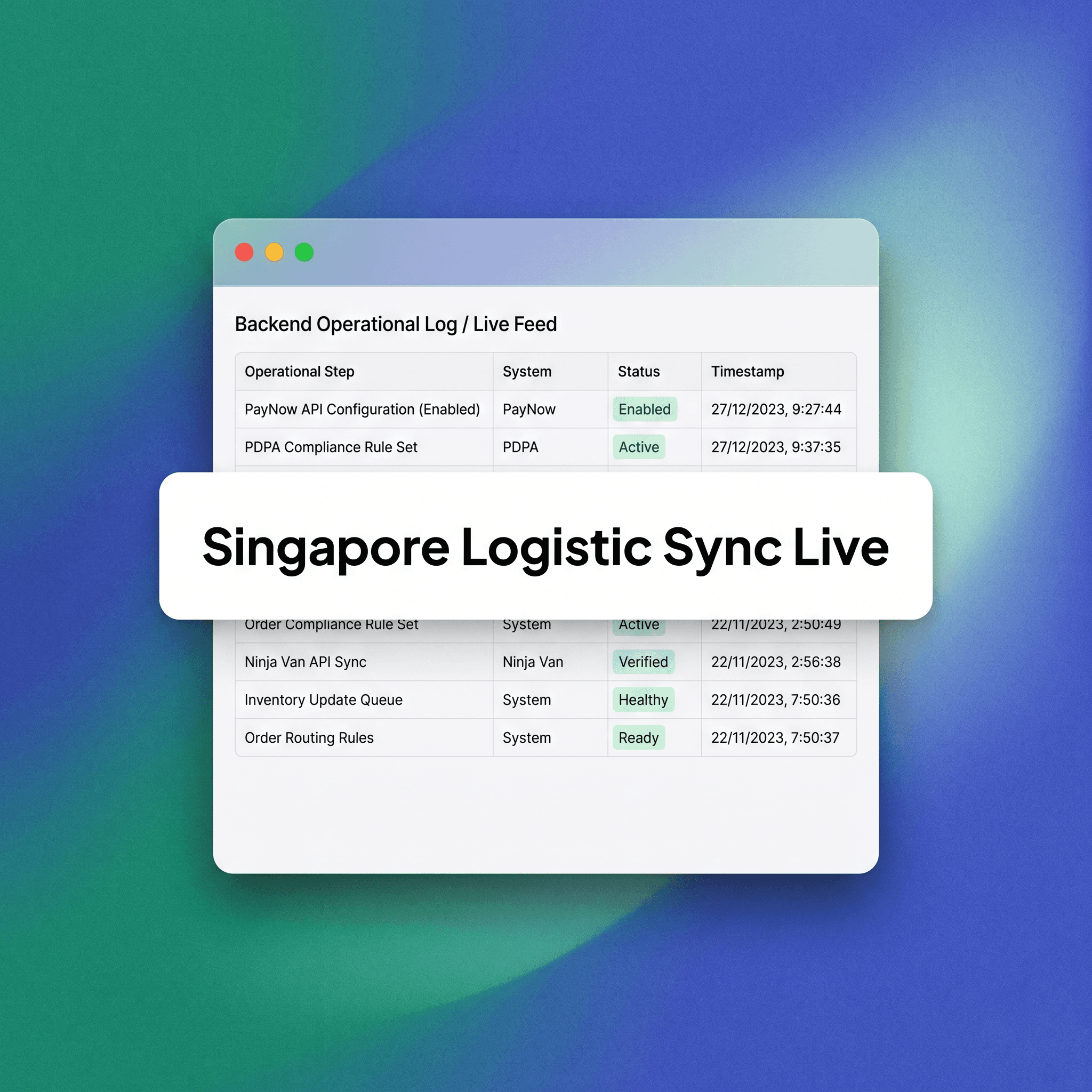
If you are building a D2C brand in Singapore and running it on Shopify, three core infrastructure pillars will ultimately determine your operational success: how your customers pay, how you handle their private data, and how effectively your orders reach their door. Getting any one of these components wrong exposes your business to preventable cart abandonment, significant regulatory liability under local law, or persistent fulfillment failures—none of which are optional or manageable problems for a growing brand. This guide provides a granular, practical setup roadmap for Singapore-based Shopify stores in 2026, stripping away generic ecommerce advice to focus on the specific technical requirements for local integration. We explore the exact pathways to get PayNow functioning, ensure your storefront is strictly PDPA-aligned, and connect your inventory systems directly to Ninja Van for optimized last-mile logistics. By following this technical framework, you minimize the friction inherent in adapting a North American-centric platform to the nuances of the Singapore market, ensuring your store is technically robust, legally defensible, and operationally scalable from day one.
Why Singapore Shopify Stores Need a Local-First Configuration
Shopify is a global SaaS platform fundamentally built with North American market defaults, meaning its core architecture assumes specific standards for currency handling, payment gateway integration, data consent flows, and shipping carrier connectivity. Because these systems are optimized for markets like the US or UK, Singapore is not an afterthought, but it is certainly not the default environment, which creates immediate technical gaps for local merchants. A Singapore-first Shopify store requires deliberate, manual configuration across three distinct architectural layers: payment infrastructure that mirrors how Singaporeans actually prefer to pay, data practices that satisfy the rigorous local PDPA obligations, and a shipping setup that integrates seamlessly with the carriers dominating the local last-mile landscape. If you are launching in 2026 or performing a mid-year audit of an existing store, this checklist serves as your baseline for ensuring your technology stack is capable of meeting high consumer expectations while staying compliant. You must treat these local configurations as non-negotiable requirements, as the cost of ignoring them manifests in increased support tickets, lost conversion revenue, and the risk of regulatory penalties that can cripple a nascent D2C brand's growth trajectory.
PayNow on Shopify: What Actually Works
PayNow is the undisputed dominant real-time payment method in Singapore, valued by consumers for its speed, safety, and near-universal adoption across all demographic groups. Since Shopify’s native checkout ecosystem does not include PayNow as a native, one-click option, you must integrate a third-party payment gateway or a local payment service provider (PSP) that acts as the necessary bridge between your store's backend and the national payment rails.
Which Payment Gateways Support PayNow on Shopify?
HitPay: Built specifically for Southeast Asian merchants, this platform offers the most robust native integration, supporting PayNow, PayNow for Business, all major credit cards, and GrabPay, making it the preferred choice for rapid deployment.
Stripe Singapore: This gateway supports PayNow via advanced Payment Intents, but it requires significant API-level configuration or a dedicated developer to ensure it functions as a seamless part of your checkout, making it a more robust but complex option.
Supplementary Rails: Services like Atome or Pace allow you to offer BNPL features layered alongside PayNow, providing additional conversion flexibility, although these should always be treated as secondary options rather than your primary payment backbone.
For the vast majority of D2C brands in Singapore that require an immediate, stable, and low-maintenance PayNow implementation, HitPay remains the industry-standard recommendation due to its plug-and-play architecture that minimizes the need for expensive custom development.
PayNow Setup Steps on Shopify
Business Registration: Register your official business account with your selected PSP, ensuring your entity documentation is fully ready for processing.
MAS-Required Verification: Complete the mandatory Know Your Business (KYB) verification process, which typically spans 2 to 5 business days and requires clear evidence of business operations.
Gateway Integration: Install the provider's official Shopify application or manually input the gateway details under the Alternative Payment Methods section in your Shopify admin panel.
Currency Standardization: Explicitly set the Singapore Dollar (SGD) as your store’s primary currency, as failing to do so will break the dynamic generation of payment QR codes at checkout.
End-to-End Testing: Conduct a comprehensive live transaction test before launch, verifying that the QR code renders correctly on all devices and that the payment confirmation triggers a successful order update in Shopify.
Mobile Optimization: Confirm the PayNow option is clearly displayed and functional on mobile browsers, as the vast majority of Singapore-based ecommerce traffic and conversion activity occurs via mobile devices.
Common PayNow Mistakes
Sandbox Traps: Launching with the gateway left in sandbox mode prevents actual funds from moving, leading to immediate post-launch revenue loss and customer confusion.
Currency Mismatch: Neglecting to set SGD as the primary store currency forces the gateway to attempt currency conversions, which almost always results in failed QR code generation or incorrect payment amounts.
Account Misalignment: Attempting to use a personal PayNow account instead of an official business UEN-linked account is a violation of PSP terms and will inevitably lead to account suspension and locked funds.
Trust Erosion: Failing to include clear PayNow branding or visible labels at the final checkout screen significantly reduces user trust and leads to higher cart abandonment rates among local shoppers who expect this payment method.
PDPA Compliance on Shopify: What Singapore Brands Are Legally Required to Do
The Personal Data Protection Act (PDPA) constitutes the legal framework governing the collection, usage, and disclosure of personal data for any business operating within Singapore. If your Shopify store captures names, email addresses, phone numbers, delivery addresses, or tracks user browsing behavior—which every functional e-commerce store does—you are operating within the scope of this act and must strictly adhere to its mandates. PDPA is actively enforced by the Personal Data Protection Commission (PDPC), and the financial repercussions for failing to secure customer data are severe; following the 2021 legislative amendments, serious breaches can result in penalties reaching SGD 1 million or 10% of your annual Singapore turnover, whichever is greater. This is a critical legal reality that no Singapore-based D2C brand can afford to treat as a mere box-ticking exercise, as compliance is as much about customer trust as it is about avoiding existential financial threats.
What PDPA Requires From a Shopify Store
Privacy Policy Transparency: You must host a publicly accessible, clearly written Privacy Policy that explicitly details what data is collected, the precise purpose for the collection, storage duration, and any third-party sharing protocols.
Consent Capture: Implement explicit consent mechanisms at all data collection points; all checkboxes—whether for newsletters or checkout marketing—must remain unchecked by default to comply with strict opt-in requirements.
Withdrawal and Access: Provide a clear, documented mechanism for customers to exercise their right to withdraw consent or submit formal requests to access or delete their stored personal data.
Security Arrangements: Maintain rigorous security protocols for all personal data, which includes a regular audit of all third-party Shopify apps to ensure they are not accessing or scraping more data than they absolutely require for their stated functions.
Data Protection Officer (DPO): If your brand processes significant volumes of consumer data, you are required to appoint a named DPO to handle compliance queries and act as the primary point of contact for the PDPC.
PDPA-Specific Shopify Configuration
Consent Banners: Utilize Shopify's native Customer Privacy API or a trusted third-party compliance app to surface a geo-targeted cookie and data consent banner specifically for visitors located in Singapore.
App Audit: Conduct a comprehensive audit of every installed Shopify app, documenting its data access scope and updating your Privacy Policy to disclose any data sharing that occurs via these third-party connections.
Marketing Consent: Force an unchecked marketing opt-in checkbox at the checkout page through the native Shopify Settings > Checkout menu to ensure your email growth practices are fully compliant.
Localised Documentation: Treat Shopify’s standard privacy policy generator as a basic starting point; you must have your final policy reviewed by a Singapore-qualified legal professional to ensure it covers all local regulatory idiosyncrasies.
Audit Trails: Ensure your chosen email marketing platform—such as Klaviyo or Omnisend—is configured to log specific timestamps for every customer consent action, which is essential evidence required by the PDPC in the event of an audit.
The Singapore Shopify Readiness Matrix (PayNow · PDPA · Ninja Van)
Use this internal audit matrix to pressure-test your store before going live or to identify gaps in your existing operational infrastructure:
Payment Layer: SGD is set as your store currency; PayNow is enabled via a compliant PSP; live transactions have been verified; BNPL options are evaluated for your specific customer profile.
PDPA Compliance Layer: A Singapore-specific Privacy Policy is live; all marketing consent checkboxes default to 'unchecked'; cookie banners are active for local traffic; all apps have been audited for data access.
Shipping & Fulfillment Layer: Ninja Van is integrated via middleware or API; live rates display correctly; tracking links are active in customer emails; returns policies are clearly documented.
Ninja Van on Shopify: Setting Up Last-Mile Delivery for Singapore
Ninja Van remains one of the most reliable and dominant last-mile carriers across Singapore and the broader Southeast Asian region. Integrating this carrier directly into your Shopify dashboard is the most effective way to eliminate manual fulfillment bottlenecks, provide your customers with real-time tracking transparency, and keep your overall fulfillment operations lean as your order volume grows.
How to Connect Ninja Van to Shopify
Third-Party Shipping Apps: Using middleware platforms like Shipper, EasyParcel, or Janio is the fastest way to bridge Ninja Van with Shopify, as these apps offer pre-built connectivity that requires zero custom developer work.
Direct API Integration: For brands scaling beyond significant volume thresholds, integrating directly with the Ninja Van Shipping API offers superior control over label generation, custom webhooks, and deep data analytics.
For the majority of D2C brands at early-to-mid scale, starting with a multi-carrier middleware app is the most pragmatic path forward, allowing you to focus on growth rather than technical maintenance, while saving the API transition for when your volume makes the direct economic savings undeniable.
Ninja Van Shopify Setup Steps
Business Account Application: Submit your business application through the Ninja Van Singapore portal, noting that administrative approval typically requires 2 to 3 business days.
Integration Configuration: If using middleware, authenticate your credentials within the app and map your Shopify shipping zones; if using the API, coordinate with a developer to connect the 'Create Shipment' endpoint.
Weight Mapping: Carefully map your product weights in Shopify, as Ninja Van’s pricing is strictly weight and size-dependent; inaccurate data here will cause recurring billing discrepancies.
Automated Labeling: Configure the system to automatically generate and print shipping labels immediately upon order completion, as manual label creation is not sustainable for any growing brand.
Full-Flow Validation: Place a test order through your live checkout, generate the corresponding shipping label, and confirm that the correct tracking number is automatically pushed to the customer's order confirmation email.
Ninja Van Delivery Options to Configure
Standard Delivery: 2 to 3 business days is the industry standard for most product categories in Singapore and should be your default setting.
Express Delivery: Next-day delivery is highly valued in the local market and should be enabled as an optional, paid upgrade at checkout to capture high-intent, urgent purchases.
Tiered Rules: Configure strict parcel size and weight tiers within your middleware app to ensure that the rates displayed at checkout align perfectly with the invoices you receive from the carrier.
Common Ninja Van Integration Mistakes
Rate Mismatches: Failing to accurately map product weights leads to a scenario where you either undercharge customers for shipping or find yourself paying the difference due to inaccurate automated quotes.
Silent Tracking: Not enabling automated SMS or email tracking notifications results in a high volume of "Where Is My Order" (WISMO) support tickets that drain your customer service bandwidth.
Account Misuse: Operating with a personal Ninja Van account instead of a designated business account limits your access to volume-based tier pricing and prevents you from using the API capabilities necessary for scaling.
Returns Blindness: Neglecting to integrate a return-pickup workflow through Ninja Van leaves you without a clear process for handling reverse logistics, which is a major pain point for Singaporean consumers.
Trade-Offs and Decisions Singapore Shopify Brands Need to Make
HitPay vs. Stripe: Choose HitPay for immediate simplicity and local-market focus; choose Stripe only if you have dedicated developer resources and plan to expand into international markets that require a broader global payment stack.
Managed Compliance vs. Legal Review: Apps like Pandectes provide excellent technical front-end protection, but they are not substitutes for a formal Privacy Policy reviewed by a Singaporean lawyer who understands your specific data collection habits.
Middleware vs. API: Stick with middleware apps to maximize speed and minimize maintenance costs; pivot to direct API integration only once your order volume consistently exceeds 200 to 300 shipments per month.
FAQ
Does Shopify natively support PayNow?
Shopify does not include PayNow as a built-in payment method. You need to integrate a local PSP such as HitPay or configure Stripe's PayNow support via Payment Intents. Both require a separately approved business account with the PSP before activation.
Is Shopify PDPA compliant by default?
No. Shopify provides infrastructure and some tools, but PDPA compliance is the merchant's responsibility. You need to configure consent capture, maintain a PDPA-specific Privacy Policy, audit your app data access, and put a data subject request process in place. Shopify does not do this automatically.
What is the fastest way to connect Ninja Van to Shopify?
The fastest route is via a third-party shipping middleware app such as EasyParcel or Shipper, both of which include Ninja Van and can be connected to Shopify without custom development. Direct API integration is available for higher-volume brands.
Do I need to display SGD at checkout or can I use multi-currency?
You can use Shopify's multi-currency and Shopify Markets features to display multiple currencies. However, PayNow transactions must settle in SGD. Make sure your PSP and currency settings are aligned so that SGD is the settlement currency for all PayNow payments, regardless of what currency the customer views pricing in.
What happens if I use a personal PayNow account on my Shopify store?
Most PSPs, including HitPay and Stripe, require a business account linked to your UEN for PayNow integration. Using a personal PayNow account violates their terms and can result in account suspension. From a PDPA perspective, it also creates data handling complications. Always set up a business account.
How long does Ninja Van integration typically take?
With a middleware app, you can have Ninja Van connected to Shopify within a day once your business account is approved. Direct API integration depends on developer availability and complexity but typically takes one to two weeks for a clean implementation.
Can I use Shopify Payments in Singapore?
Shopify Payments is not available in Singapore as of 2026. Singapore merchants must use a third-party payment gateway. HitPay and Stripe are the most commonly used options for local payment needs.
insights


