
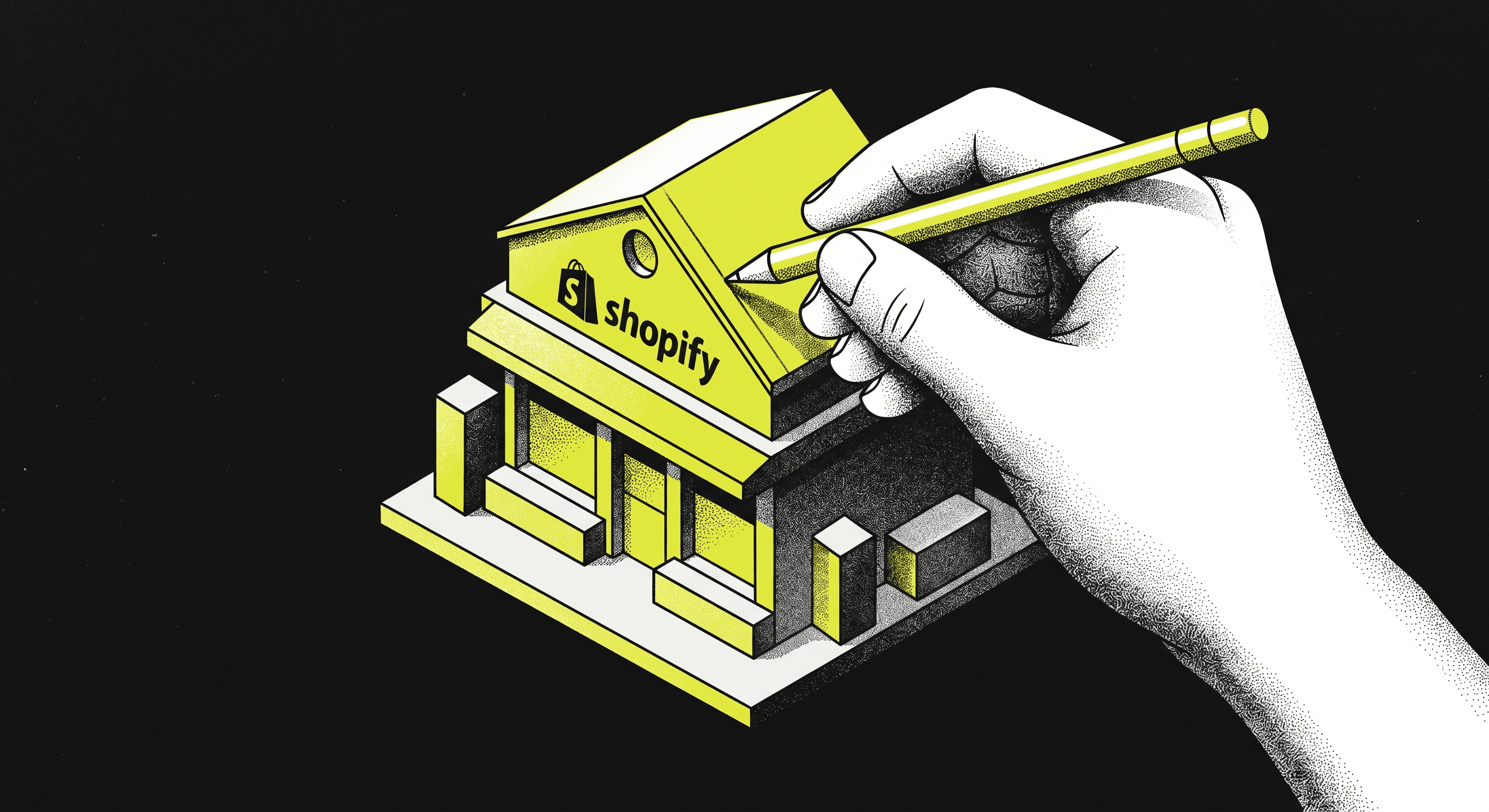
Shopify

Build a Shopify Store That Actually Converts Sales

Build a Shopify Store That Actually Converts Sales

Most Shopify stores are built to launch, not to convert. This guide covers the full conversion architecture — from store structure and product pages to checkout, retention, and scaling decisions — for D2C operators who want measurable results.

Most Shopify stores are built to launch, not to convert. This guide covers the full conversion architecture — from store structure and product pages to checkout, retention, and scaling decisions — for D2C operators who want measurable results.

08 min read

Build a Shopify Store That Actually Converts Sales

Most Shopify stores are built to get online, not to perform. The theme gets chosen, products get uploaded, a few apps get installed, and the store goes live — with a conversion rate sitting somewhere between 0.8 and 1.5 percent and no clear plan for what to fix first. That is the real problem. Not the platform. Not the product. The store itself is not built as a system designed to convert visitors into buyers. It is built as a catalogue. By the end of this guide, you will understand exactly what separates a Shopify store that generates consistent revenue from one that depends entirely on ad spend to paper over structural gaps. This is a practical resource for D2C operators, Shopify growth leads, and founders who want to stop guessing and start building with intention.

Why Most Shopify Stores Underperform Despite Good Products

The most common assumption when a Shopify store is not converting is that the product or the price is wrong. Sometimes that is true. More often, the product is fine and the store is the problem. Visitors arrive, look around, and leave — not because they do not want the product, but because the store did not give them a clear reason to buy it right now. The experience is fragmented, the messaging is generic, the checkout has too many steps, and trust signals are either absent or buried. The store communicates uncertainty, even when the brand itself is credible.

The operators who fix this tend to share one mindset shift: they stop thinking of their Shopify store as a website and start thinking of it as a conversion system. Every page, every element, every interaction is either moving a visitor toward a purchase or creating friction that pushes them away. When you audit a store through that lens, the gaps become obvious. The home page tries to do too many things at once. The product pages are written for SEO rather than for a buyer standing on the edge of a decision. The cart experience introduces doubt at exactly the wrong moment. Fixing these is not a design project — it is a systems project, and it requires a structured way of thinking about where your store is losing buyers and why.

Some of the most consistent signals that a Shopify store has a conversion problem rather than a traffic problem include:

- High session volume with low add-to-cart rates, suggesting the product pages are not doing their job

- Healthy add-to-cart rates but poor checkout completion, pointing to friction or trust failures at the cart and checkout stages

- Strong first-purchase conversion but almost no repeat buying, indicating a retention and post-purchase gap

- Paid traffic performing poorly despite reasonable CPMs, which usually means landing pages are not matching the message of the ad

The Conversion Architecture Stack

The Conversion Architecture Stack is Project Supply's framework for diagnosing and building Shopify stores that convert at scale. It is not a checklist of CRO tips. It is a layered model that treats a Shopify store as four distinct conversion layers, each of which must be functioning well before the next layer can perform. Trying to optimise checkout before the product pages are right, or investing in retention before the first-purchase experience is solid, is how most teams waste time and budget.

The four layers of the stack are as follows.

Layer One — Foundation and Store Architecture

This is the structural layer: how the store is built, how fast it loads, how it handles navigation, and whether the technical setup is actually supporting or blocking conversions. A store that loads in under two seconds on mobile, has clean URL structures, uses a theme built for commerce rather than brand expression, and keeps the navigation focused on buyer intent will outperform a visually impressive store that is slow and structurally confused. This layer also includes Shopify plan and app infrastructure — how many apps are installed, whether they are adding meaningful functionality or just adding weight, and whether the checkout setup matches the buying behaviour of the target customer.

Layer Two — Product Page Performance

Product pages are where most buying decisions are actually made, and they are where most Shopify stores are the weakest. A conversion-oriented product page does several things simultaneously: it answers the primary objection before the buyer voices it, it creates specific urgency without manufactured scarcity, it uses social proof in a way that feels credible rather than decorative, and it makes the path to purchase visually obvious. The copywriting is doing real persuasive work — not describing features, but helping the buyer visualise the outcome. The imagery is showing the product in context, not just in a studio. And the page is structured so that a mobile user can read the critical information and make a decision without scrolling past three sections of padding.

Layer Three — Cart and Checkout Integrity

This layer is about removing everything that creates hesitation after a visitor has already decided they want the product. A bloated cart page with too many cross-sells, an overly long checkout form, payment methods that do not match the audience, and missing trust signals at the final confirmation step — these are all conversion killers that live entirely in this layer. For most D2C stores, the single highest-impact optimisation available is getting checkout to one page and ensuring that mobile checkout is frictionless. Shopify's native checkout is powerful, but it requires deliberate configuration. It does not convert by default.

Layer Four — Post-Purchase and Retention Systems

The fourth layer is where long-term profitability lives. A store that converts one in every forty visitors but never retains customers is permanently dependent on paid acquisition, and that is an increasingly expensive model. The post-purchase layer includes thank-you page experience, email and SMS flow triggers, subscription or replenishment offers, loyalty mechanics, and the overall review and referral infrastructure. Getting this layer right does not require complex tech — it requires intentional sequencing. The first thing a customer hears from you after buying sets the tone for whether they come back, and most stores treat that interaction as an afterthought.

How to Build the Stack — Practical Implementation

Step 1: Audit the current state of each layer before touching anything

Before making any changes to the store, work through each layer of the Conversion Architecture Stack and document what is currently happening. For the foundation layer, use a tool like PageSpeed Insights to measure load performance on mobile, walk through the navigation as a first-time visitor with no prior brand knowledge, and list every app currently installed alongside what it actually does. For the product page layer, read the copy on your three best-selling products as if you have never heard of the brand — does it answer your real objections, or does it describe features? For the cart and checkout layer, complete a full purchase on mobile from a fresh session and note every moment of hesitation. For the retention layer, check what triggers after purchase and whether there is a structured sequence or just a default confirmation email.

Step 2: Prioritise fixes by layer, starting at the foundation

Once you have a clear picture of where each layer stands, start fixing from the bottom up. Foundation issues — slow load times, navigation confusion, or a technically broken checkout — will undermine every improvement you make above them. There is no point refining product page copy if half your mobile visitors are abandoning because the page takes five seconds to load. Prioritise ruthlessly: the goal is not to fix everything at once, but to remove the biggest drag on conversion performance in the right sequence. Most stores find that two to three structural changes in the foundation and product page layers produce more lift than six months of ad creative testing.

Step 3: Rebuild product pages with the buyer decision in mind

For each of your top-selling products, rebuild the page structure around a simple question: what does the buyer need to know, feel, and believe in order to add this to their cart? Start with the objection, not the feature. If your product is a skincare item, the buyer is not primarily asking "what ingredients are in this" — they are asking "will this actually work for my skin type and is it worth this price?" The page structure should address those questions in the first visible section, before the buyer has to scroll. Use customer language pulled from reviews and support conversations, not brand language. Include social proof that is specific and believable rather than round numbers. And make the add-to-cart path visually unambiguous — one clear action, no distractions.

Step 4: Tighten the checkout experience

Map every step from add-to-cart to order confirmation and count the number of decisions, fields, and clicks required. Every one of these is an opportunity to lose the buyer. Reduce the checkout to the minimum viable number of steps. Ensure express checkout options are prominent and working. Remove any app-injected elements in the checkout that are creating visual noise or slowing the page. Review your abandoned cart email and SMS sequence — it should trigger quickly, carry a clear and useful message, and not feel like a template. The recovery rate on abandoned checkouts is one of the most reliable quick wins available to any Shopify operator, and most stores leave it significantly under-optimised.

Step 5: Build the post-purchase retention layer

After the transactional systems are working, build a deliberate post-purchase sequence. This starts with a thank-you page that does more than confirm an order — it should set expectations about delivery, offer something relevant (a complementary product, a referral incentive, or a community link), and begin building the relationship with the brand rather than just the transaction. Follow this with an email sequence that delivers value before it asks for another purchase — usage tips, brand story, review request, and then a replenishment or complementary offer at the appropriate time window for your product. This is not complex to build, but it requires thinking about the customer's experience after they buy, which most operators do not do systematically.

Common Mistakes That Stall Shopify Conversion Performance

Most Shopify operators encounter the same set of problems repeatedly. The following mistakes account for the majority of conversion drag seen across D2C stores, regardless of category:

- Installing too many apps without auditing their combined effect on page speed and checkout behaviour — each app adds weight, and the cumulative cost is almost always higher than operators realise

- Writing product page copy for search engines rather than for buyers, resulting in pages that rank but do not convert

- Using the same landing page for all paid traffic regardless of where the traffic came from or what it was promised, creating a message mismatch that kills conversion before the visitor has read a single line

- Treating mobile as a secondary experience when the majority of sessions are on mobile — a store that is beautiful on desktop but awkward on a phone is not a Shopify store that converts

- Optimising for average order value through aggressive cross-sell stacking at the cart, which increases friction and actually reduces conversion rate at the cost of a marginal AOV lift

- Launching retention tools like email flows and SMS sequences without a clear content strategy, resulting in generic automations that customers disengage from quickly

- Making design changes based on aesthetic preference rather than behavioural data, which is essentially expensive guessing dressed as optimisation

[CTA SUGGESTION] If the gaps across these layers are significant and you are managing this alongside running the business, the most practical starting point is usually an honest audit before committing to a rebuild. Understanding what is actually causing the drag matters more than moving fast.

Build vs. Optimise vs. Scale — Knowing Which Mode You Are In

The actions that make sense for a Shopify store depend entirely on the stage it is in. A brand doing its first few hundred orders a month needs to make fundamentally different decisions than a brand processing thousands of orders per week. One of the most common mistakes is applying scale-stage thinking to a build-stage store, or optimisation-stage tools to a store that is not yet generating enough data to test meaningfully.

Mode

Build Mode

Optimise Mode

Scale Mode

What it means

Getting the core store functioning with solid conversion fundamentals

Systematically improving each layer based on data and testing

Expanding reach, SKUs, channels, and markets while maintaining unit economics

Primary focus

Foundation, product pages, checkout

Product page CRO, cart optimisation, retention flows

Operations, automation, AOV strategy, international

Tech priority

Clean Shopify setup, minimal apps, reliable checkout

A/B testing tools, heat mapping, email and SMS platforms

Shopify Plus features, custom integrations, headless consideration

Hiring signal

Generalist operator or agency for setup

CRO specialist, email strategist, paid media manager

Head of ecommerce, growth team, operations lead

Common mistake

Over-building the tech stack before validating the customer

Testing too early on low traffic, losing statistical significance

Scaling before the unit economics are proven

When Shopify Plus Is and Is Not Worth It

Shopify Plus is the natural next step for brands that have validated their store and are approaching a volume that makes the expanded capabilities genuinely useful. The question is not whether it is a good platform — it is — but whether your operation has reached the point where its features translate into real business outcomes. Moving too early means paying for capabilities you will not use. Moving too late means being constrained by the limitations of standard Shopify at exactly the moment you need more flexibility.

The case for moving to Shopify Plus makes most sense when checkout customisation is a genuine priority, when you are running multiple stores for different markets or brand lines, or when you need the automation tools included in the platform to handle volume without adding headcount. The case for staying on standard Shopify is valid when your current conversion architecture is not yet fully optimised — there is rarely a situation where a store jumps from poor conversion performance to strong conversion performance just by upgrading its Shopify plan. The platform capabilities are an enabler, not a fix.

Feature

Shopify Standard

Shopify Plus

Checkout customisation

Limited, theme-level only

Full via Checkout Extensibility and Functions

Multi-store management

Not available natively

Store expansion and market management built in

Automation tools

Basic with Shopify Flow (some plans)

Full Shopify Flow, Launchpad, and Scripts

Transaction fees

Applies unless using Shopify Payments

Negotiated or waived at volume

API call limits

Standard rate limits

Higher limits for integrations

Best for

Stores under meaningful threshold building conversion fundamentals

Stores with proven unit economics, scaling operations, or multi-market strategy


Build a Shopify Store That Actually Converts Sales

Most Shopify stores are built to get online, not to perform. The theme gets chosen, products get uploaded, a few apps get installed, and the store goes live — with a conversion rate sitting somewhere between 0.8 and 1.5 percent and no clear plan for what to fix first. That is the real problem. Not the platform. Not the product. The store itself is not built as a system designed to convert visitors into buyers. It is built as a catalogue. By the end of this guide, you will understand exactly what separates a Shopify store that generates consistent revenue from one that depends entirely on ad spend to paper over structural gaps. This is a practical resource for D2C operators, Shopify growth leads, and founders who want to stop guessing and start building with intention.

Why Most Shopify Stores Underperform Despite Good Products

The most common assumption when a Shopify store is not converting is that the product or the price is wrong. Sometimes that is true. More often, the product is fine and the store is the problem. Visitors arrive, look around, and leave — not because they do not want the product, but because the store did not give them a clear reason to buy it right now. The experience is fragmented, the messaging is generic, the checkout has too many steps, and trust signals are either absent or buried. The store communicates uncertainty, even when the brand itself is credible.

The operators who fix this tend to share one mindset shift: they stop thinking of their Shopify store as a website and start thinking of it as a conversion system. Every page, every element, every interaction is either moving a visitor toward a purchase or creating friction that pushes them away. When you audit a store through that lens, the gaps become obvious. The home page tries to do too many things at once. The product pages are written for SEO rather than for a buyer standing on the edge of a decision. The cart experience introduces doubt at exactly the wrong moment. Fixing these is not a design project — it is a systems project, and it requires a structured way of thinking about where your store is losing buyers and why.

Some of the most consistent signals that a Shopify store has a conversion problem rather than a traffic problem include:

- High session volume with low add-to-cart rates, suggesting the product pages are not doing their job

- Healthy add-to-cart rates but poor checkout completion, pointing to friction or trust failures at the cart and checkout stages

- Strong first-purchase conversion but almost no repeat buying, indicating a retention and post-purchase gap

- Paid traffic performing poorly despite reasonable CPMs, which usually means landing pages are not matching the message of the ad

The Conversion Architecture Stack

The Conversion Architecture Stack is Project Supply's framework for diagnosing and building Shopify stores that convert at scale. It is not a checklist of CRO tips. It is a layered model that treats a Shopify store as four distinct conversion layers, each of which must be functioning well before the next layer can perform. Trying to optimise checkout before the product pages are right, or investing in retention before the first-purchase experience is solid, is how most teams waste time and budget.

The four layers of the stack are as follows.

Layer One — Foundation and Store Architecture

This is the structural layer: how the store is built, how fast it loads, how it handles navigation, and whether the technical setup is actually supporting or blocking conversions. A store that loads in under two seconds on mobile, has clean URL structures, uses a theme built for commerce rather than brand expression, and keeps the navigation focused on buyer intent will outperform a visually impressive store that is slow and structurally confused. This layer also includes Shopify plan and app infrastructure — how many apps are installed, whether they are adding meaningful functionality or just adding weight, and whether the checkout setup matches the buying behaviour of the target customer.

Layer Two — Product Page Performance

Product pages are where most buying decisions are actually made, and they are where most Shopify stores are the weakest. A conversion-oriented product page does several things simultaneously: it answers the primary objection before the buyer voices it, it creates specific urgency without manufactured scarcity, it uses social proof in a way that feels credible rather than decorative, and it makes the path to purchase visually obvious. The copywriting is doing real persuasive work — not describing features, but helping the buyer visualise the outcome. The imagery is showing the product in context, not just in a studio. And the page is structured so that a mobile user can read the critical information and make a decision without scrolling past three sections of padding.

Layer Three — Cart and Checkout Integrity

This layer is about removing everything that creates hesitation after a visitor has already decided they want the product. A bloated cart page with too many cross-sells, an overly long checkout form, payment methods that do not match the audience, and missing trust signals at the final confirmation step — these are all conversion killers that live entirely in this layer. For most D2C stores, the single highest-impact optimisation available is getting checkout to one page and ensuring that mobile checkout is frictionless. Shopify's native checkout is powerful, but it requires deliberate configuration. It does not convert by default.

Layer Four — Post-Purchase and Retention Systems

The fourth layer is where long-term profitability lives. A store that converts one in every forty visitors but never retains customers is permanently dependent on paid acquisition, and that is an increasingly expensive model. The post-purchase layer includes thank-you page experience, email and SMS flow triggers, subscription or replenishment offers, loyalty mechanics, and the overall review and referral infrastructure. Getting this layer right does not require complex tech — it requires intentional sequencing. The first thing a customer hears from you after buying sets the tone for whether they come back, and most stores treat that interaction as an afterthought.

How to Build the Stack — Practical Implementation

Step 1: Audit the current state of each layer before touching anything

Before making any changes to the store, work through each layer of the Conversion Architecture Stack and document what is currently happening. For the foundation layer, use a tool like PageSpeed Insights to measure load performance on mobile, walk through the navigation as a first-time visitor with no prior brand knowledge, and list every app currently installed alongside what it actually does. For the product page layer, read the copy on your three best-selling products as if you have never heard of the brand — does it answer your real objections, or does it describe features? For the cart and checkout layer, complete a full purchase on mobile from a fresh session and note every moment of hesitation. For the retention layer, check what triggers after purchase and whether there is a structured sequence or just a default confirmation email.

Step 2: Prioritise fixes by layer, starting at the foundation

Once you have a clear picture of where each layer stands, start fixing from the bottom up. Foundation issues — slow load times, navigation confusion, or a technically broken checkout — will undermine every improvement you make above them. There is no point refining product page copy if half your mobile visitors are abandoning because the page takes five seconds to load. Prioritise ruthlessly: the goal is not to fix everything at once, but to remove the biggest drag on conversion performance in the right sequence. Most stores find that two to three structural changes in the foundation and product page layers produce more lift than six months of ad creative testing.

Step 3: Rebuild product pages with the buyer decision in mind

For each of your top-selling products, rebuild the page structure around a simple question: what does the buyer need to know, feel, and believe in order to add this to their cart? Start with the objection, not the feature. If your product is a skincare item, the buyer is not primarily asking "what ingredients are in this" — they are asking "will this actually work for my skin type and is it worth this price?" The page structure should address those questions in the first visible section, before the buyer has to scroll. Use customer language pulled from reviews and support conversations, not brand language. Include social proof that is specific and believable rather than round numbers. And make the add-to-cart path visually unambiguous — one clear action, no distractions.

Step 4: Tighten the checkout experience

Map every step from add-to-cart to order confirmation and count the number of decisions, fields, and clicks required. Every one of these is an opportunity to lose the buyer. Reduce the checkout to the minimum viable number of steps. Ensure express checkout options are prominent and working. Remove any app-injected elements in the checkout that are creating visual noise or slowing the page. Review your abandoned cart email and SMS sequence — it should trigger quickly, carry a clear and useful message, and not feel like a template. The recovery rate on abandoned checkouts is one of the most reliable quick wins available to any Shopify operator, and most stores leave it significantly under-optimised.

Step 5: Build the post-purchase retention layer

After the transactional systems are working, build a deliberate post-purchase sequence. This starts with a thank-you page that does more than confirm an order — it should set expectations about delivery, offer something relevant (a complementary product, a referral incentive, or a community link), and begin building the relationship with the brand rather than just the transaction. Follow this with an email sequence that delivers value before it asks for another purchase — usage tips, brand story, review request, and then a replenishment or complementary offer at the appropriate time window for your product. This is not complex to build, but it requires thinking about the customer's experience after they buy, which most operators do not do systematically.

Common Mistakes That Stall Shopify Conversion Performance

Most Shopify operators encounter the same set of problems repeatedly. The following mistakes account for the majority of conversion drag seen across D2C stores, regardless of category:

- Installing too many apps without auditing their combined effect on page speed and checkout behaviour — each app adds weight, and the cumulative cost is almost always higher than operators realise

- Writing product page copy for search engines rather than for buyers, resulting in pages that rank but do not convert

- Using the same landing page for all paid traffic regardless of where the traffic came from or what it was promised, creating a message mismatch that kills conversion before the visitor has read a single line

- Treating mobile as a secondary experience when the majority of sessions are on mobile — a store that is beautiful on desktop but awkward on a phone is not a Shopify store that converts

- Optimising for average order value through aggressive cross-sell stacking at the cart, which increases friction and actually reduces conversion rate at the cost of a marginal AOV lift

- Launching retention tools like email flows and SMS sequences without a clear content strategy, resulting in generic automations that customers disengage from quickly

- Making design changes based on aesthetic preference rather than behavioural data, which is essentially expensive guessing dressed as optimisation

[CTA SUGGESTION] If the gaps across these layers are significant and you are managing this alongside running the business, the most practical starting point is usually an honest audit before committing to a rebuild. Understanding what is actually causing the drag matters more than moving fast.

Build vs. Optimise vs. Scale — Knowing Which Mode You Are In

The actions that make sense for a Shopify store depend entirely on the stage it is in. A brand doing its first few hundred orders a month needs to make fundamentally different decisions than a brand processing thousands of orders per week. One of the most common mistakes is applying scale-stage thinking to a build-stage store, or optimisation-stage tools to a store that is not yet generating enough data to test meaningfully.

Mode

Build Mode

Optimise Mode

Scale Mode

What it means

Getting the core store functioning with solid conversion fundamentals

Systematically improving each layer based on data and testing

Expanding reach, SKUs, channels, and markets while maintaining unit economics

Primary focus

Foundation, product pages, checkout

Product page CRO, cart optimisation, retention flows

Operations, automation, AOV strategy, international

Tech priority

Clean Shopify setup, minimal apps, reliable checkout

A/B testing tools, heat mapping, email and SMS platforms

Shopify Plus features, custom integrations, headless consideration

Hiring signal

Generalist operator or agency for setup

CRO specialist, email strategist, paid media manager

Head of ecommerce, growth team, operations lead

Common mistake

Over-building the tech stack before validating the customer

Testing too early on low traffic, losing statistical significance

Scaling before the unit economics are proven

When Shopify Plus Is and Is Not Worth It

Shopify Plus is the natural next step for brands that have validated their store and are approaching a volume that makes the expanded capabilities genuinely useful. The question is not whether it is a good platform — it is — but whether your operation has reached the point where its features translate into real business outcomes. Moving too early means paying for capabilities you will not use. Moving too late means being constrained by the limitations of standard Shopify at exactly the moment you need more flexibility.

The case for moving to Shopify Plus makes most sense when checkout customisation is a genuine priority, when you are running multiple stores for different markets or brand lines, or when you need the automation tools included in the platform to handle volume without adding headcount. The case for staying on standard Shopify is valid when your current conversion architecture is not yet fully optimised — there is rarely a situation where a store jumps from poor conversion performance to strong conversion performance just by upgrading its Shopify plan. The platform capabilities are an enabler, not a fix.

Feature

Shopify Standard

Shopify Plus

Checkout customisation

Limited, theme-level only

Full via Checkout Extensibility and Functions

Multi-store management

Not available natively

Store expansion and market management built in

Automation tools

Basic with Shopify Flow (some plans)

Full Shopify Flow, Launchpad, and Scripts

Transaction fees

Applies unless using Shopify Payments

Negotiated or waived at volume

API call limits

Standard rate limits

Higher limits for integrations

Best for

Stores under meaningful threshold building conversion fundamentals

Stores with proven unit economics, scaling operations, or multi-market strategy


FAQs

What is Shopify conversion rate optimisation and why does it matter for D2C brands?

Shopify conversion rate optimisation is the practice of improving the percentage of store visitors who complete a desired action — typically a purchase, but also email sign-ups, product page engagement, or add-to-cart events. For D2C brands, it matters disproportionately because the acquisition cost environment for paid media has become significantly more expensive over the last several years. A brand that converts two percent of its traffic needs half the media spend of a brand converting one percent to achieve the same revenue, all else equal. The leverage available through CRO is compounding — better conversion improves the efficiency of every paid channel simultaneously — which is why it belongs at the top of any D2C growth agenda, not as a side project.

What is the ideal conversion rate for a Shopify D2C store?

The honest answer is that industry averages are less useful than your own trend line. Shopify stores across categories see a wide range of conversion rates, and the number varies significantly based on traffic source, average order value, product category, and brand awareness. A high-consideration product with a high ticket price will naturally convert at a lower rate than a consumable impulse purchase. The more useful question is whether your conversion rate is improving over time and whether you have identified the specific layer of your conversion architecture that is currently creating the most drag. Chasing a benchmark number is less productive than building a store that removes friction at every stage of the buying process.

How many apps should a Shopify store use?

There is no universal number, but most well-performing Shopify stores operate with far fewer apps than the stores that struggle. The instinct to add apps is natural — there is an app for almost every problem — but each installation adds script weight to your pages, creates potential checkout conflicts, and introduces an ongoing maintenance requirement. A more useful principle is to audit your app stack quarterly and ask two questions about each app: is it solving a specific measurable problem, and is the revenue or efficiency impact clearly worth the page weight and subscription cost? Many stores carry five to eight apps that are either redundant, unused, or actively degrading performance while solving problems that do not materially affect conversion.

Should early-stage D2C brands invest in custom Shopify builds?

For most early-stage brands, the answer is no. A well-configured Shopify theme with clean code, fast load times, and thoughtful conversion architecture will outperform a custom build in almost every measurable way until the brand has reached a significant volume threshold where standard customisation genuinely falls short. Custom builds take longer to launch, cost significantly more, and create a technical dependency that slows future iteration. The time and budget spent on a custom build at the early stage would almost always produce more return if invested in product page quality, paid media testing, and post-purchase retention infrastructure. Custom builds earn their cost when you have specific functionality requirements that standard themes and apps cannot solve — not before.

What is the biggest scaling mistake on Shopify?

The single most consistent scaling mistake is increasing ad spend on a store that has not yet resolved its conversion architecture. It is possible to generate traffic profitably at low volume while losing money at scale if the underlying store economics are not solid. Adding budget to a campaign that is sending traffic to a weak product page or a checkout with friction issues does not fix the problem — it amplifies it. The brands that scale well on Shopify tend to have done the hard work of building a store that converts consistently before they turn up the media spend. They know their conversion rate by traffic source, they know where buyers are dropping off, and they have a working retention system before they accelerate acquisition.

How long does it take to see results from Shopify optimisation?

The timeline depends entirely on what is being changed and how much traffic the store receives. Technical changes — improving page speed, fixing mobile checkout, adding express payment options — typically show measurable impact within two to four weeks because they affect every session immediately. Copy and product page changes take longer to read because they require enough conversion events to draw a reliable conclusion. For stores with lower traffic volumes, it is worth grouping changes by layer and measuring directionally rather than waiting for statistical significance that may never arrive. The most important thing is to make changes deliberately, one layer at a time, so you can actually understand what is working rather than making five changes at once and not knowing which one moved the needle.

Is headless Shopify worth it for D2C brands?

For the vast majority of D2C brands, headless Shopify is not worth the cost and complexity it introduces. The premise of headless — decoupling the front-end presentation layer from the Shopify commerce backend — offers genuine performance and flexibility benefits in specific circumstances, but those circumstances are relatively narrow. A brand that needs deeply custom browsing experiences, highly interactive product configurators, or a front-end that needs to perform in contexts that standard Shopify themes cannot support might find headless worth the investment. For most brands, the same performance outcomes are achievable with a well-built Shopify theme, a lean app stack, and careful attention to image optimisation and script management. Headless is a solution to a problem most brands do not have yet.

Direct Q&A

What does a Shopify store that converts well look like?

A Shopify store with strong conversion performance is fast on mobile, has product pages that address buyer objections directly, and runs a checkout experience with minimal friction and prominent payment options. Every page serves a purpose in the buying decision rather than functioning as generic brand content. The store is built with buyer behaviour in mind, not design preferences.

How do you improve Shopify conversion rate without increasing traffic?

The most direct route to better conversion rate without changing your traffic is to fix the product page layer first — rewriting copy to address objections, improving imagery, and making the add-to-cart path obvious. After that, audit the checkout for friction points. These two layers account for the majority of conversion drop-off in most Shopify stores and neither requires more traffic to fix.

What is the difference between Shopify Standard and Shopify Plus for conversion?

The main conversion-relevant difference is checkout customisation. Shopify Plus allows full customisation of the checkout experience through Checkout Extensibility, including the ability to add custom fields, logic, and UI elements that standard Shopify does not permit. For most brands, this distinction only matters once they have maximised what they can do within the standard checkout, which many have not yet done.

How do you reduce cart abandonment on Shopify?

The fastest wins in cart abandonment reduction come from simplifying checkout — reducing form fields, enabling express checkout options like Shop Pay and Apple Pay, and ensuring that the mobile checkout experience is clean and fast. A well-sequenced abandoned cart email and SMS flow that triggers within one hour of abandonment and carries a specific, relevant message will recover a meaningful portion of drop-offs without requiring any structural changes.

When should a D2C brand consider moving to Shopify Plus?

The practical signal for Shopify Plus readiness is a combination of transaction volume that makes the fee structure economically sensible and a specific operational or technical need that standard Shopify cannot accommodate — typically checkout customisation, multi-store management, or high-volume automation requirements. Upgrading before those needs are real adds cost without adding capability.

What Shopify apps actually improve conversion rates?

The apps most consistently associated with conversion improvement are those in the social proof category (review platforms with structured display), post-purchase upsell tools, and email and SMS marketing platforms with strong segmentation capability. Speed-degrading apps, aggressive pop-up tools, and cart upsell plugins that fire too early in the session tend to hurt more than they help. The test for any app is simple: does its presence measurably improve conversion, and is that improvement worth its combined cost in fees and page weight?

How do you build a Shopify retention system without complex tools?

A functional Shopify retention system does not require sophisticated technology. A post-purchase email sequence with five to seven deliberate touchpoints, a review request at the right time window for your product, and a replenishment or complementary offer triggered by purchase behaviour covers the majority of what drives repeat purchase rate. Most of this is achievable with standard Shopify Email or a mid-tier email platform. The strategy matters more than the tool.

GET STARTED

Ready to supercharge your brand’s creative output?

Fill out the form below and our team will contact you shortly.

GET STARTED

Ready to supercharge your brand’s creative output?

Fill out the form below and our team will contact you shortly.

GET STARTED

Ready to supercharge your brand’s creative output?

Fill out the form below and our team will contact you shortly.

Services

Creative Design

Marketing & Growth

Video & Production

AI & Intelligent

Tech & Development

9:16:08 PM

Copyright

2026 Project Supply

Services

Creative Design

Marketing & Growth

Video & Production

AI & Intelligent

Tech & Development

9:16:08 PM

Copyright

2026 Project Supply

Services

Creative Design

Marketing & Growth

Video & Production

AI & Intelligent

Tech & Development

9:16:08 PM

Copyright

2026 Project Supply


