

Shopify
Shopify + WhatsApp AI: How Automated Conversations Recover Abandoned Carts
Shopify + WhatsApp AI: How Automated Conversations Recover Abandoned Carts
Learn how Shopify stores are using WhatsApp AI to recover abandoned carts through automated, personalized conversations — without adding support staff. A practical guide for D2C operators.
Learn how Shopify stores are using WhatsApp AI to recover abandoned carts through automated, personalized conversations — without adding support staff. A practical guide for D2C operators.
08 min read
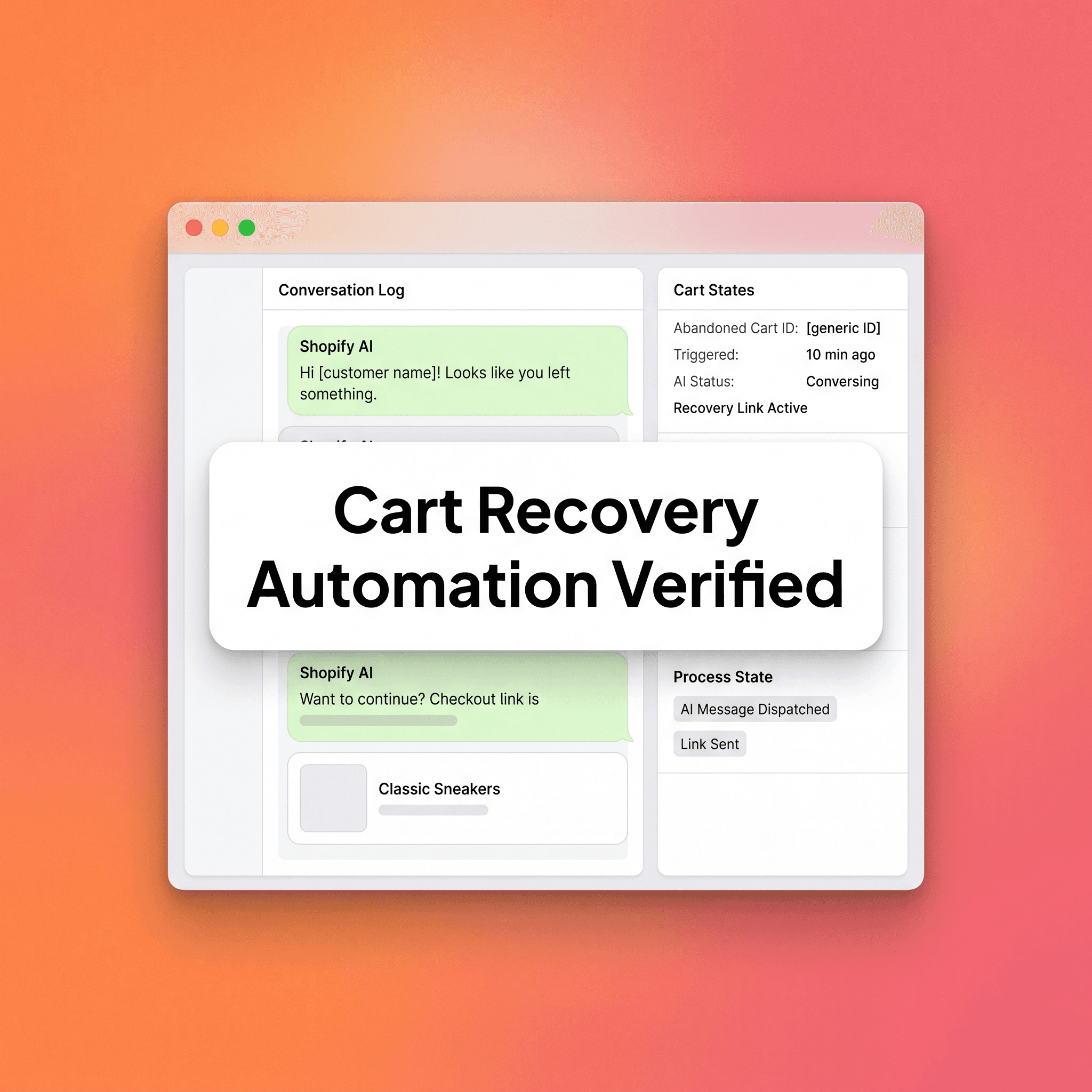
Abandoned carts are the most predictable revenue leak in ecommerce. Shopify's own checkout data consistently shows that more than 70% of shoppers who add items to a cart leave without buying. Most stores respond with a basic email sequence and accept that number as fixed, failing to realize that this attrition represents a massive pool of high-intent users who are simply distracted or experiencing momentary friction. By treating this abandonment as an inevitable cost of doing business, merchants ignore the critical reality that a large portion of these lost sales can be reclaimed through direct, timely intervention. Utilizing advanced communication channels allows you to transition from passive acceptance of these losses to an aggressive, proactive recovery strategy that turns potential churn into realized revenue.
It isn't fixed. WhatsApp AI is changing what cart recovery looks like — not because it's a newer channel, but because it operates where your customers already are, with response rates email simply can't match. As consumer preferences shift toward messaging apps as the primary mode of personal and professional interaction, brands that communicate within these environments gain a significant competitive advantage. WhatsApp provides a unique, intimate space for brand-customer dialogue that remains uncluttered by the promotional noise inherent in traditional inbox environments. By leveraging this proximity, stores can create a frictionless recovery path that feels less like a corporate marketing blast and more like a helpful service interaction.
This post breaks down how Shopify stores are using automated WhatsApp conversations to recover abandoned carts, what a well-structured sequence looks like, and where most implementations go wrong. Building an effective recovery sequence requires deep technical integration and a nuanced understanding of conversational design, ensuring that every automated touchpoint provides genuine value rather than annoyance. By mastering the balance between automation and human-like interaction, you can scale your recovery efforts to handle thousands of carts simultaneously while maintaining the personal touch that builds long-term customer loyalty and repeat purchase behavior.
Why Email Alone Isn't Enough for Shopify Cart Recovery
Email recovery sequences work. They should still be part of your stack. But they have a structural ceiling. The reliance on email as the sole recovery channel creates a bottleneck where reach is limited by inbox algorithms and user engagement habits that prioritize personal communication over promotional content. While email is excellent for long-form storytelling and detailed product education, its effectiveness in time-sensitive cart recovery is increasingly hampered by the sheer volume of marketing messages competing for the user's attention, making it an unreliable tool for capturing users in the immediate post-abandonment window.
Open rates for cart recovery emails average around 40-45% for high-performing senders. That number drops fast with list fatigue, spam filtering, and mobile inbox crowding. Conversion from those opens is typically 5-10% of recovered sessions, which indicates that while email maintains its place as a cornerstone of digital marketing, it is clearly insufficient as a standalone solution for modern ecommerce. The degradation of email deliverability combined with changing user behavior necessitates a diversification of your recovery stack to ensure that you are present on the platforms where customers are actually spending the majority of their time.
WhatsApp operates differently. Messages are delivered to a personal notification layer most users check immediately. Open rates are consistently reported in the 85-95% range across WhatsApp business platforms. That gap isn't marginal — it changes the math on recovery entirely. By utilizing a notification-heavy channel that is intrinsically tied to the user's mobile identity, you bypass the common barriers that prevent marketing messages from even being seen, effectively ensuring your store's recovery attempts are front and center at the exact moment the customer is most likely to complete their purchase.
The combination isn't email versus WhatsApp. It's email plus a WhatsApp layer that catches what email misses, arrives faster, and allows two-way interaction. This omnichannel strategy acknowledges that customers have different preferences for how they interact with brands, and by providing a coordinated, sequenced recovery experience across both channels, you maximize the probability of capturing the sale regardless of which communication tool the user prefers. This layered approach creates a robust, failure-resistant recovery system that adapts to your customer's behavior and ensures that no abandoned cart remains unnoticed.
How WhatsApp AI Connects to Shopify
Shopify triggers the conversation. WhatsApp delivers it. AI handles the back-and-forth. This seamless integration requires a sophisticated technical architecture that bridges the gap between your store's backend and the Meta messaging ecosystem, ensuring that data flows in real-time to trigger the right message at the right time. By automating this data pipeline, you eliminate the latency that is often responsible for the failure of traditional recovery efforts, ensuring that your communication arrives while the intent is still fresh in the customer's mind.
The integration typically works through:
Shopify webhooks that fire when a checkout is abandoned (usually after 30-60 minutes of inactivity).
A WhatsApp Business API provider such as 360dialog, WATI, Interakt, or Zoko that sits between Shopify and WhatsApp.
A conversation AI layer (either native to the platform or connected via a tool like ManyChat, Respond.io, or a custom GPT-based flow) that handles replies, objections, and follow-up.
The customer opts in at checkout or through a prior marketing touchpoint. Without opt-in, you cannot initiate WhatsApp conversations under Meta's Business Messaging Policy. This is a hard constraint — and it's also a signal that makes these conversations high-quality. Opted-in users have already expressed intent. By focusing only on these users, you ensure that your recovery efforts are highly targeted, compliant with platform regulations, and respected by the recipient, which fosters a brand perception of professionalism and attentiveness rather than one of intrusive, unasked-for messaging.
The Cart Recovery Conversation Map
This is the framework Project Supply uses to structure WhatsApp cart recovery flows for Shopify operators. Each stage has a defined job. The AI handles execution; the sequence handles strategy. By meticulously planning every touchpoint in the conversation map, you move the customer through a logical progression that addresses their hesitation while gradually nudging them toward the ultimate goal of payment completion.
Stage 1 — The Reminder (30–60 minutes post-abandonment)
Short. No pressure. Acknowledge the cart without assuming the customer forgot. Message goal: Reopen the door. Example angle: "Hey [Name], you left something behind — your [Product] is still saved. Tap here to pick up where you left off." Keep it to two lines. Include a direct cart link. No discount yet. By focusing this initial message purely on the utility of the reminder, you provide a helpful service to a busy customer who likely got distracted, preserving the high value of the product before resorting to any sort of promotional price reductions that could undermine your profit margins.
Stage 2 — The Value Prompt (3–6 hours later, if no conversion)
This is where AI earns its place. If the customer replies — with a question, a hesitation, or even just "?" — the AI handles it in real time. Common responses at this stage include shipping questions, size queries, and return policy concerns. The AI should be trained to answer product-specific questions accurately before this goes live. A hallucinating chatbot at this stage costs you the sale and the relationship. Message goal: Remove the friction that caused the abandonment. Providing instantaneous, accurate answers to specific pre-purchase queries demonstrates that your brand is accessible and confident, directly addressing the primary reasons for friction before the customer has a chance to exit your ecosystem entirely.
Stage 3 — Social Proof Nudge (12–24 hours later, if no conversion)
A brief message that references product popularity, a review, or a relevant use case. This stage works best for products where peer validation matters — supplements, fashion, home goods, gifting. Message goal: Reinforce the decision the customer was already close to making. By leveraging the power of social validation, you alleviate the fear of missing out or the lingering doubt regarding product quality, effectively using the collective wisdom of other satisfied customers to provide the final, external encouragement that moves a skeptical buyer toward a confident, informed purchase decision.
Stage 4 — The Offer (24–48 hours later, if still unconverted)
This is where a time-limited incentive makes sense, if your margin allows it. A discount, free shipping, or a bundled addition. Not every store should do this — if your margins are thin and your abandonment is driven by price sensitivity, discounting trains customers to wait. Know your own numbers before enabling this stage. Message goal: Convert the price-sensitive segment without devaluing the brand. When used strategically, an offer serves as the final, powerful tool to overcome stubborn price resistance, provided it is framed in a way that respects your brand positioning and doesn't incentivize a permanent cycle of waiting for future sales.
Stage 5 — The Graceful Exit (48–72 hours, final message)
A clean close. Acknowledge that life gets busy. Offer a way back without pressure. This message often recovers a small but meaningful segment — customers who needed more time, not more nudging. Message goal: Leave the relationship intact for the next purchase cycle. By ending on a note of understanding, you ensure that the customer remains open to future marketing efforts, preventing them from feeling harassed and maintaining your brand's reputation as a considerate, customer-focused entity that prioritizes the long-term relationship over the immediate transaction.
Common Mistakes Shopify Operators Make With WhatsApp Cart Recovery
Most failed implementations share the same patterns.
Skipping opt-in strategy. If your opt-in rate at checkout is under 20%, the recovery channel will never move the needle. Opt-in copy matters. "Get order updates on WhatsApp" outperforms "Sign up for WhatsApp messages" in most tests. Build the opt-in before you build the sequence.
Deploying generic messages. A cart recovery message that doesn't reference the actual product abandoned is measurably weaker than one that does. Shopify's checkout data gives you the product name, image, and price. Use them. "You left something behind" is lazy. "You left the [Product Name] behind" is recoverable.
Discounting too early. Sending a 10% discount code in the first message tells customers that holding out is worth it. Reserve the offer for Stage 4, and only if earlier messages haven't converted.
Ignoring reply handling. WhatsApp AI that can't handle a basic reply destroys trust faster than no automation at all. If your flow has no AI reply layer and no human handoff protocol, customers who respond get silence. That's worse than email.
No suppression logic. If a customer converts via email before your WhatsApp sequence fires, they need to be removed from the WhatsApp flow immediately. Poor suppression creates friction with customers who already bought — and that's a direct hit to your brand perception.
Over-sequencing. Five messages in 72 hours feels like harassment on WhatsApp. It doesn't feel like email marketing. Use three to five messages maximum, spaced with intent.
Choosing the Right Tools for Your Shopify Stack
There's no single right answer here. The best stack depends on your message volume, team size, and whether you need native AI reply handling or can manage with rule-based flows. Selecting the appropriate tool requires careful assessment of your current operational capacity and future scaling plans, as the cost of switching platforms after a complex setup can be prohibitively expensive and time-consuming for growing stores. A few practical considerations:
WATI and Interakt are strong starting points for Shopify operators new to WhatsApp automation. Both have native Shopify integrations and handle template approvals within the platform.
Respond.io suits operators who need WhatsApp combined with multi-agent inbox management and more sophisticated AI reply routing.
ManyChat works well for operators already using it for Instagram or Facebook flows who want to extend to WhatsApp with a familiar interface.
Custom builds via WhatsApp Cloud API give you the most control but require engineering resources and ongoing maintenance.
Template message approval through Meta adds a layer of lead time. Build and approve your message templates before your launch date — not after. Accounting for these platform-specific bottlenecks early in your development process ensures you avoid launch delays and can execute your strategy according to your original timeline.
What "AI" Actually Means in This Context
It's worth being precise. When people say "WhatsApp AI" in a cart recovery context, they usually mean one of three things:
A rule-based chatbot that follows if/then logic and handles a defined set of FAQ responses. This is the most common implementation and the easiest to get right. By mapping out every common objection and providing a clear, pre-defined path for the user to follow, you eliminate the risk of errors while providing a significantly more helpful experience than a static, non-interactive message, effectively creating a structured conversational flow that handles a majority of routine pre-purchase queries without human intervention.
A flow with an LLM layer that can interpret free-form replies and respond conversationally beyond a fixed script. More powerful, but requires careful prompt engineering and testing to avoid off-brand or inaccurate responses. By training the model on your specific brand voice and product documentation, you create an agent capable of dynamic dialogue, but you must implement rigorous guardrails and oversight to ensure that the output remains consistent, accurate, and aligned with your store's professional identity at all times.
A hybrid model where the AI handles common responses and routes complex queries to a human agent. This is often the right structure for high-consideration purchases or stores with complex product lines. This model maximizes efficiency by automating the low-stakes work while ensuring that your most valuable, complex, or high-intent queries are handled by trained human agents who have the empathy and context to close the most difficult sales, providing a comprehensive, top-tier service layer that sets your store apart from the competition.
Know which type you're building before you brief your tech team or agency. The operational requirements are very different. Establishing clear expectations regarding functionality and maintenance from the outset ensures that you invest in the right level of technology, allowing you to build a system that is perfectly scaled to your store's unique needs without wasting time or resources on unnecessary complexity that does not contribute to higher conversion rates.
Abandoned carts are the most predictable revenue leak in ecommerce. Shopify's own checkout data consistently shows that more than 70% of shoppers who add items to a cart leave without buying. Most stores respond with a basic email sequence and accept that number as fixed, failing to realize that this attrition represents a massive pool of high-intent users who are simply distracted or experiencing momentary friction. By treating this abandonment as an inevitable cost of doing business, merchants ignore the critical reality that a large portion of these lost sales can be reclaimed through direct, timely intervention. Utilizing advanced communication channels allows you to transition from passive acceptance of these losses to an aggressive, proactive recovery strategy that turns potential churn into realized revenue.
It isn't fixed. WhatsApp AI is changing what cart recovery looks like — not because it's a newer channel, but because it operates where your customers already are, with response rates email simply can't match. As consumer preferences shift toward messaging apps as the primary mode of personal and professional interaction, brands that communicate within these environments gain a significant competitive advantage. WhatsApp provides a unique, intimate space for brand-customer dialogue that remains uncluttered by the promotional noise inherent in traditional inbox environments. By leveraging this proximity, stores can create a frictionless recovery path that feels less like a corporate marketing blast and more like a helpful service interaction.
This post breaks down how Shopify stores are using automated WhatsApp conversations to recover abandoned carts, what a well-structured sequence looks like, and where most implementations go wrong. Building an effective recovery sequence requires deep technical integration and a nuanced understanding of conversational design, ensuring that every automated touchpoint provides genuine value rather than annoyance. By mastering the balance between automation and human-like interaction, you can scale your recovery efforts to handle thousands of carts simultaneously while maintaining the personal touch that builds long-term customer loyalty and repeat purchase behavior.
Why Email Alone Isn't Enough for Shopify Cart Recovery
Email recovery sequences work. They should still be part of your stack. But they have a structural ceiling. The reliance on email as the sole recovery channel creates a bottleneck where reach is limited by inbox algorithms and user engagement habits that prioritize personal communication over promotional content. While email is excellent for long-form storytelling and detailed product education, its effectiveness in time-sensitive cart recovery is increasingly hampered by the sheer volume of marketing messages competing for the user's attention, making it an unreliable tool for capturing users in the immediate post-abandonment window.
Open rates for cart recovery emails average around 40-45% for high-performing senders. That number drops fast with list fatigue, spam filtering, and mobile inbox crowding. Conversion from those opens is typically 5-10% of recovered sessions, which indicates that while email maintains its place as a cornerstone of digital marketing, it is clearly insufficient as a standalone solution for modern ecommerce. The degradation of email deliverability combined with changing user behavior necessitates a diversification of your recovery stack to ensure that you are present on the platforms where customers are actually spending the majority of their time.
WhatsApp operates differently. Messages are delivered to a personal notification layer most users check immediately. Open rates are consistently reported in the 85-95% range across WhatsApp business platforms. That gap isn't marginal — it changes the math on recovery entirely. By utilizing a notification-heavy channel that is intrinsically tied to the user's mobile identity, you bypass the common barriers that prevent marketing messages from even being seen, effectively ensuring your store's recovery attempts are front and center at the exact moment the customer is most likely to complete their purchase.
The combination isn't email versus WhatsApp. It's email plus a WhatsApp layer that catches what email misses, arrives faster, and allows two-way interaction. This omnichannel strategy acknowledges that customers have different preferences for how they interact with brands, and by providing a coordinated, sequenced recovery experience across both channels, you maximize the probability of capturing the sale regardless of which communication tool the user prefers. This layered approach creates a robust, failure-resistant recovery system that adapts to your customer's behavior and ensures that no abandoned cart remains unnoticed.
How WhatsApp AI Connects to Shopify
Shopify triggers the conversation. WhatsApp delivers it. AI handles the back-and-forth. This seamless integration requires a sophisticated technical architecture that bridges the gap between your store's backend and the Meta messaging ecosystem, ensuring that data flows in real-time to trigger the right message at the right time. By automating this data pipeline, you eliminate the latency that is often responsible for the failure of traditional recovery efforts, ensuring that your communication arrives while the intent is still fresh in the customer's mind.
The integration typically works through:
Shopify webhooks that fire when a checkout is abandoned (usually after 30-60 minutes of inactivity).
A WhatsApp Business API provider such as 360dialog, WATI, Interakt, or Zoko that sits between Shopify and WhatsApp.
A conversation AI layer (either native to the platform or connected via a tool like ManyChat, Respond.io, or a custom GPT-based flow) that handles replies, objections, and follow-up.
The customer opts in at checkout or through a prior marketing touchpoint. Without opt-in, you cannot initiate WhatsApp conversations under Meta's Business Messaging Policy. This is a hard constraint — and it's also a signal that makes these conversations high-quality. Opted-in users have already expressed intent. By focusing only on these users, you ensure that your recovery efforts are highly targeted, compliant with platform regulations, and respected by the recipient, which fosters a brand perception of professionalism and attentiveness rather than one of intrusive, unasked-for messaging.
The Cart Recovery Conversation Map
This is the framework Project Supply uses to structure WhatsApp cart recovery flows for Shopify operators. Each stage has a defined job. The AI handles execution; the sequence handles strategy. By meticulously planning every touchpoint in the conversation map, you move the customer through a logical progression that addresses their hesitation while gradually nudging them toward the ultimate goal of payment completion.
Stage 1 — The Reminder (30–60 minutes post-abandonment)
Short. No pressure. Acknowledge the cart without assuming the customer forgot. Message goal: Reopen the door. Example angle: "Hey [Name], you left something behind — your [Product] is still saved. Tap here to pick up where you left off." Keep it to two lines. Include a direct cart link. No discount yet. By focusing this initial message purely on the utility of the reminder, you provide a helpful service to a busy customer who likely got distracted, preserving the high value of the product before resorting to any sort of promotional price reductions that could undermine your profit margins.
Stage 2 — The Value Prompt (3–6 hours later, if no conversion)
This is where AI earns its place. If the customer replies — with a question, a hesitation, or even just "?" — the AI handles it in real time. Common responses at this stage include shipping questions, size queries, and return policy concerns. The AI should be trained to answer product-specific questions accurately before this goes live. A hallucinating chatbot at this stage costs you the sale and the relationship. Message goal: Remove the friction that caused the abandonment. Providing instantaneous, accurate answers to specific pre-purchase queries demonstrates that your brand is accessible and confident, directly addressing the primary reasons for friction before the customer has a chance to exit your ecosystem entirely.
Stage 3 — Social Proof Nudge (12–24 hours later, if no conversion)
A brief message that references product popularity, a review, or a relevant use case. This stage works best for products where peer validation matters — supplements, fashion, home goods, gifting. Message goal: Reinforce the decision the customer was already close to making. By leveraging the power of social validation, you alleviate the fear of missing out or the lingering doubt regarding product quality, effectively using the collective wisdom of other satisfied customers to provide the final, external encouragement that moves a skeptical buyer toward a confident, informed purchase decision.
Stage 4 — The Offer (24–48 hours later, if still unconverted)
This is where a time-limited incentive makes sense, if your margin allows it. A discount, free shipping, or a bundled addition. Not every store should do this — if your margins are thin and your abandonment is driven by price sensitivity, discounting trains customers to wait. Know your own numbers before enabling this stage. Message goal: Convert the price-sensitive segment without devaluing the brand. When used strategically, an offer serves as the final, powerful tool to overcome stubborn price resistance, provided it is framed in a way that respects your brand positioning and doesn't incentivize a permanent cycle of waiting for future sales.
Stage 5 — The Graceful Exit (48–72 hours, final message)
A clean close. Acknowledge that life gets busy. Offer a way back without pressure. This message often recovers a small but meaningful segment — customers who needed more time, not more nudging. Message goal: Leave the relationship intact for the next purchase cycle. By ending on a note of understanding, you ensure that the customer remains open to future marketing efforts, preventing them from feeling harassed and maintaining your brand's reputation as a considerate, customer-focused entity that prioritizes the long-term relationship over the immediate transaction.
Common Mistakes Shopify Operators Make With WhatsApp Cart Recovery
Most failed implementations share the same patterns.
Skipping opt-in strategy. If your opt-in rate at checkout is under 20%, the recovery channel will never move the needle. Opt-in copy matters. "Get order updates on WhatsApp" outperforms "Sign up for WhatsApp messages" in most tests. Build the opt-in before you build the sequence.
Deploying generic messages. A cart recovery message that doesn't reference the actual product abandoned is measurably weaker than one that does. Shopify's checkout data gives you the product name, image, and price. Use them. "You left something behind" is lazy. "You left the [Product Name] behind" is recoverable.
Discounting too early. Sending a 10% discount code in the first message tells customers that holding out is worth it. Reserve the offer for Stage 4, and only if earlier messages haven't converted.
Ignoring reply handling. WhatsApp AI that can't handle a basic reply destroys trust faster than no automation at all. If your flow has no AI reply layer and no human handoff protocol, customers who respond get silence. That's worse than email.
No suppression logic. If a customer converts via email before your WhatsApp sequence fires, they need to be removed from the WhatsApp flow immediately. Poor suppression creates friction with customers who already bought — and that's a direct hit to your brand perception.
Over-sequencing. Five messages in 72 hours feels like harassment on WhatsApp. It doesn't feel like email marketing. Use three to five messages maximum, spaced with intent.
Choosing the Right Tools for Your Shopify Stack
There's no single right answer here. The best stack depends on your message volume, team size, and whether you need native AI reply handling or can manage with rule-based flows. Selecting the appropriate tool requires careful assessment of your current operational capacity and future scaling plans, as the cost of switching platforms after a complex setup can be prohibitively expensive and time-consuming for growing stores. A few practical considerations:
WATI and Interakt are strong starting points for Shopify operators new to WhatsApp automation. Both have native Shopify integrations and handle template approvals within the platform.
Respond.io suits operators who need WhatsApp combined with multi-agent inbox management and more sophisticated AI reply routing.
ManyChat works well for operators already using it for Instagram or Facebook flows who want to extend to WhatsApp with a familiar interface.
Custom builds via WhatsApp Cloud API give you the most control but require engineering resources and ongoing maintenance.
Template message approval through Meta adds a layer of lead time. Build and approve your message templates before your launch date — not after. Accounting for these platform-specific bottlenecks early in your development process ensures you avoid launch delays and can execute your strategy according to your original timeline.
What "AI" Actually Means in This Context
It's worth being precise. When people say "WhatsApp AI" in a cart recovery context, they usually mean one of three things:
A rule-based chatbot that follows if/then logic and handles a defined set of FAQ responses. This is the most common implementation and the easiest to get right. By mapping out every common objection and providing a clear, pre-defined path for the user to follow, you eliminate the risk of errors while providing a significantly more helpful experience than a static, non-interactive message, effectively creating a structured conversational flow that handles a majority of routine pre-purchase queries without human intervention.
A flow with an LLM layer that can interpret free-form replies and respond conversationally beyond a fixed script. More powerful, but requires careful prompt engineering and testing to avoid off-brand or inaccurate responses. By training the model on your specific brand voice and product documentation, you create an agent capable of dynamic dialogue, but you must implement rigorous guardrails and oversight to ensure that the output remains consistent, accurate, and aligned with your store's professional identity at all times.
A hybrid model where the AI handles common responses and routes complex queries to a human agent. This is often the right structure for high-consideration purchases or stores with complex product lines. This model maximizes efficiency by automating the low-stakes work while ensuring that your most valuable, complex, or high-intent queries are handled by trained human agents who have the empathy and context to close the most difficult sales, providing a comprehensive, top-tier service layer that sets your store apart from the competition.
Know which type you're building before you brief your tech team or agency. The operational requirements are very different. Establishing clear expectations regarding functionality and maintenance from the outset ensures that you invest in the right level of technology, allowing you to build a system that is perfectly scaled to your store's unique needs without wasting time or resources on unnecessary complexity that does not contribute to higher conversion rates.
FAQ
What is the best time to send a WhatsApp cart recovery message on Shopify?
The first message performs best when sent 30 to 60 minutes after abandonment — long enough to confirm the session is genuinely inactive, short enough to catch the customer while the intent is still fresh. Avoid sending messages late at night or outside of your customer's typical active hours. Most WhatsApp platforms allow send-time optimization by timezone.
Do I need customer opt-in before sending WhatsApp messages on Shopify?
Yes, opt-in is required under Meta's WhatsApp Business Messaging Policy. You cannot initiate a conversation with a customer unless they have explicitly opted in to receive WhatsApp messages from your business. This opt-in is typically collected at checkout, on a product page, or through a post-purchase flow. Storing and managing consent records is your responsibility.
How does WhatsApp cart recovery compare to email for Shopify stores?
WhatsApp typically outperforms email on open rates and response speed. Email remains more scalable for large lists and has no opt-in gate at the same friction level. The strongest Shopify recovery stacks use both: email as the primary sequence, WhatsApp as a layered channel for opted-in customers who haven't converted through email.
Can WhatsApp AI handle customer replies about products and shipping?
Yes, if the AI is properly configured and trained on your product catalog, shipping policies, and FAQ content. A rule-based chatbot can handle a defined set of questions accurately. An LLM-based layer can handle more open-ended queries but requires testing to ensure accuracy. Any question the AI can't handle confidently should route to a human agent.
Should I offer a discount in my Shopify WhatsApp cart recovery sequence?
Not as a default. Discounting too early in a recovery sequence trains customers to abandon carts on purpose. Reserve discount-based messages for a later stage in the sequence — typically 24 to 48 hours after abandonment — and only deploy them if earlier messages haven't converted. Evaluate this based on your margins and the nature of your abandonment.
What Shopify apps or integrations work best for WhatsApp cart recovery?
WATI, Interakt, and Zoko offer direct Shopify integrations with WhatsApp Business API access. Respond.io works well for teams that need multi-channel inbox management alongside WhatsApp. ManyChat is a practical choice if you're already using it for Meta ad flows. The right choice depends on your volume, team structure, and whether you need native AI reply handling.
How do I measure whether my Shopify WhatsApp cart recovery is working?
Track recovered revenue per recovered session, not just message open rates. Key metrics: opt-in rate at checkout, message delivery rate, reply rate, recovery rate per stage, and revenue attributable to the WhatsApp sequence. Compare against your email recovery baseline to understand incremental lift. Set a suppression window to avoid double-counting customers who converted through another channel.
insights
Explore more on AI, Design and Growth

SEO
Google AI & Local SEO: Rank in Both (2026 Guide)
Learn how to optimize content for Google AI search and local SEO simultaneously to rank in AI Overviews, maps, and organic search results.

SEO
Semantic Content Clusters for SEO & AEO (Templates)
Learn how to build semantic content clusters for SEO and AEO. Includes practical templates, internal linking structures, and examples for ranking in AI search.

SEO
How Google AI Search Works: RankBrain to Gemini (2026)
Discover how Google’s AI search evolved from RankBrain to Gemini and what it means for SEO, AI search results, and ranking strategies in 2026.
SEO
Google AI & Local SEO: Rank in Both (2026 Guide)
Learn how to optimize content for Google AI search and local SEO simultaneously to rank in AI Overviews, maps, and organic search results.
SEO
Semantic Content Clusters for SEO & AEO (Templates)
Learn how to build semantic content clusters for SEO and AEO. Includes practical templates, internal linking structures, and examples for ranking in AI search.
get in touch
Ready to Grow From Day One?
Strategy, execution, and digital experiences designed to move together. Fill out the form below and our team will contact you shortly.
get in touch
Ready to Grow From Day One?
Strategy, execution, and digital experiences designed to move together. Fill out the form below and our team will contact you shortly.
get in touch
Ready to Grow From Day One?
Strategy, execution, and digital experiences designed to move together. Fill out the form below and our team will contact you shortly.
Services
We'd love to hear from you.
Tell us what you're building and where you need support.
© 2026 projectsupply AI, Data and Digital Engineering
Company. Pune, India. All rights reserved.
Part of Tangle
Services
We'd love to hear from you.
Tell us what you're building and where you need support.
© 2026 projectsupply AI, Data and Digital Engineering
Company. Pune, India. All rights reserved.
Part of Tangle
Services
We'd love to hear from you.
Tell us what you're building and where you need support.
© 2026 projectsupply AI, Data and Digital Engineering
Company. Pune, India. All rights reserved.
Part of Tangle